On this page
Due to the Apple license restrictions, it is difficult to develop an iOS app outside the MacOS environment.
Yet, there are several ways to develop iOS apps without a Mac for developers and companies that don’t want to invest in purchasing an Apple computer.
In this article, we’ll describe five different ways to develop iOS applications on Windows, their restrictions, and their benefits.
In short:
- Yes, you can develop iOS apps on Windows.
- Methods: a cloud Mac, Flutter or Cordova, a virtual machine, or React Native.
- The final build, code signing, and App Store submission still need a Mac running Xcode 26.
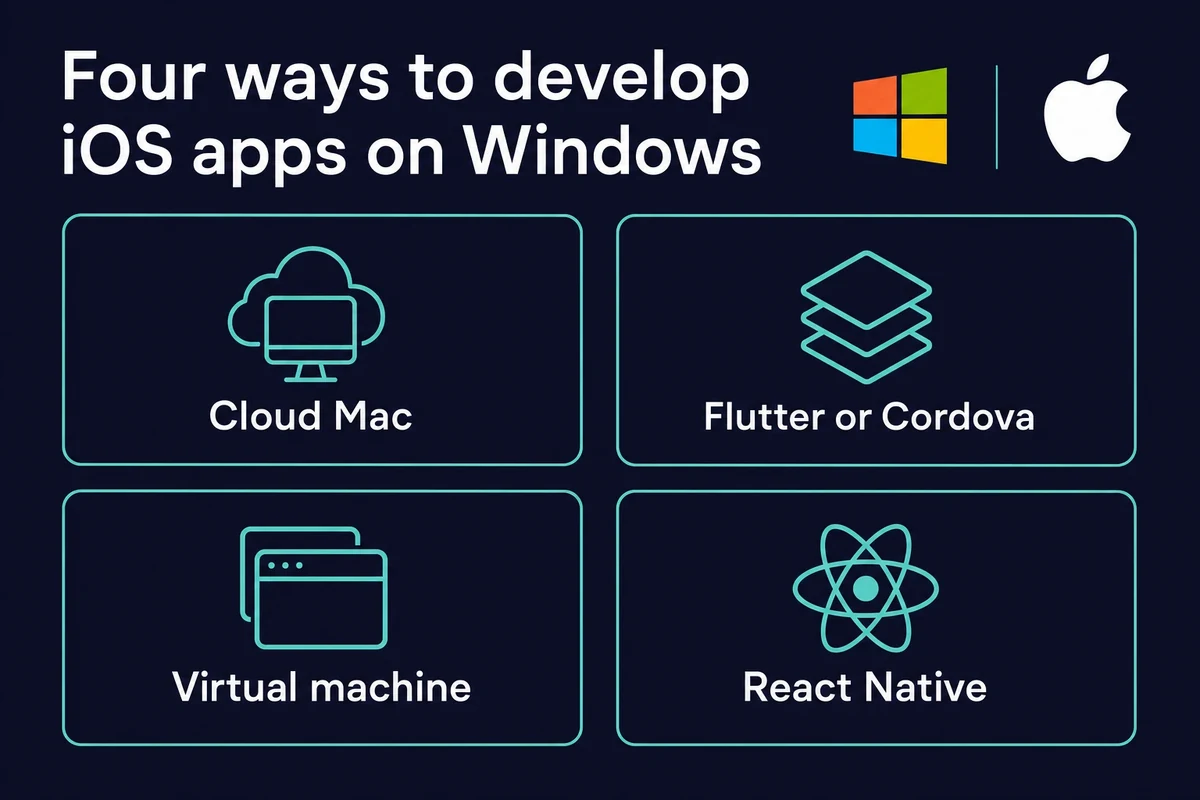
Best ways to develop an iOS application on Windows
To develop an iOS application on Windows, coders may use several methods, like
- Renting a Mac in the cloud
- Use cross-platform tools like Flutter and Cordova
- Build an app on a virtual machine
- Work in React-native environment
These same methods let you develop iPhone apps on Windows, since an iPhone app and an iOS app use the same Swift programming language and Xcode toolchain. So if you are wondering can you make iOS apps on Windows, the short answer is yes, with one Mac-only step at the end.
One thing to know up front: Xcode is built for macOS, and the current line is Xcode 26 (with the 26.2 SDK in 2026). Running older Xcode builds on Windows is unstable and not supported.
Newer tools have narrowed the gap a little. An open-source tool called xtool can build and sign Swift Package iOS apps from Windows, but it still needs Apple’s Xcode.xip and a Mac account for some signing.
Swift’s own Windows toolchain (via winget) covers command-line and server Swift, not native iOS builds. You can write on Windows, but shipping still needs a Mac.
Renting a Mac in the cloud
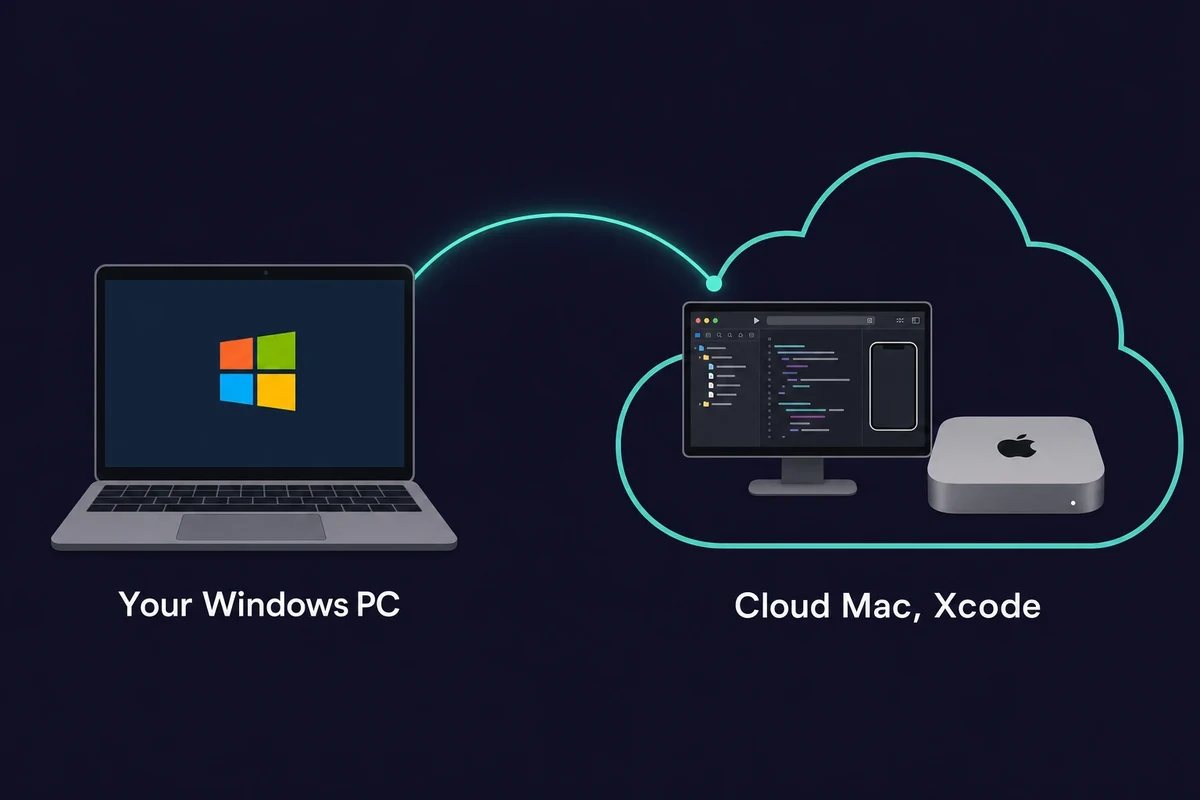
The first and best option is to rent a Mac in the cloud. This way, you can access the Mac environment without buying any hardware.
Remote services match real Macs in performance and are fit for tasks of any complexity. They are great for a DevOps application development project, where you have to quickly fix things online and debug running apps.
If you have to develop complex AI apps, getting a Mac in the cloud is the best option of all described in this article.
Cloud Macs allow you to run LLM models, work with massive amounts of data, or perform other computing-hungry tasks, as if you worked on a real Mac.
That is why rented cloud Macs have taken off: you get a full iOS environment in a few clicks, on a monthly plan rather than the price of a new Mac. Rentamac.io rents a dedicated Mac Mini M4 (16GB RAM, macOS 27) with full admin access, so any iOS build tool runs as it would on a Mac on your desk.
Use cross-platform tools like Flutter and Cordova
The tools for cross-platform mobile development allow us to code the apps on one platform and export them to another. In other words, you can develop an iOS app on Windows or Linux or vice versa.
The most popular tools are Flutter and Cordova. Their real benefit is one codebase: Flutter uses a single Dart project and Cordova wraps a web app, and both ship that one project to iOS and Android, which cuts the separate-platform build work.
Flutter by Google lets you create nice-looking apps for both iOS and Android using one set of code with Dart. Cordova helps by putting web apps into a native package, which makes it simpler to get them on mobile devices.
Yet, to deploy and test an app, you’ll need an Apple device or iOS emulators. While you’ll still need a Mac or emulator to test the final app, it’s possible to simulate iOS on Windows for early previews and interface debugging.
Build a virtual machine
Another way to develop iOS applications on Windows is by building them on a virtual machine.
A virtual machine allows you to create an operating system inside an existing operating system.
In other words, you can use a Windows computer to build a virtual copy of MacOS or Linux. With tools like VMware or VirtualBox, you can easily access one OS. A macOS virtual machine for Xcode usually wants 4 to 8 GB of RAM, an Intel i5 or i7 class CPU, and at least 10 GB of free disk space.
Since this method simplifies switching between operating systems, it is often used to build and test hybrid applications.
Yet, while using this method, you should keep in mind several things. First of all the method is not stable, so you may lose data during OS updates.
A virtual machine is much slower than a real Mac, and you will experience issues, especially if you use an OS simulator. It will be hard to spot or fix issues with a running app. The same applies to Xcode quirks: your simulator may lag a lot.
Since this method is legally grey, as it circumvents Apple’s legal constraints, the Apple App Store may flag some of your submissions. A Hackintosh, running macOS on non-Apple hardware, sits in the same grey area and is best avoided.
Work in a React-native environment
React Native is another way to develop native or hybrid apps for iOS and Android. It is an open-source tool with a powerful support community.
React allows you to use the same code for different platforms, which is great for cross-platform mobile development and greatly simplifies the work. However, to properly test iOS apps on Windows, you’ll need an emulator or a cloud-based Mac environment.
The best way to develop iOS applications on Windows
Since Xcode is still the best tool for developing iOS apps, every other path to iOS app development on Windows comes with trade-offs, like:
- Compatibility issues: iOS app development tools are not compatible with Windows, so the app development process may be more costly and not as smooth as in the native environment
- Stability issues: With different MacOS alternatives, there can be some stability issues in the app’s performance
- Toolchain limitations: iOS app development relies on the tools and libraries created specifically for MacOS. These are essential for debugging and optimizing app performance, and they are fully available on MacOS only.
These limitations may not be severe, but they hinder the creation of highly performing applications with a full spectrum of features.
One rule applies no matter which method you pick. The final iOS build, the code signing, and the App Store submission all require macOS and Xcode. Apple now requires every App Store Connect upload to be built with the iOS 26 SDK (Xcode 26 or later), a rule it enforces as of April 28, 2026.
A free cloud build runner is no real shortcut: a GitHub Actions free plan gives only about 20 minutes of macOS build time a month. A rented cloud Mac is the steady way to meet that gate.
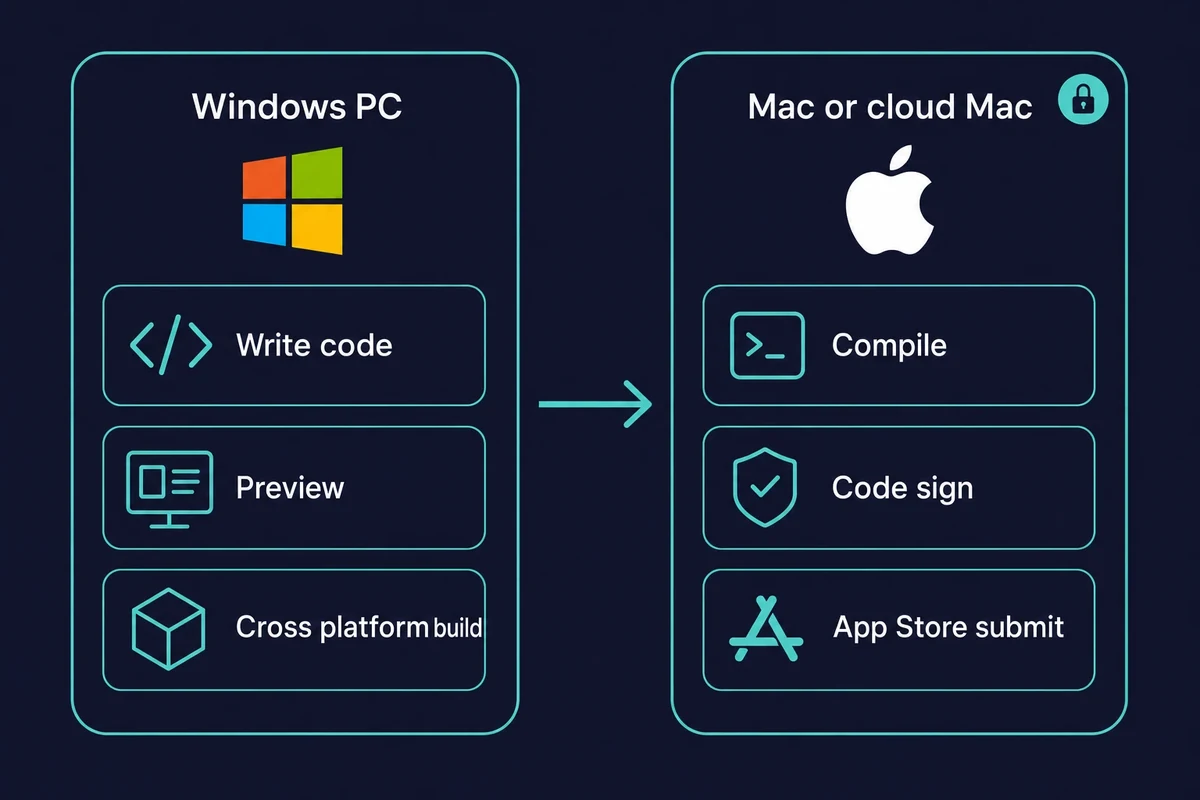
Yet, you can still develop an iOS app on Windows without limitations if you rent a Mac in the cloud. Honestly, this is the route I’d pick first. You will always have access to the latest Mac device and can use it only when needed. You also have other benefits at hand.
Benefits of renting a Mac
Rented cloud Mac services are a perfect option if you need to develop an iOS app on Windows for a range of reasons:
- Flexible upgrades: When you need the latest version of the device, you can transition effortlessly, often at no extra charge. That beats buying a Mac, which you can’t swap out instantly
- Low costs: For a monthly plan you get a dedicated Mac with full administrative rights, the quality of a real Mac at a fraction of the cost of buying one
- Scalability: If your team grows and you need more Macs, you get them in several clicks
- No maintenance: With online renting services, you don’t handle device repairs when something goes wrong. You get timely support or a substitution.
So, when you rent a Mac, you get high-quality Mac hardware on your own computer, without being tied to upfront costs or outdated machines. Cloud Mac rental services exist for exactly this, and Rentamac.io is one of them.
Therefore, renting a Mac online is your best option for building an iOS app on Windows.
Common questions about developing iOS apps on Windows
Can you develop iOS apps on Windows?
Yes, you can develop iOS apps on Windows, but you cannot finish the job there. You write and test on Windows using cross-platform frameworks, then the final build, code signing, and App Store submission happen on a Mac running Xcode. A rented cloud Mac handles that last step.
Do you need a Mac to develop iPhone apps?
You can write and preview iPhone apps on Windows, but a Mac is required for the final build and App Store submission. An iPhone app and an iOS app are built the same way, so the answer to can you develop iPhone apps on Windows is yes for the code, with a Mac at the end.
Can you publish an iOS app to the App Store without a Mac?
No. App Store Connect uploads must be built with Xcode 26 (the iOS 26 SDK) or later on macOS, a requirement Apple enforces as of April 28, 2026. There is no supported way around it, so a rented cloud Mac is the simplest fix.
Can I build an iOS app on Windows using React Native or Flutter?
Yes for the code. React Native and Flutter let you write one codebase on Windows, so you can build iOS apps on Windows up to the final compile. That last step, the compile, signing, and submission, still needs a Mac.
Will Xcode ever come to Windows?
There is no native Windows version of Xcode. Some workarounds run it inside a macOS virtual machine, with real trade-offs in speed and stability, and others use Xcode on Windows through a remote Mac. The practical route is a remote or rented Mac.