EN
EN  ES
ES  PT
PT  TR
TR  FR
FR  AR
AR 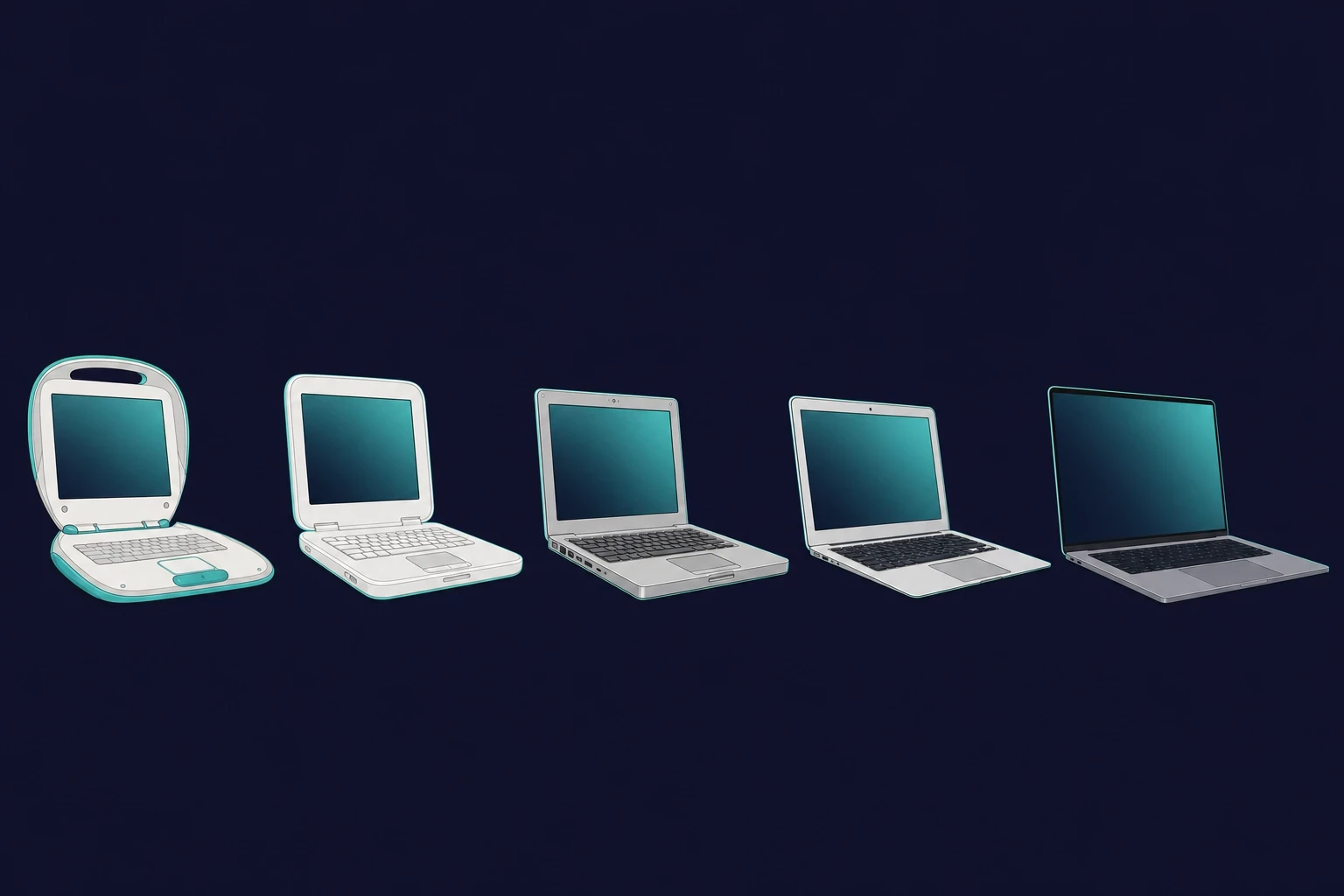
On this page
- ›PowerBook 100 (1991)
- ›MacBook models by year (full timeline table)
- ›PowerBook 140 & 170 (1991)
- ›PowerBook Duo Series, 1992 to 1997
- ›PowerBook 500 Series (1994)
- ›PowerBook G3 (1997-2001)
- ›PowerBook G4 (2001-2006)
- ›iBook G3 (1999-2003)
- ›iBook G4 (2003-2006)
- ›First MacBook Pro
- ›MacBook 2006
- ›MacBook Air
- ›MacBook (2008)
- ›MacBook Pro (Retina Display)
- ›MacBook (2015-2019)
- ›MacBook Pro (2016)
- ›MacBook Pro (2017-2019)
- ›MacBook Pro 16-inch (2019)
- ›MacBook Pro M1 (2020)
- ›MacBook Air M1 (2020)
- ›MacBook Pro M1- 14, 16 inches- 2021
- ›MacBook Air M2 (2022)
- ›MacBook Pro 13-in. M2 (2022)
- ›MacBook Pro M2 Models (2023) with 14 and 16 inches
- ›MacBook Air 15 inches (2023)
- ›MacBook Pro 14-in & 16-in M3 (2023)
- ›Apple Silicon catches up: M3 Air, M4, and M5 (2024-2025)
- ›MacBook Generations List: From PowerPC to Apple Silicon
- ›MacOS History: The Software Behind the Screens
- ›MacBook history FAQ
When Steve Jobs unveiled the first MacBook Air pulled from a plain Manila envelope in 2008, it was not only a product launch but also a statement. The history of the MacBook is one long run of reinvention, where Apple kept mixing design and engineering into something that felt like more than a computer.
From the chunky PowerBooks of the early years to the slim M-series Pros of today, every MacBook has been reworked again and again. This guide walks you through the models year by year, so you can see how Apple’s designs, features, and chips changed over time.
The short version
- The first Apple laptop was the PowerBook 100, released in 1991.
- The first model actually called “MacBook” shipped in 2006, the same year Apple switched to Intel chips.
- There are three chip eras: PowerPC (1991-2005), Intel (2006-2020), and Apple Silicon (2020-present).
- The current models are the M5 MacBook Pro (October 2025) and the M4 MacBook Air (March 2025).
PowerBook 100 (1991)

Before the PowerBook 100, portable computers were bulky and hard to carry. It changed that with a small, light design that made real portable computing possible.
- Co-designed with Sony, it was small and light for its time
- The first Apple laptop with a trackball, the ancestor of today’s trackpad
- A Motorola 68000 processor that handled everyday tasks
The PowerBook 100 was a turning point for Apple laptops. It marked their first step into portable computing.
MacBook models by year (full timeline table)
Here is the full MacBook timeline at a glance, from the 1991 PowerBook 100 to the 2025 M5 MacBook Pro. The table maps each model line to its year and defining chip, so you can jump straight to the generation you care about.
| Model | Year | Chip era | Notable first |
|---|---|---|---|
| PowerBook 100 | 1991 | Motorola 68000 | First Apple portable |
| PowerBook G3 “Wall Street” | 1997 | PowerPC G3 | First to run Mac OS X |
| First MacBook Pro | 2006 | Intel Core | First Intel MacBook (Feb 2006) |
| MacBook (polycarbonate) | 2006 | Intel Core Duo | First model called “MacBook” (May 2006) |
| MacBook Air | 2008 | Intel | Thinnest notebook of its time |
| MacBook Pro (Retina) | 2012 | Intel | First Retina display |
| MacBook (12-inch) | 2015 | Intel Core M | Butterfly keyboard, USB-C only |
| MacBook Pro M1 | 2020 | Apple M1 | The Apple Silicon shift |
| MacBook Pro M1 Pro/Max | 2021 | Apple M1 Pro/Max | Mini-LED XDR, ports return |
| MacBook Pro M3 | 2023 | Apple M3 | Space black finish |
| MacBook Air M4 | 2025 | Apple M4 | $999 start, Sky Blue |
| MacBook Pro M5 | 2025 | Apple M5 | Current flagship ($1,599) |
PowerBook 140 & 170 (1991)

The 140 and 170 launched alongside the PowerBook 100, aimed at professionals who wanted more performance. The 170 was the first Apple laptop with an active-matrix display, which made the screen sharper.
- Faster processors aimed at business users
- First Apple laptops with a palm rest for comfort
- Heavier than the PowerBook 100, but real workhorses in their day
PowerBook Duo Series, 1992 to 1997

This 2-in-1 turned an ultra-thin laptop into a desktop through a docking station, an idea well ahead of its time.
- Apple’s lightest PowerBook, ideal for frequent travelers
- Portless; it had to be docked for full use
- A minimalist design that hinted at the MacBook Air
- Docking never caught on, but it pointed to where Apple would go
PowerBook 500 Series (1994)

The PowerBook 500 Series made one of the biggest changes in laptop history: the trackpad.
- The first laptop with a trackpad, doing away with a weighty trackball
- Built-in stereo speakers, rare for a laptop then
- Battery sleep mode for instant resume
- The groundwork for modern MacBook trackpads
PowerBook G3 (1997-2001)

“Wall Street” is what the PowerBook G3 was called, and it was a powerhouse that could outrun many desktops of its day.
- PowerPC G3 processor, the fastest laptop chip of its time, in a sleek black case
- The first Apple notebook to fully support Mac OS X
- It opened the door to high-performance MacBooks
PowerBook G4 (2001-2006)

The PowerBook G4 brought the aluminum look that still shapes MacBooks today.
- Durable and stylish aluminum and titanium bodies
- High-resolution screens in wide sizes, great for creative work
- The last PowerBook before Apple moved to Intel Macs
- The direct predecessor to the MacBook Pro
iBook G3 (1999-2003)

The iBook G3 was aimed at students and casual users, and it was fun to use.
- Bright clamshell shapes of Tangerine, Blueberry, Grape, and many more
- The first to have wireless built-in Wi-Fi
- Rugged enough to survive drops better than most laptops
- The Mac that made Apple cool for students buying their first laptop
iBook G4 (2003-2006)

The iBook G4 reworked the G3 into something sleeker and more grown-up.
- The plastic shell was white and previewed the future MacBook
- A new PowerPC G4 processor that was much faster than the old models
- Tuned for Mac OS X so the software ran smoothly on the hardware
- A cheaper take on the PowerBook that made Mac laptops easier to buy
First MacBook Pro

Apple released the first MacBook Pro in February 2006, a big step forward wrapped in aluminum. At 5.6 pounds and an inch thick, it brought new features like a backlit keyboard and the MagSafe connector, which popped off safely if someone tripped on the cable.
- The fastest laptop at launch, with Intel chips four times faster than the PowerBook G4
- A bright display, a wide trackpad, and a motion sensor that parked the hard drive during a drop
- A 17-inch version soon arrived for power users who wanted more pixels
MacBook 2006

Later in 2006, Apple refreshed its consumer line with the polycarbonate MacBook, replacing the iBook and 12-inch PowerBook. It was less an update than a reset.
- Slimmer design with a glossy 13-inch display
- Intel Core Duo chips, 5x faster than the iBook
- Built-in iSight camera for video calls
- Drop protection and MagSafe, borrowed from the MacBook Pro
- Available in white and black, which gained cult status
- Apple called it “the world’s most advanced consumer notebook,” and for many it was the first Mac that felt truly personal
MacBook Air

In 2008, Steve Jobs unveiled the MacBook Air by sliding it out of an envelope. It was the world’s thinnest notebook at the time. Apple dropped the optical SuperDrive and added a multitouch trackpad with gestures.
Its slim, light design made the Air a favorite among developers, especially those looking at ways to develop iOS apps without Mac using cloud-hosted setups.
- 13-inch LED display with full-size, backlit keyboard
- Built-in iSight camera for video calls
- An 11.6-inch model debuted to battle netbooks and ultrabooks
MacBook (2008)

Apple rebuilt the polycarbonate MacBook into a strong aluminum unibody case. Steve Jobs called it the greenest computer Apple had made, meeting the top Energy Star 4.0, EPEAT Gold, and RoHS environmental standards.
- All without toxic chemicals (such as PVC-free cables, mercury-free LED displays, and glass without arsenic)
- Pro-performance notebook graphics in an entry-level package
MacBook Pro (Retina Display)

Apple brought the Retina display to the MacBook Pro, the highest-resolution laptop screen at the time. It packed more than 5 million pixels, more than an HD TV.
- Lighter and almost as slim as a MacBook Air
- Does not have an optical SuperDrive but uses solid-state flash storage instead
- Minimalistic design
- First (and last) MacBook Pro with an HDMI port
- Thinned MagSafe 2 power port and enhanced speakers
MacBook (2015-2019)

Apple revived the MacBook as its thinnest and lightest notebook, just 2 pounds and 13.1mm thick.
- Weighs only 2 pounds and 13.1 mm in thickness, overtook the MacBook Air
- Light and compact with a 12-inch Retina display and butterfly keyboard with a Force Touch trackpad
- Liquidated all ports; only USB-C/Thunderbolt 3 replaced the MagSafe and USB-A
- Cools itself and operates silently
- Discontinued in July of 2019 to streamline Apple’s MacBook lineup
This is also the era of the butterfly keyboard, remembered less fondly. With only about 0.7mm of key travel, it jammed easily when dust or crumbs got under a key, and it became the defining weak point of these models. Apple eventually ran an extended repair program to cover the failures.
MacBook Pro (2016)

Apple introduced the 2016 MacBook Pro in December, thinner and lighter than before. The non-Touch Bar version even stepped in to replace the Air. The Touch Bar models, from 13-inch to 15-inch, swapped the function keys for a small touchscreen strip.
- Touch ID sensor for better and more secure logins
- More connectivity with Thunderbolt 3/USB-C ports
- Larger trackpad and improved butterfly keyboard
- Brighter, wide-gamut display like the iPhone 7
- Improved SSD speed and sound quality
- Space gray color made available to the MacBook Pro collection
- Set a new sales record reported by Apple
MacBook Pro (2017-2019)

Faster chips and better keyboards have improved the new MacBook Pro.
- Optional 8-core processors and Intel Coffee Lake chips (15-inch)
- Up to 32GB RAM for high-end models
- Redesigned the butterfly keyboard to maximize reliability
- 13-inch Touch Bar under-the-radar base model
MacBook Pro 16-inch (2019)

The 16-inch MacBook Pro had the biggest Retina display Apple had ever put in a MacBook.
- 3072 x 1920 resolution and pixel density of 226 ppi
- The new keyboard replaced the butterfly type
- Up to 64GB RAM and 8TB SSD storage
- 9th-generation Intel processors with better thermal management
- A 6-speaker sound system with an improved mic array
MacBook Pro M1 (2020)

The M1 chip gave the MacBook Pro its best performance and longest battery life yet.
With the shift to Apple Silicon, many developers looked for new ways to test iOS apps on Windows remotely before moving fully to M1 Macs.
- An 8-core CPU for fast processing
- Two Thunderbolt ports for connectivity
- Magic Keyboard with a new design
- Light at 3 lbs for portability
MacBook Air M1 (2020)

The MacBook Air M1 was faster than before, and best of all, it had a silent fanless design.
- 8-core M1 chip with a 7- or 8-core GPU
- Made graphics five times better with 3.5x faster processing
- A super-fast SSD, twice as fast as the one in previous models
- About 18 hours of battery life
- Magic Keyboard and three colors: Silver, Space Gray, and Gold
MacBook Pro M1- 14, 16 inches- 2021

Apple’s new MacBook Pros are powered by their latest M1 Pro & M1 Max for a significant performance boost.
- 70% faster CPU with 3× memory bandwidth for a significant speed boost
- 32-core GPU delivering 4× faster graphics performance
- Mini-LED XDR display with function keys
- Three Thunderbolt 4 ports, an SDXC slot, and HDMI for versatile connectivity
- 1080p HD camera integrated with a six-speaker system
MacBook Air M2 (2022)

The MacBook Air M2 had a fresh new design and Apple’s newer M2 chip.
- Features the new M2 processor for improved performance
- Larger 13.6-inch Liquid Retina display
- Ultra-thin (11.3 mm) and ultra-light (2.7 lbs)
- Available in Silver, Space Gray, Midnight, and Starlight
- 1080p HD camera, four speakers, and physical function keys
- Supports fast charging with a 67W USB-C adapter
MacBook Pro 13-in. M2 (2022)

The 13-inch MacBook Pro kept its classic design but got a solid boost from the M2 chip.
- M2 chip with 8-core CPU and 10-core GPU
- Supports up to 24GB of unified memory and 2TB of storage
- Retains Touch Bar, the only MacBook to do this
- 720p camera, stereo speakers, and weighs 3 pounds
- Available in silver and space gray
MacBook Pro M2 Models (2023) with 14 and 16 inches

The M2 Pro and M2 Max chips were a big power upgrade for the 2023 MacBook Pro models.
- About 22hours battery life
- Improves Wi-Fi 6E connection speeds
- Updated HDMI for 8K output
- Offers up to 96GB of unified memory with M2 Max
- Liquid Retina XDR display, 1080p FaceTime HD camera
- Six loudspeaker mics with studio quality
The M2 Max’s power makes it ideal for workloads like AI model deployment – many professionals now run large language models on a Mac without needing external GPUs.
MacBook Air 15 inches (2023)

Apple’s MacBook Air at 15.3 inches is 25% larger compared to the 13-inch size.
- 11.5 mm thick, 3.3 lbs in weight
- M2 chip with an 8-core CPU, 10-core GPU, and 16-core Neural Engine
- Liquid Retina display with 500 nits of brightness
- Supports up to 24 GB of unified RAM and offers 18 hours of battery life
- Artistic design with an eight-speaker spatial audio system for silent operation
- 1080p FaceTime HD camera (U.S. only) and MagSafe charging
MacBook Pro 14-in & 16-in M3 (2023)

In late 2023, Apple updated the MacBook Pro with the M3, M3 Pro, and M3 Max chips for more speed and better efficiency.
- 14-inch model with an M3 chip, 8-core CPU, 10-core GPU, and 16-core Neural Engine
- 16-inch models with M3 Pro or M3 Max, up to 128 GB RAM, and an 8 TB SSD
- Liquid Retina XDR display with 1000 nits sustained brightness
- New space black color with a fingerprint-resistant finish
Apple Silicon catches up: M3 Air, M4, and M5 (2024-2025)
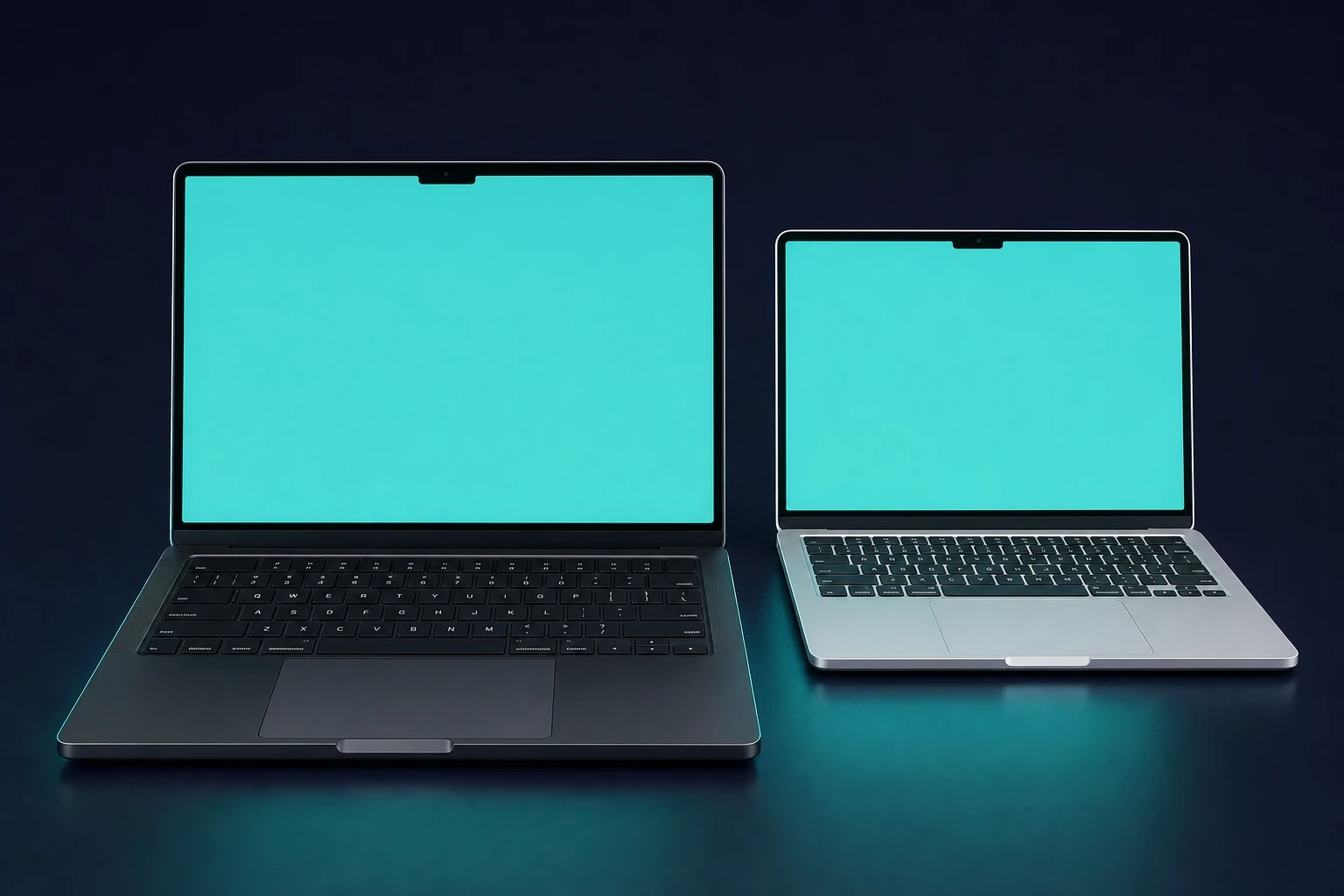
The newest stretch of the MacBook evolution moves fast. After the M3 in late 2023, Apple kept the cadence going: the M3 MacBook Air in March 2024, the M4 MacBook Pro in October 2024, the M4 MacBook Air in March 2025, and the M5 MacBook Pro in October 2025. Here is what each one changed.
The M3 MacBook Air landed on March 4, 2024, in 13-inch and 15-inch sizes. It brought the M3 chip to the lighter Air line and filled the gap between the 2022 M2 Air and the M4 era.
Then came the M4 MacBook Pro on October 30, 2024, in 14-inch and 16-inch sizes with a choice of M4, M4 Pro, or M4 Max. The base 14-inch now starts at 16GB of RAM, which matters if you are weighing whether a MacBook is worth it for heavier work.
The M4 MacBook Air (March 12, 2025) starts at $999, adds a 12MP Center Stage camera and a new Sky Blue finish, and pushes memory bandwidth to 120 GB/s, up from the M3’s 100 GB/s. For a workload like a MacBook for data science, that extra bandwidth shows up in real benchmarks.
The current flagship is the M5 MacBook Pro, released October 22, 2025, with pre-orders the week before. The 14-inch starts at $1,599 with a 10-core CPU, a 10-core GPU, and a 16-core Neural Engine. At launch, the 16-inch stayed on the M4 Pro and M4 Max rather than jumping straight to M5.
MacBook Generations List: From PowerPC to Apple Silicon
Line up the whole range and we see one clear pattern: each chip era made the MacBook faster, while Apple kept chasing thinner and lighter.
- PowerPC Era (1991-2005): PowerBooks and iBooks with Motorola/IBM chips
- Intel Transition (2006-2020): Faster CPUs, but thermal compromise
- Apple Silicon (2020-present): the M-series, now spanning M1 through M5, which silenced the early skeptics and reset what people expected from a laptop on battery
MacOS History: The Software Behind the Screens
Every MacBook stands or falls by its OS. Remember Mac OS 9 (1999)? It bundled Sherlock for searching files. Then came OS X Tiger (2005) along with Spotlight and Dashboard widgets. macOS Sonoma (2023) opened a pathway to converting websites into apps and added a game mode for smoother play.
Apple has shipped two more versions since. macOS Sequoia arrived on September 16, 2024, and macOS Tahoe followed on September 15, 2025. Tahoe was the first macOS to drop Intel support entirely and the one that introduced the Liquid Glass interface. The latest version is macOS Tahoe 26.5, released May 11, 2026.
MacBook history FAQ
Quick answers to the questions people ask most about MacBook history.
When was the first Apple laptop released?
The PowerBook 100, Apple’s first portable, launched in 1991. It brought portable computing to the Mac line with a trackball and a Motorola 68000 processor, and set the template every Apple laptop has built on since.
When was the first MacBook released?
The first product actually called “MacBook” arrived in May 2006, the polycarbonate consumer model that replaced the iBook. The first MacBook Pro had shipped a few months earlier, in February 2006, as Apple’s first Intel laptop.
What is the latest MacBook model?
As of 2025, the M5 MacBook Pro is the flagship, released October 22, 2025, starting at $1,599. The current Air is the M4 MacBook Air from March 2025, which starts at $999.
How many MacBook generations are there?
The cleanest split is three chip eras: PowerPC (1991-2005), Intel (2006-2020), and Apple Silicon, which runs from the M1 in 2020 through the M5 in 2025. Inside the Apple Silicon era, the M1, M2, M3, M4, and M5 each count as a sub-generation, so you can group the lineup either way depending on how granular you want to get.
What was the worst MacBook keyboard?
Most people point to the butterfly keyboard of the 2015 to 2019 era. With only about 0.7mm of key travel, it jammed when debris got under a key, and the failures were common enough that Apple ran an extended repair program.
Which MacBook was the thinnest?
The 2015 12-inch MacBook was the thinnest of its time at 2 pounds and 13.1mm. The 2008 MacBook Air set the original thinness benchmark, and the Mac mini history follows a similar arc on the desktop side.