On this page
Last updated: July 2026
On this page
TL;DR: On a 16GB Mac, including the Mac mini M4, the DeepSeek you can actually run is the R1 distills. The 7B and 8B builds hit about 25 to 40 tokens per second at 4-bit. Native DeepSeek V4 does not fit: V4-Flash wants 96 to 128GB of memory, and V4-Pro is data-center only.
The short answer: to run DeepSeek on a Mac, use the R1 distills. On a 16GB Mac you download a 7B or 8B build in LM Studio, or pull one with the Ollama command ollama run deepseek-r1:8b. The 8B build is about 5.2GB at 4-bit, small enough to keep several on disk, and it replies at reading speed with no discrete GPU.
The full DeepSeek V4 models are a different story, and none fit a 16GB machine.
If you want an even lighter model to run alongside it, Liquid LFM2.5 on a Mac fits in around 5GB.
What you’ll need to run DeepSeek on Mac
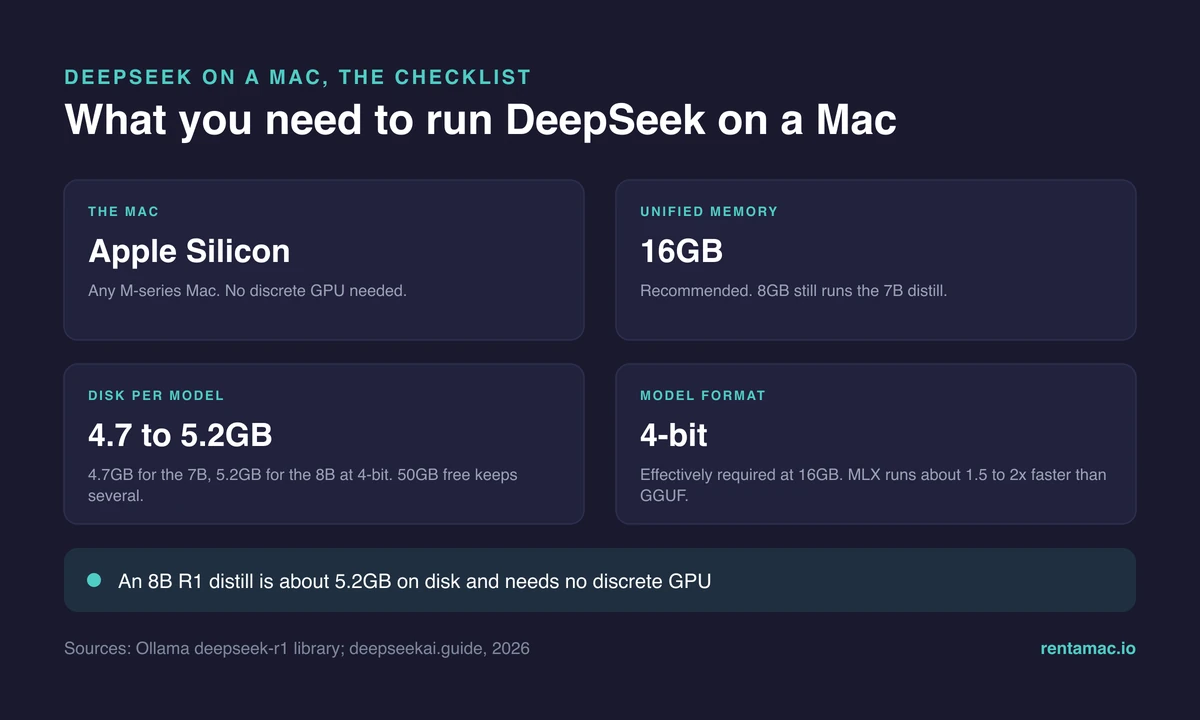
To run DeepSeek on a Mac you need a modern Mac with 16GB of RAM (a Mac mini M4 is ideal) and about 50GB of free space. With that, the R1 distills run comfortably at 4-bit and need no discrete GPU.
- A modern computer: the best case is when you use Mac M4, although other versions are also suitable for doing machine learning on a Mac
- 16 GB of RAM: You may also work with 8 GB, but select lighter models. The better the memory, the faster your tasks will run
- 50 GB of free space
If you have all this, nothing can stop you from starting.
How to run DeepSeek on a Mac?
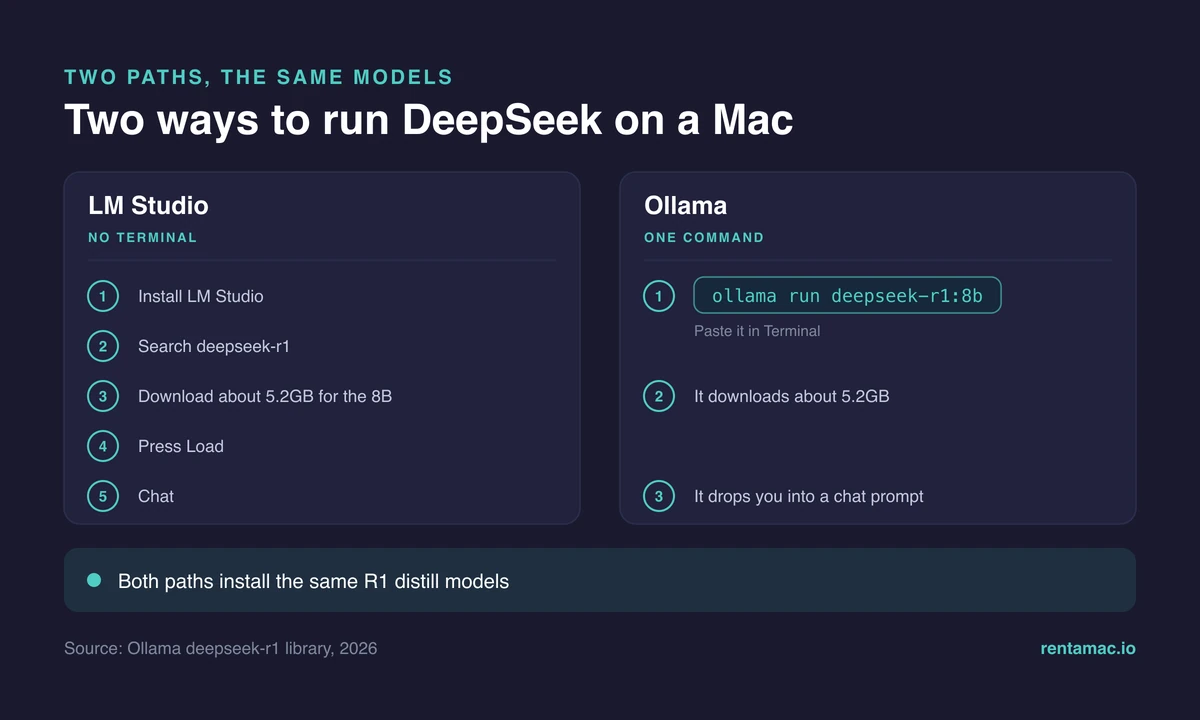
To run DeepSeek on Mac, you need a tool for working with LLMs created for macOS. DeepSeek on macOS runs through a local app such as LM Studio or Ollama, both Apple-Silicon native. The best option for running LLMs on a Mac is LM Studio. As you choose between them, follow these steps:
- Download LM Studio
- Proceed to set up
- Choose the model from the list
- Deploy the model
- Run the model
Now, we’ll review these steps one by one
Download and set up your tool
LM Studio is the best tool for running DeepSeek on Mac. It has a simple chat interface and allows you to run models using prompts.
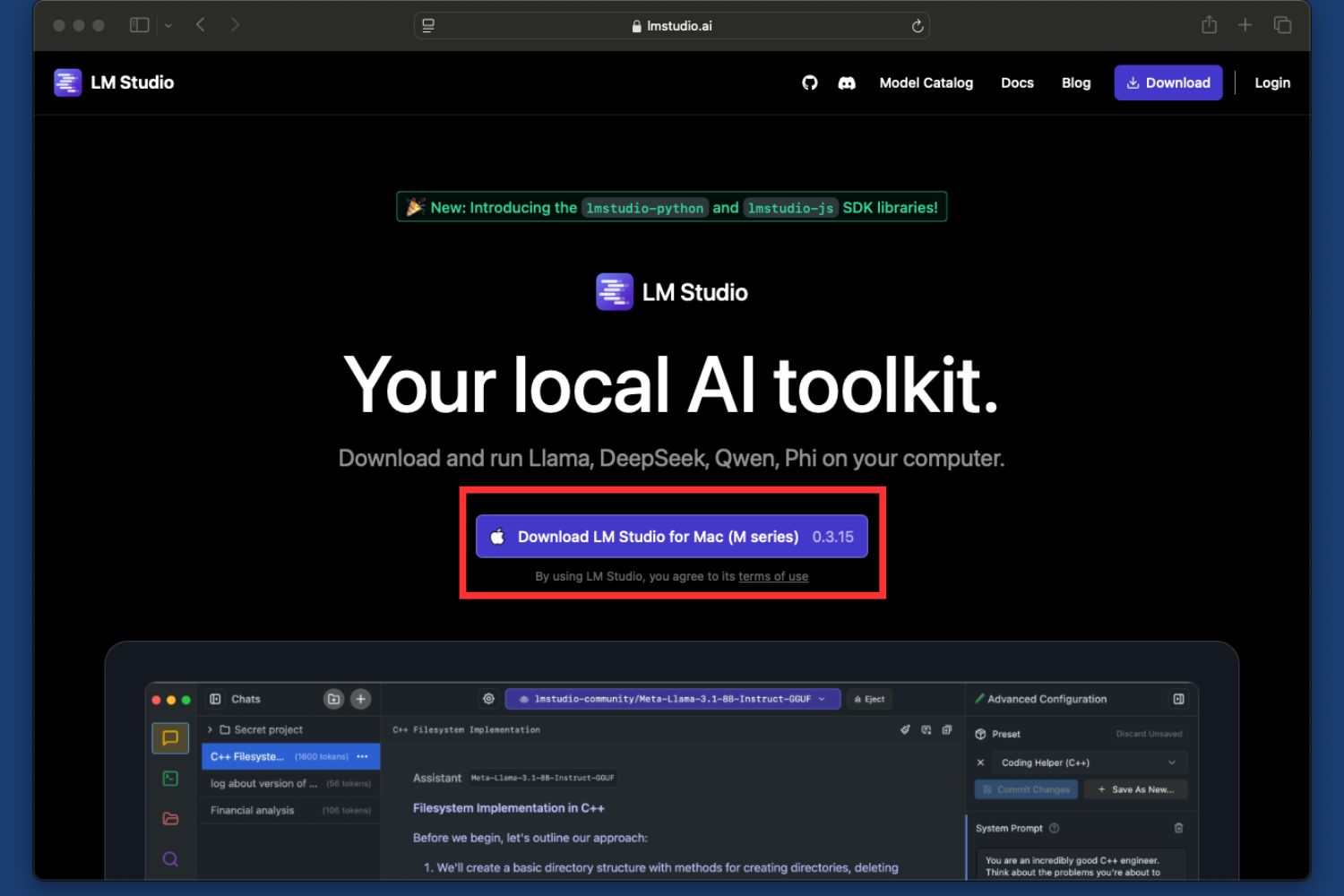
You can download LM Studio from the official site and install it in a few simple steps.
Step 1: Go to the LM Studio website and download your app:
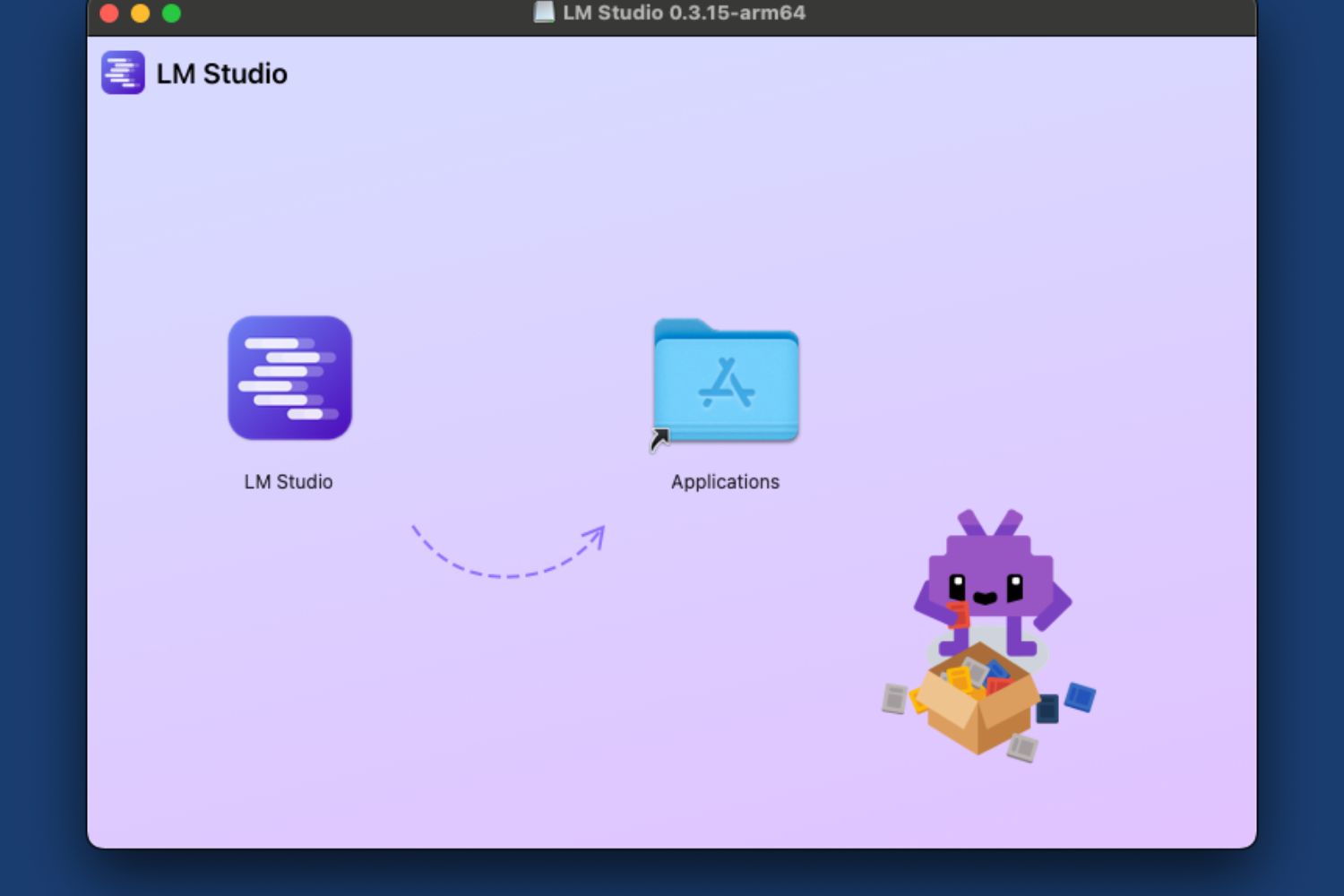
Step 2: As you open the downloaded file on your Mac, the system will ask you to move the file to the Applications folder:
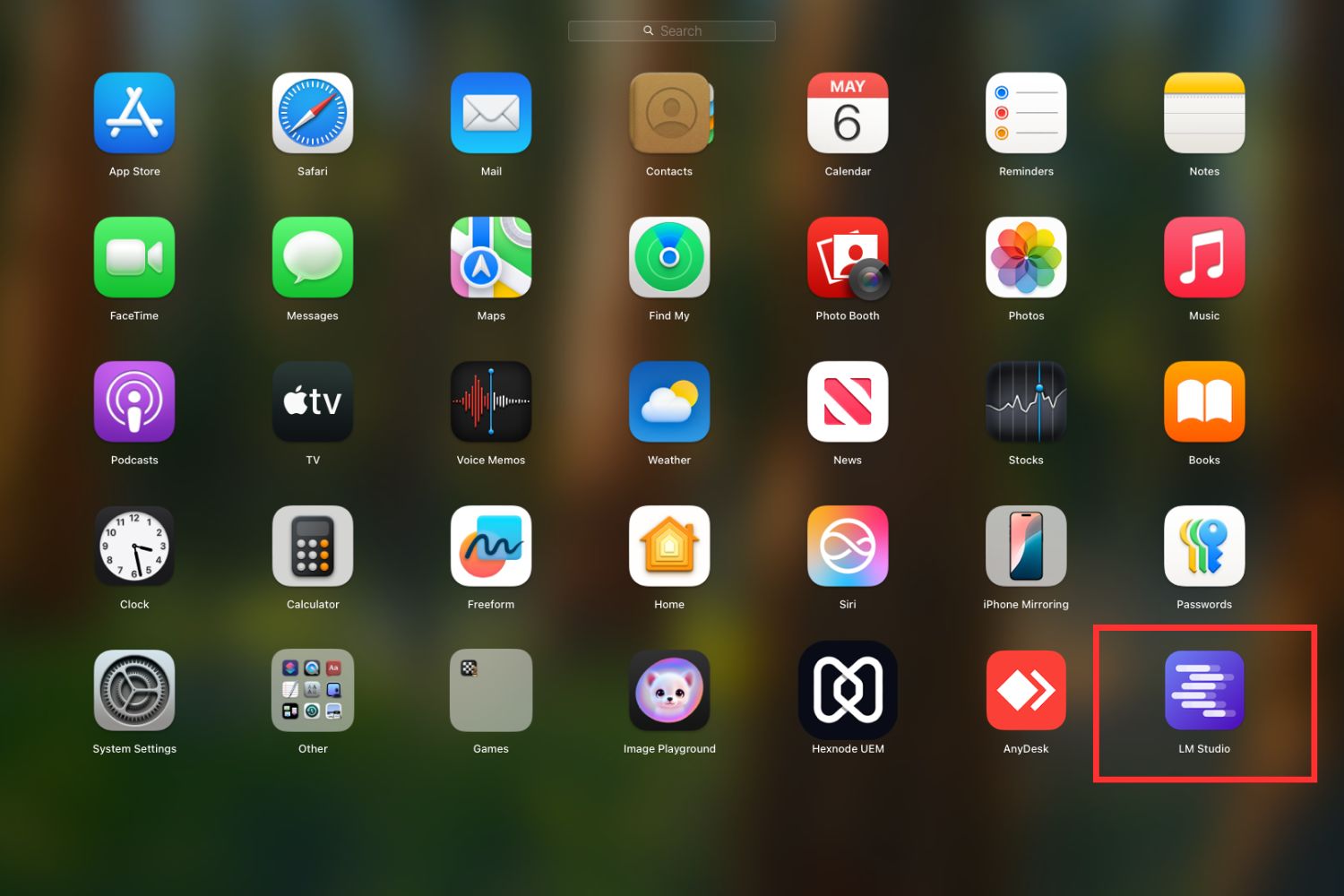
Step 3: Find LM studio in the Applications folder and open it from there:
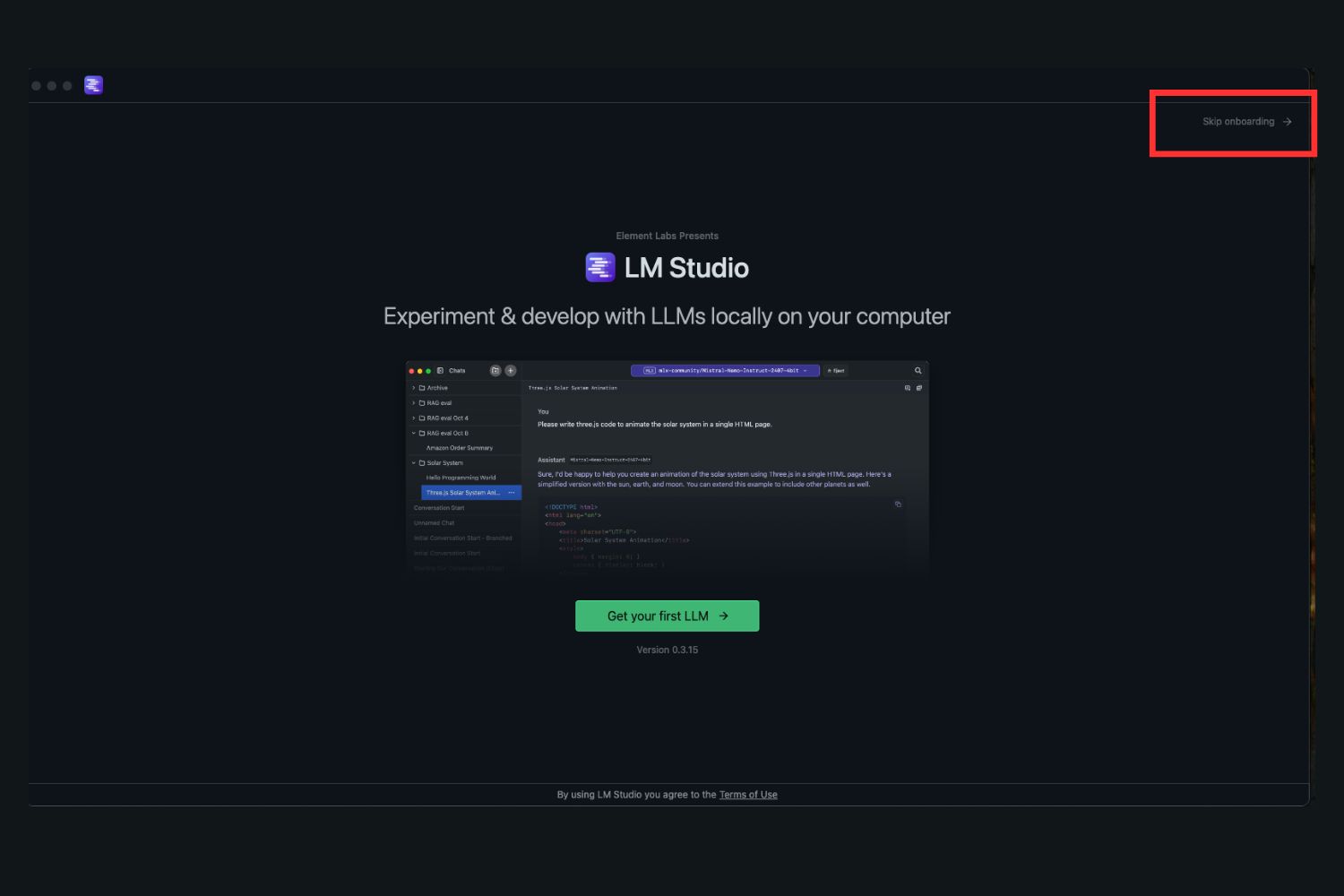
Step 4. You are welcomed with the onboarding screen, where you are offered to download a model for a Welcome tutorial. You can skip this part by clicking on Skip onboarding.
That is the setup done, roughly five minutes on my rented mini, mostly the download.
Choose a model from the list
It also integrates with HuggingFace so you can access over 1 million models, including over 9K options from DeepSeek.
Remember that different models have different weights, or the computing power and memory volume needed to run them.
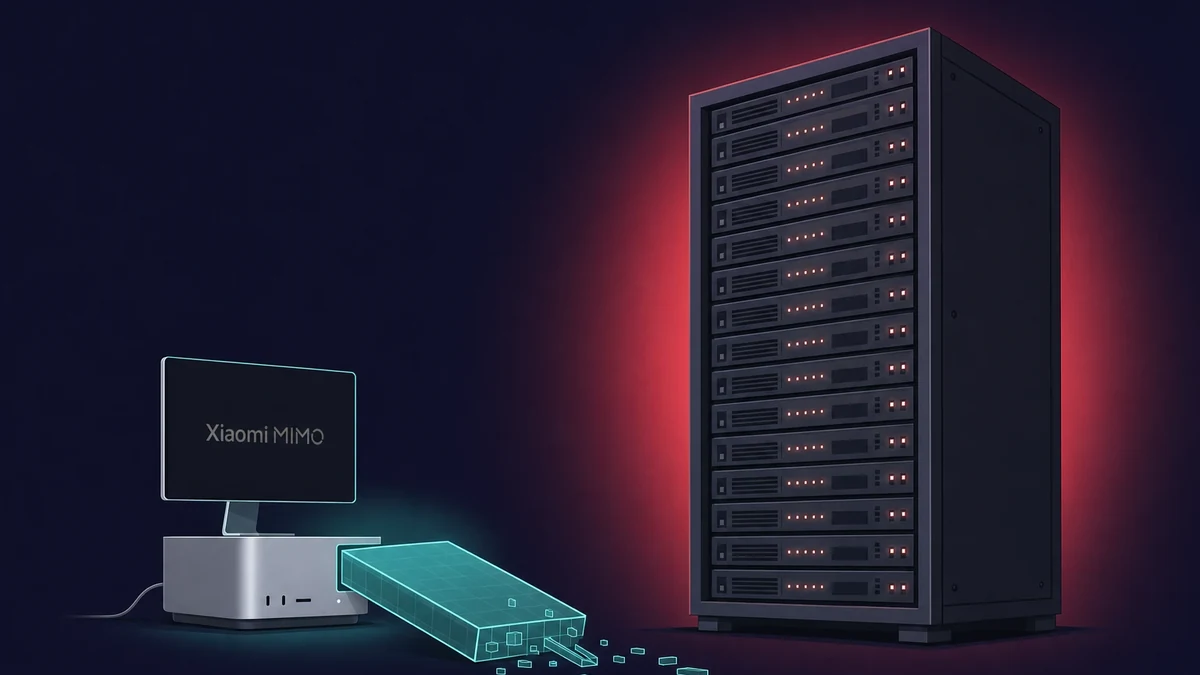
The more parameters a model has, the heavier it is. For example, the full-scale DeepSeek model (the one that competes with ChatGPT) used 671 billion (-671B) parameters and can be run on data centers with hundreds of GBs of RAM.
The newest release, DeepSeek V4, is far bigger. Running DeepSeek V4 Flash on a 128GB Mac needs heavy compression, and that 128GB machine is not the 16GB rented mini. No native V4 fits 16GB.
Model weights (the number of parameters it operates on) often appear in the name. DeepSeek’s own models carry the -7B, -8B, and -32B markings.
Those -7B, -8B, and -14B builds are DeepSeek-R1 distills: smaller Qwen and Llama models fine-tuned on DeepSeek’s reasoning, not the full 671B model. At 4-bit, a compressed format that lowers the memory needed, they fit a 16GB Mac easily.
Depending on your RAM, you can select either lighter or heavier models. The RAM factor matters most here, as the model will have to fit into your GPU memory completely if you want it to run smoothly or at least at usable speeds.
You can select the 14B model with 16 GB of RAM, but if you are using the 8GB RAM versions of Macs, work with the 7B models and lighter ones.
If you connect to a cloud Mac with more memory, you can still run heavier models on an 8 GB Mac or another computer.
For example, at Rentamac.io, you can rent a dedicated 16GB Mac mini M4, where a 4-bit R1 8B distill sustains about 24 to 28 tokens per second. I keep an 8B distill on mine to test prompts, no hardware to buy.
So, here are the steps to select the model:
Step 1: Go to the Search button in the LM Studio menu.
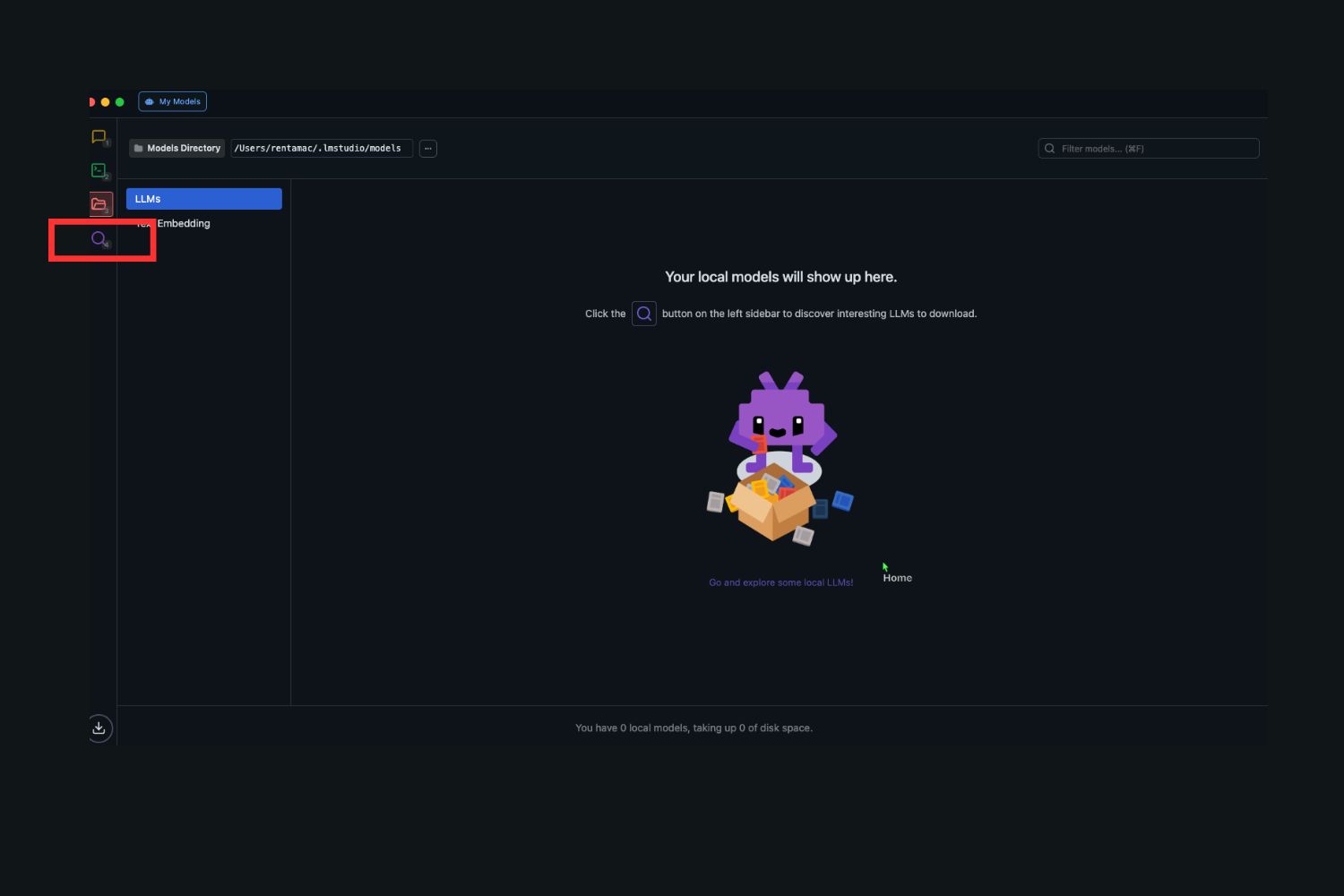
Step 2: Go to the search bar and type the model name:

Step 3: Select the model with the weights you need and press the Download button:
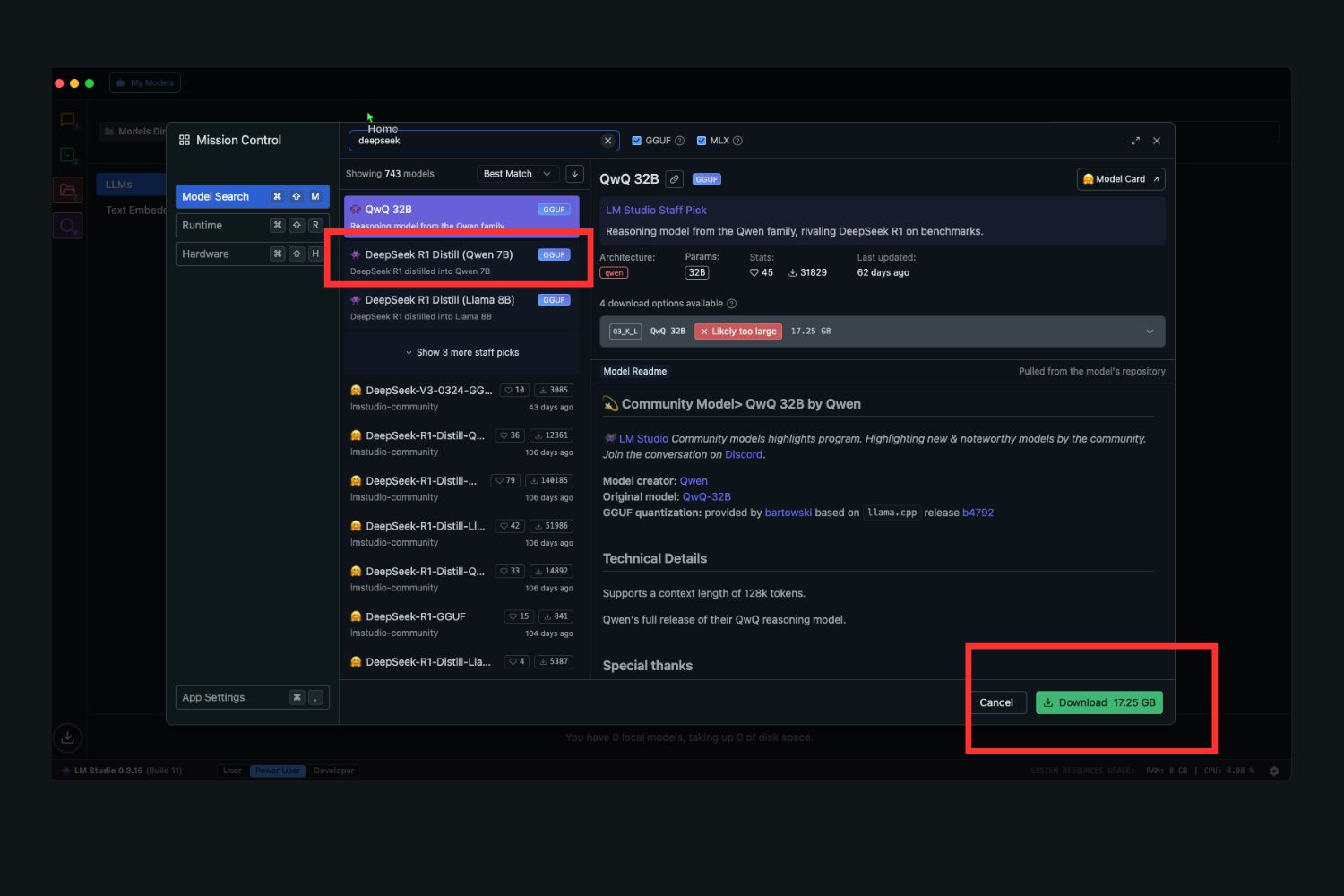
Download the model
After pressing the Download button, the downloading process starts. I can take up to a minute.
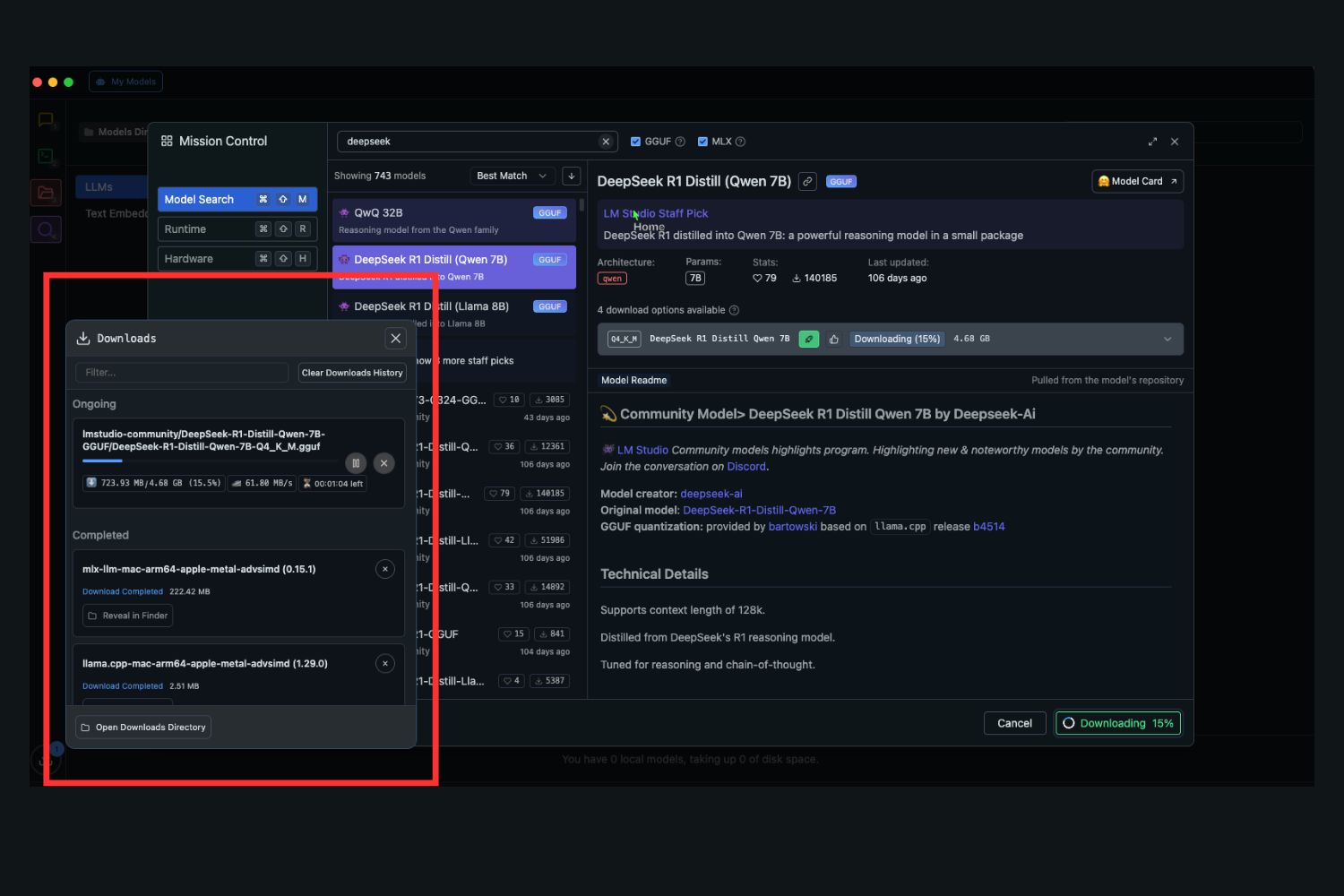
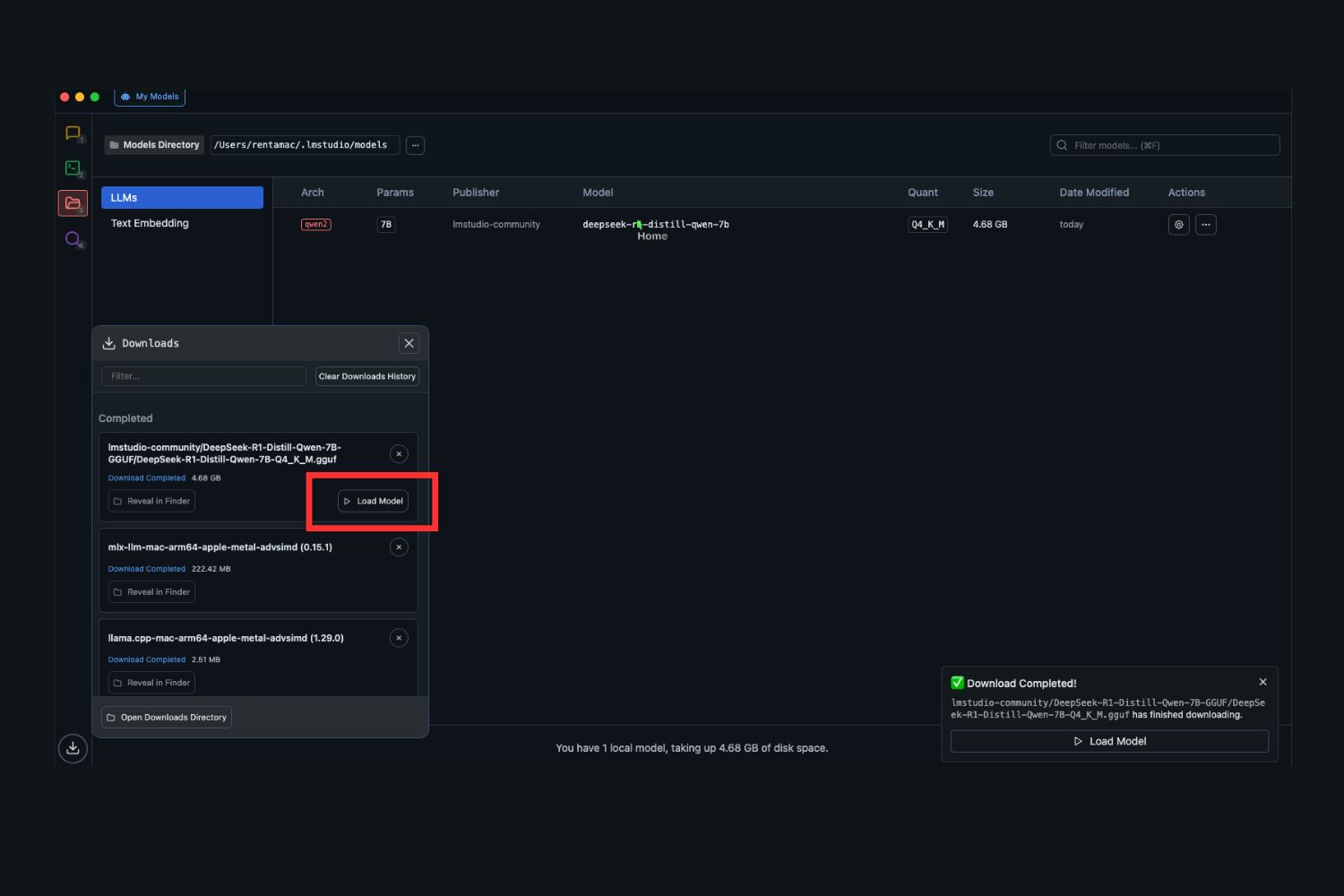
As the model is downloaded, you have to press the Load button to proceed further:!load the model
Run the model
After pressing the Load button, you are redirected to the chat interface, where you can give tasks to your model and get results:
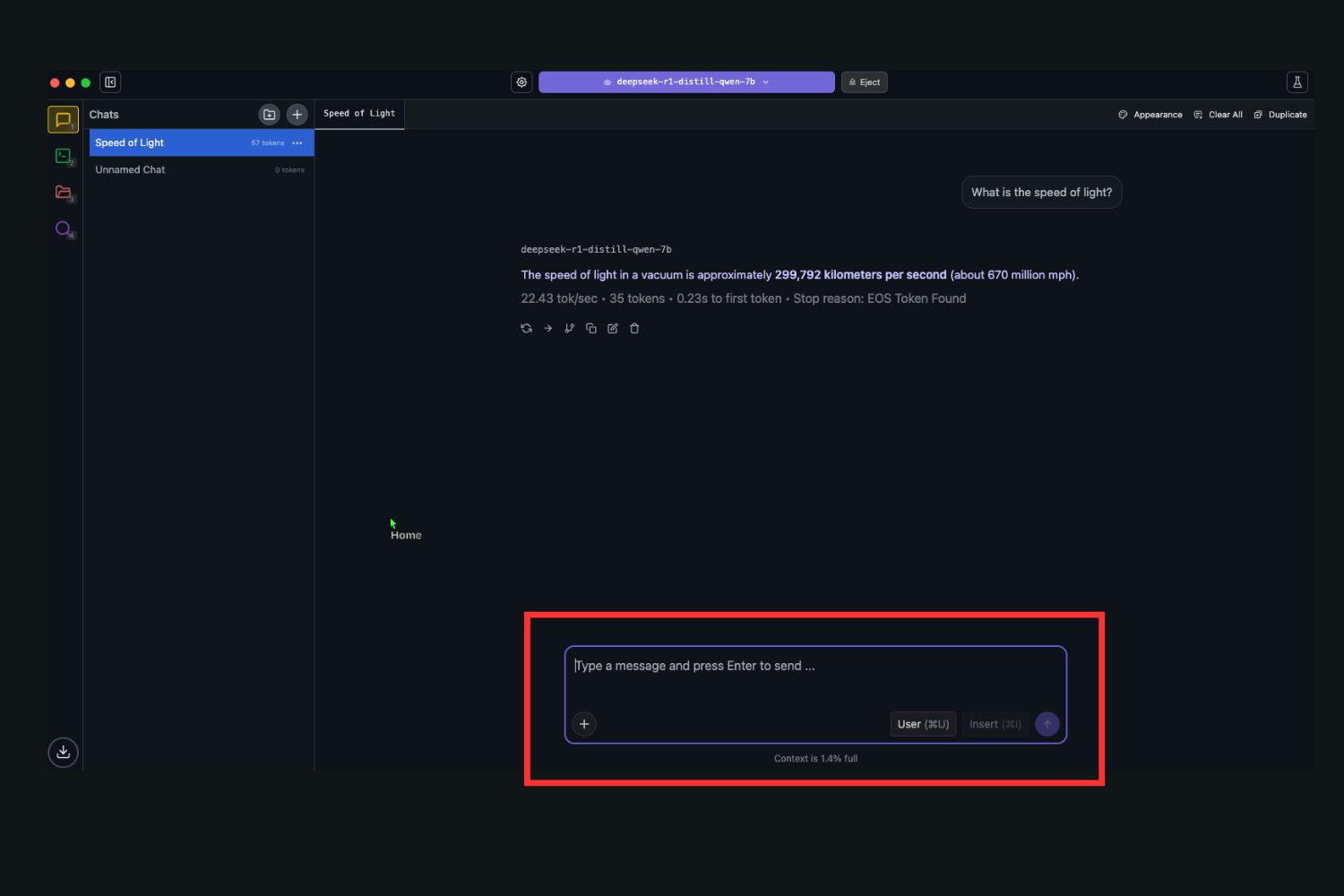
Once it loads, you are chatting. I point mine at research notes and code, and the 8B distill keeps up. A few things these distills do well:
Software development: generate, test, and debug code, or get a hand creating applications.
Writing: draft text, brainstorm ideas, build topic lists. Many creators also run image models like Stable Diffusion locally.
Learning: break material down at different levels, like explaining quantum computing to a fifth-grader.
Run DeepSeek R1 with one Ollama command
Prefer speed over clicking? Ollama runs DeepSeek from the command line in three steps:
1. Install the free Ollama app.
2. Open Terminal (the built-in Mac command tool) and type ollama run deepseek-r1:8b.
3. Wait for the 5.2GB download, then start chatting.
That command grabs the 8B distill. Swap the number for the lighter deepseek-r1:7b or larger deepseek-r1:14b. These are the same R1 distills as the LM Studio path, so you can run it from the terminal with Ollama instead. When I script, I skip the app and run one line.
Can you run DeepSeek V4 on a Mac?
No native DeepSeek V4 fits a 16GB Mac. V4-Flash has 284 billion parameters (13 billion active) and needs about 96 to 128GB of memory, where even a 128GB M4 Max manages only 3 to 6 tokens per second. V4-Pro (1.6 trillion, about 865GB) will not run on any consumer Mac. So on your Mac, run the R1 distills.
| DeepSeek variant | Real size | Smallest local build | Comfortable RAM | Runs on a 16GB M4 mini? |
|---|---|---|---|---|
| V4-Pro | 1.6T params (49B active) | ~865GB | data-center only | No |
| V4-Flash | 284B params (13B active) | ~70GB (heavily compressed) | 96 to 128GB | No |
| R1-Distill 7B | 7B params | ~4.7GB | 8GB | Yes |
| R1-Distill 8B | 8B params | ~5.2GB | 16GB | Yes |
| R1-Distill 14B | 14B params | ~9.0GB | 16GB | Yes, but tight |
| R1-Distill 32B | 32B params | ~20GB | 32 to 64GB | No |
Which DeepSeek variants fit a 16GB Mac mini.
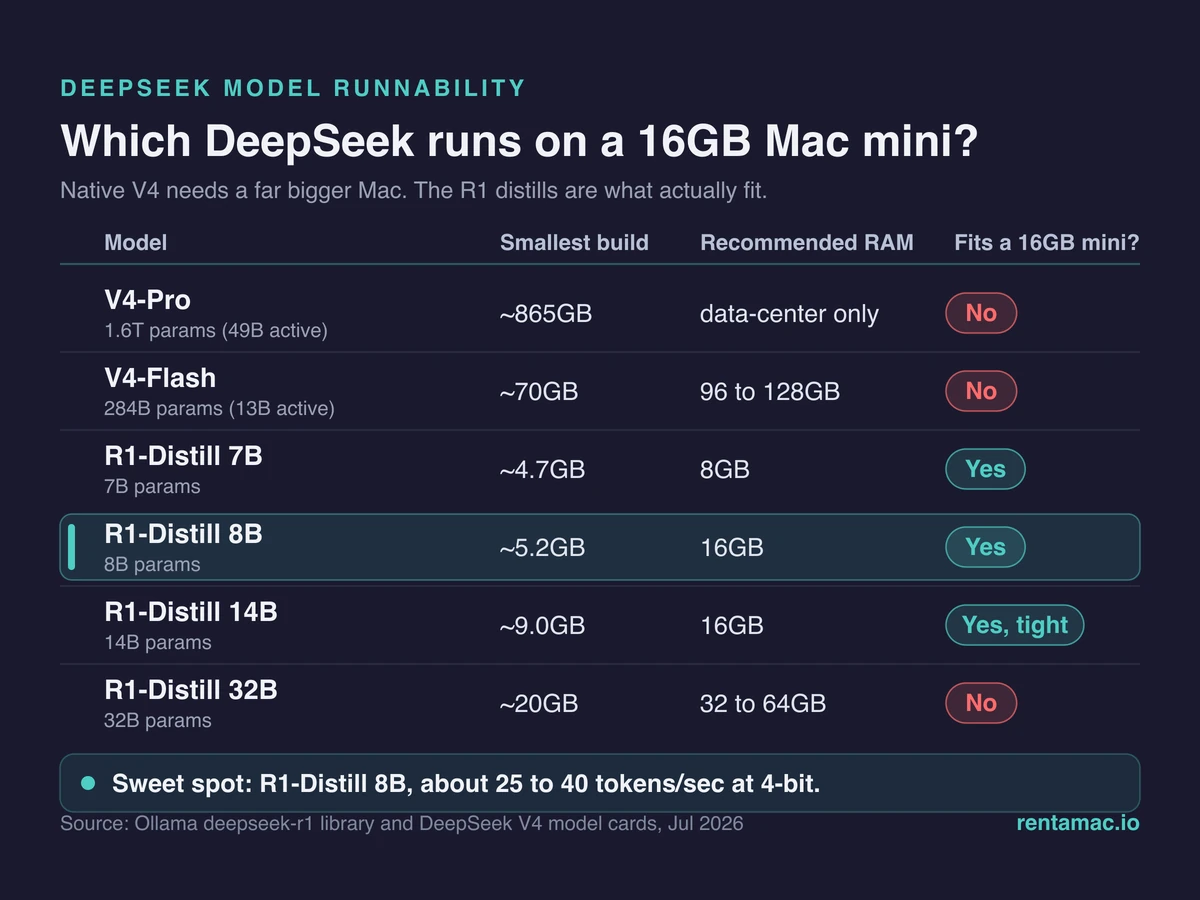
There is no smaller V4 either. As of July 2026 the teased V4-Lite was folded into V4-Flash, and no V4 distills have shipped, even as V4 itself goes official this mid-July.
On my 16GB mini I only run the R1 distills. Honestly, V4 weights are far past what 16GB holds, so I never load one. Rented or owned, they post real tokens per second on a Mac today.
Mac M4 DeepSeek Performance
I ran the 8B distill on my own rented mini and clocked the tokens myself. On a 16GB Mac mini M4, a 4-bit DeepSeek-R1 7B or 8B distill runs at roughly 25 to 40 tokens per second, and the 8B holds about 24 to 28 in its common 4-bit form. It sits right in that range for me, quick enough to read along.
The 32B distill is not a 16GB target: it needs about 31GB and a 32 to 64GB Mac, where it drops to roughly 8 to 9 tokens per second. These small distills will not match the full data-center DeepSeek on the hardest problems, but they handle research and coding well.
Two settings decide your speed. Use a 4-bit model, effectively required at 16GB, and prefer an MLX version (Apple’s format for its chips) over the more common GGUF, since MLX runs about 1.5 to 2 times faster.
Benefits of Running DeepSeek Locally on Mac
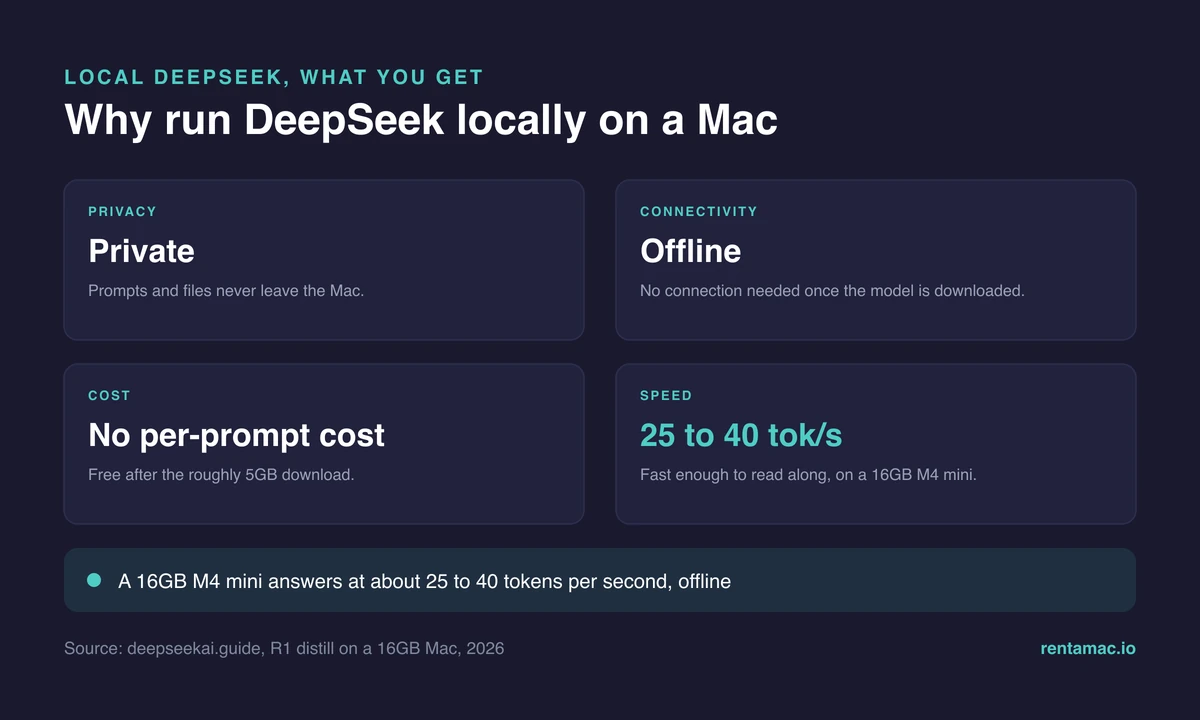
Running DeepSeek locally keeps your data on the machine and works offline, on a flight or a bad connection. Once downloaded, the model costs nothing per prompt. That pull toward private, on-device AI is part of the broader machine learning adoption shift.
Frequently asked questions
Can you run DeepSeek V4 on a Mac mini?
Not a native V4. A 16GB Mac mini M4 runs the DeepSeek-R1 distills, with 7B and 8B the comfortable picks. Native V4-Flash needs 96 to 128GB, and V4-Pro is data-center only.
Which DeepSeek model should I run on a 16GB Mac?
The R1-Distill 7B or 8B at 4-bit, around 25 to 40 tokens per second. The 14B fits but runs tight, and the 32B needs a 32 to 64GB Mac.
Is there a native DeepSeek app for macOS?
Yes, there is an official DeepSeek app for Apple Silicon Macs, and Intel Macs use the web version. For private, offline work, run the R1 distills locally with Ollama or LM Studio.
Does running DeepSeek on a Mac cost anything?
No. The R1 distills are free to download and run locally, with no subscription and no API bill. You only pay for the Mac, whether you own or rent it.