On this page
Last updated: July 2026
On this page
So, what if you are a Windows user?
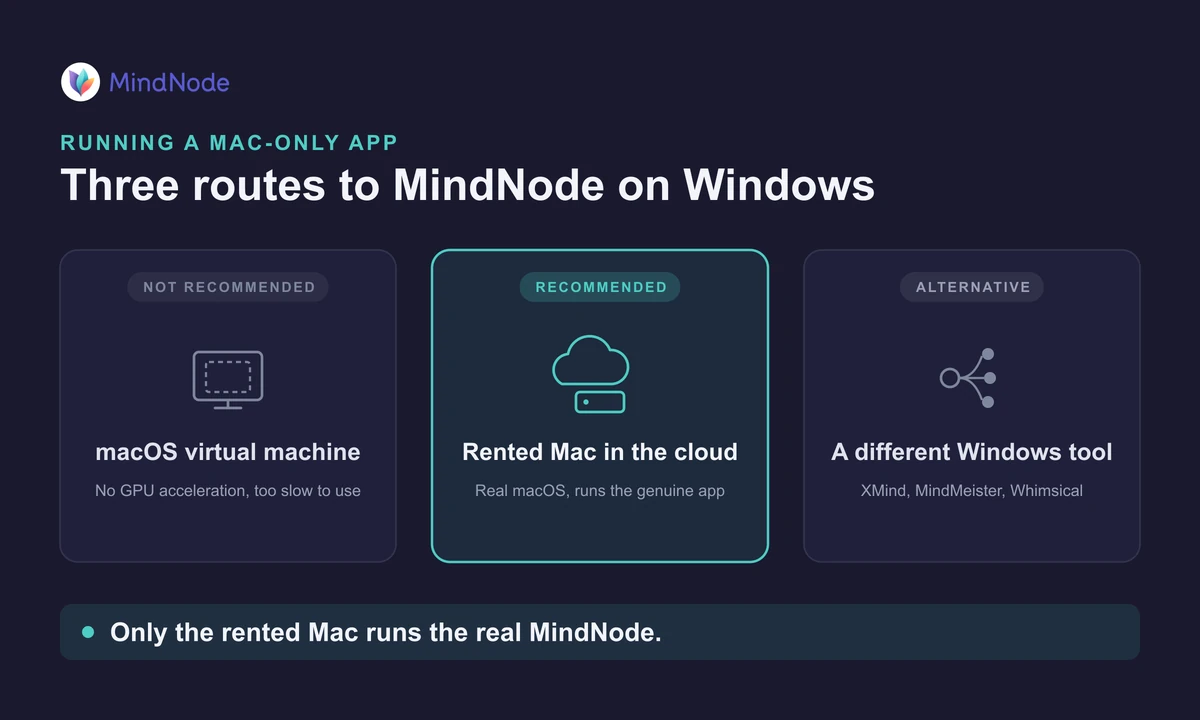
You still have real options, even without a Mac on your desk. You can run a macOS virtual machine on your PC, rent a real Mac in the cloud and use the genuine app, or pick a mind mapping tool that already runs on Windows.
MindNode has been Mac-only since 2008, and the app stays free to download, with an optional MindNode Plus plan at $2.99 a month. Only the rented Mac runs the real MindNode without a licence workaround.
Why You Can’t Install MindNode on Windows
MindNode has been an Apple-only app since its 2008 debut, built with technologies like Core Animation, Metal, and iCloud sync that are woven deep into macOS. There is no Windows native version, it will not run on a PC without simulating or remotely accessing macOS, and its developers have never announced cross-platform plans.
MindNode’s supported platforms are all Apple: Mac, iPhone, iPad, Apple Watch, and Apple Vision Pro. There is no Windows build, no Android app, and no web or browser version. If you have been looking for a MindNode online or web version, there isn’t one.
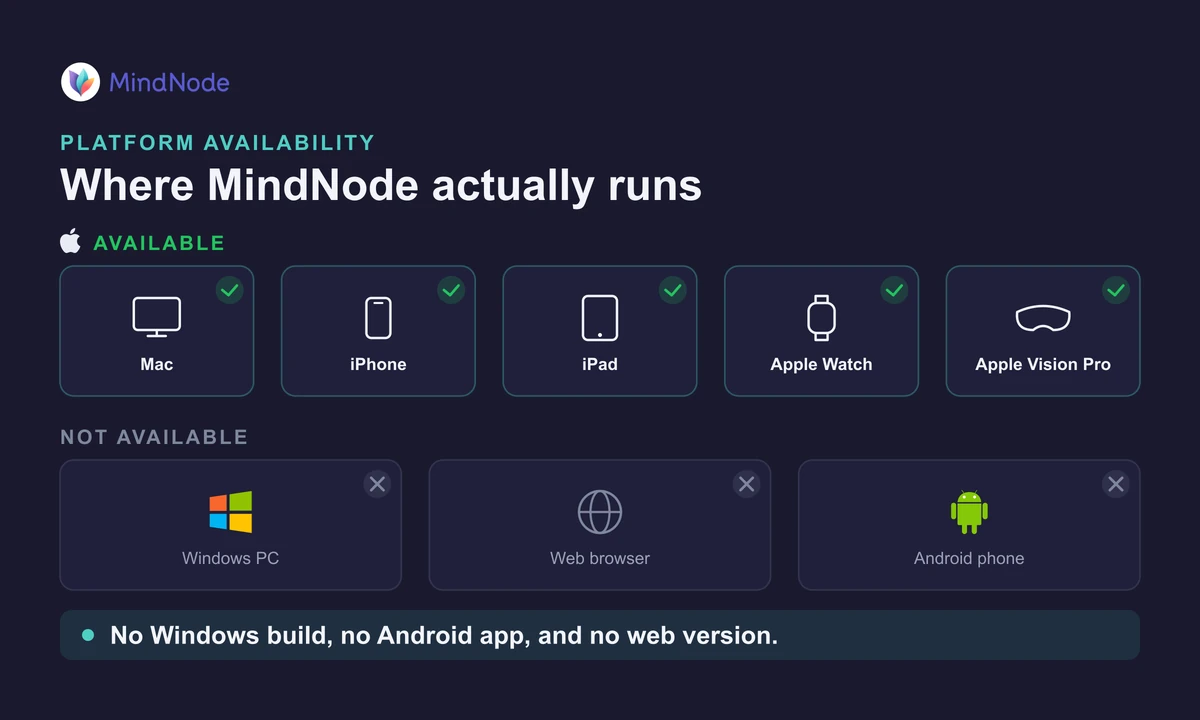
That holds for every edition. In late 2024 the app was rebuilt as MindNode Next, and the original was renamed MindNode Classic, both still Apple-only. So running the real MindNode on Windows means running macOS, which the rented Mac route below handles.
3 Ways to Run MindNode on Windows
You have three realistic routes to MindNode on a Windows PC: a macOS virtual machine, a rented Mac in the cloud, or a different mind mapping tool that runs on Windows. Only the rented Mac runs the real MindNode without fighting Apple’s licence. Here is how they compare.
Option 1: Virtual Machine
A macOS virtual machine on a PC can technically run MindNode, but we don’t recommend it. Apple’s macOS licence only allows macOS on Apple hardware, there is no GPU acceleration, and it runs too slowly for a graphics-heavy tool to feel usable.
Option 2: Renting a Mac
The most reliable option is to rent a virtual Mac from a service like Rentamac.io.
Here, you connect to a real macOS in the cloud from any Windows device. All you have to do is connect, install MindNode, and use it just like you would on a physical Mac.
We timed it once: about ten minutes from checkout to our first finished MindNode map on a rented Mac mini.
Pros:
- Runs the genuine macOS, so there is no licence workaround involved
- A dedicated Mac Mini M4 with 16GB RAM on macOS 27.0, genuinely fast and stable
- No hassles
- Works immediately for MindNode and all macOS-only apps
Cons:
- Service fee (daily, weekly, or monthly, depending on your plan)
This is your best option if you want to use MindNode on Windows without limitations.
Option 3: Choose a Different Tool
If you are open to alternatives, other mind mapping tool options would be:
- XMind – Free and paid options
- MindMeister – Online and team-friendly
- Whimsical – Collaborative visual thinking tools
All of these are well-functioning apps, but if you’re familiar with MindNode’s design language, they might feel more clunky.
How to Run MindNode on Windows with Rentamac.io
If you would like to use MindNode on Windows, the safest option is just to access a virtual Mac. It gives you the genuine macOS experience, with no complicated setup or workarounds.
Starting with Rentamac.io is simple. Here is the whole process, step by step:
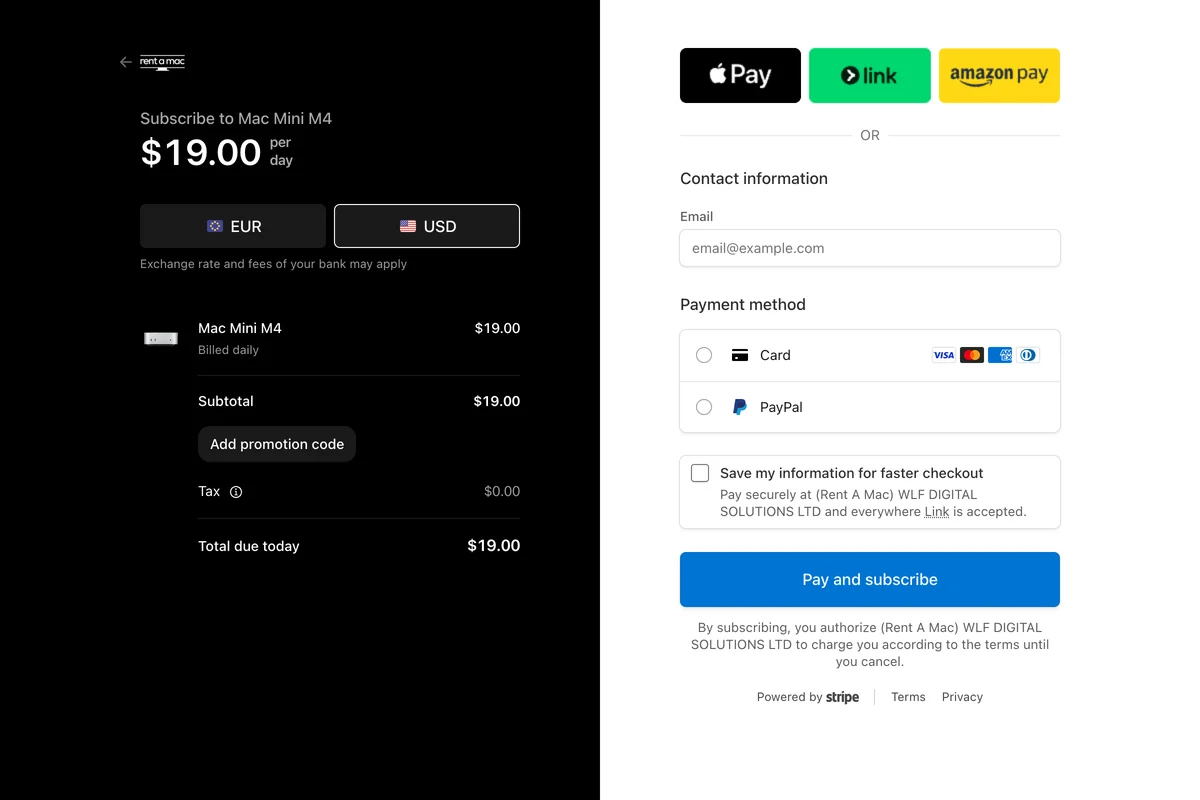
1. Choose your plan and payment option. Visit our Pricing page and select the plan that works best for you, then complete the Stripe checkout, where you can pay with Visa, Mastercard, or PayPal.
2. Connect to your Mac Mini. After payment, select and connect to your Mac mini to reach the dashboard, where you get the login credentials for both macOS and the remote access tool.
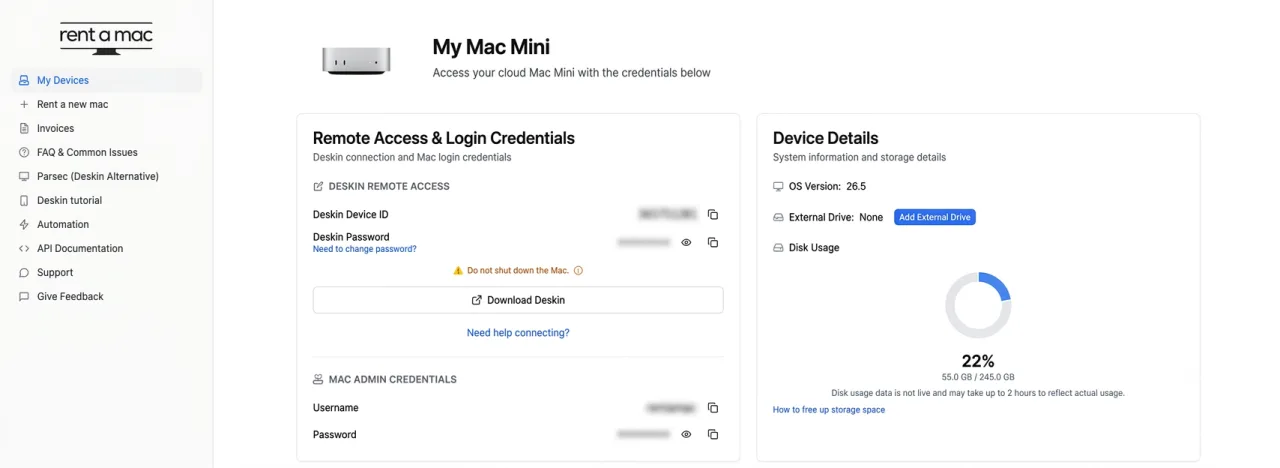
You access your Mac using DeskIn, the secure remote desktop app pre-installed on your rented Mac, so you control it as if you were sitting right in front of it. On your Windows PC, install the DeskIn client, plug in the DeskIn ID provided, and enter your macOS password.
3. Get access to your Mac through DeskIn. If you haven’t installed the DeskIn client yet, press the download button and follow the instructions. The dashboard also has a Restart DeskIn button if the connection ever drops.
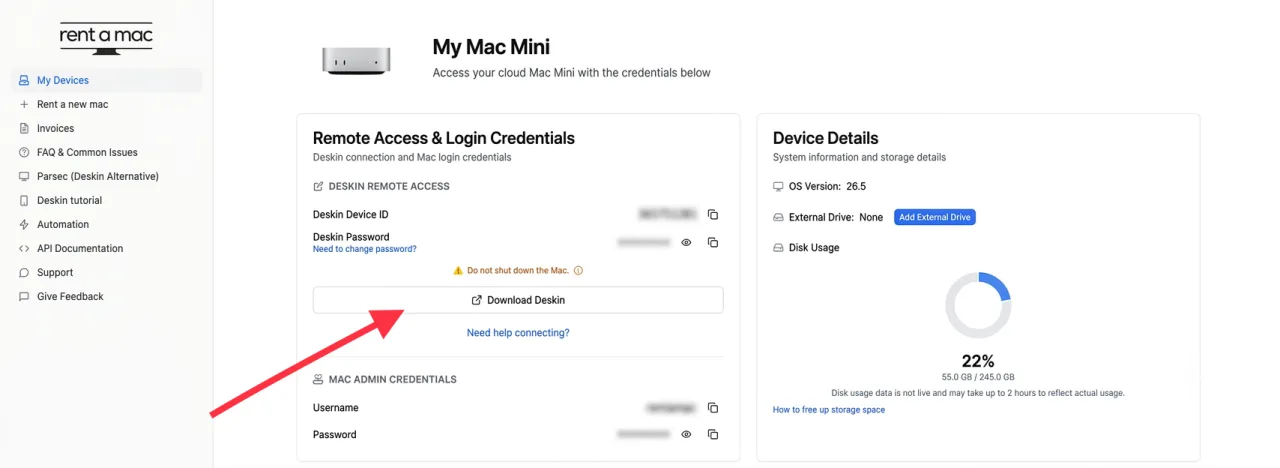
To start, open DeskIn, paste the assigned DeskIn ID into the first field, and finish the authorization by entering your password and pressing OK when prompted. Now you are in, and you can download and install the MindNode app.
4. Download MindNode and start designing. Open the App Store on your dedicated Mac and search for MindNode. A plain search now surfaces MindNode Next, the rebuilt app. The original is now called MindNode Classic, which Apple hid from App Store search, so you download it straight from MindNode’s site.
Both run fine on your rented Mac, so open whichever you want and start brainstorming, all from Windows through your cloud Mac.
When you finish, save your projects to any cloud storage you like, such as iCloud or Dropbox.
Who Is This For?
MindNode is perfect for anyone who thinks in tidy visual maps: productivity and GTD fans, students who want clean study notes, creatives and visual thinkers, teams building a shared workflow, and professionals who left macOS but still want their Mac apps back.
Is MindNode free, and what does it cost?
MindNode is free to download, and as of 2026 the optional MindNode Plus plan runs $2.99 a month or $24.99 a year. The free tier covers creating, editing, and importing or exporting maps. There is no Windows build at any price, so it runs on a Mac, including a rented one.
The free tier is genuinely useful on its own. You can build, edit, and export maps without paying, and there is a free trial for MindNode Plus.
I tried the free tier on a rented Mac, and it built and exported a full map without once asking me to pay.
The “free download for Windows” searches are where it gets tricky. There is no MindNode installer for Windows at all, free or paid. On a PC your two honest choices are the real Mac app on a rented Mac, or a free Windows alternative such as Freeplane.
On our last short project we rented by the week, so the Mac cost stayed small next to MindNode’s own $2.99 plan.
Here is how the pricing breaks down:
| Plan | Price | What you get |
|---|---|---|
| Free | $0 | Create, edit, and import or export mind maps |
| MindNode Plus | $2.99/mo or $24.99/yr | Everything in Free, plus premium features (free trial available) |
Free vs MindNode Plus, official pricing as of 2026.
FAQs
Is there a native version for Windows for MindNode?
No. It is only available on macOS and iOS, but there are a number of different options available, like renting a virtual dedicated Mac and running the app there.
Is it legal to have a virtual Mac for MindNode?
Yes, if you rent a real Mac (like through Rentamac.io). However, installing macOS on non-Apple hardware violates Apple’s terms.
Are there good replacements for MindNode?
XMind, MindMeister, and others, though they may not have the same UI or other features. Freeplane is a solid free option on Windows, but expect to relearn where things live and to give up MindNode’s automatic layout.
Conclusion
MindNode doesn’t run natively on Windows, but that doesn’t mean you have to let it go. Renting a Mac stays the most reliable way to run MindNode on a PC, since no PC version was ever released.
You get the real app on real macOS, with no hacks or lag and none of the licence trouble that comes from forcing macOS onto non-Apple hardware.
We loaded MindNode onto a rented Mac for exactly this, and it was open within minutes of signing in.
Give it a try, and reconnect your mind maps, even on Windows!
Run Other Tools for Windows:
MindNode is not the only Mac-only app that skips Windows. A rented Mac runs the rest of them just as well, so the same route opens up every tool linked below: