AR
AR  EN
EN  ES
ES  PT
PT  TR
TR  FR
FR 
On this page
نظرًا لقيود ترخيص Apple، من الصعب تطوير تطبيق iOS خارج بيئة MacOS بسبب قيود ترخيص Apple.
ومع ذلك، هناك عدة طرق لـ تطوير تطبيقات iOS بدون جهاز Mac للمطورين والشركات التي لا ترغب في الاستثمار في شراء كمبيوتر Apple.
في هذه المقالة، سنقوم بوصف خمس طرق مختلفة لتطوير تطبيقات iOS على ويندوز، والقيود المفروضة عليها، وفوائدها.
In short:
- Yes, you can develop iOS apps on Windows.
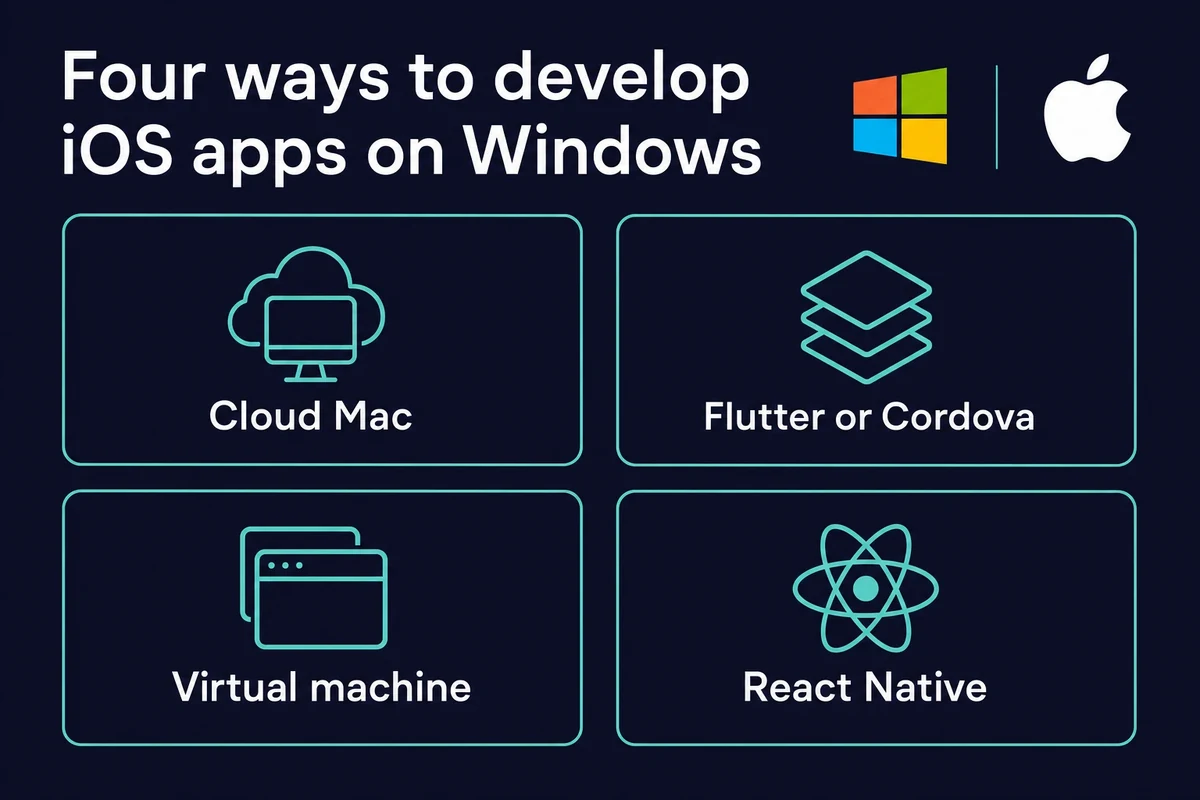
- Methods: a cloud Mac, Flutter or Cordova, a virtual machine, or React Native.
- The final build, code signing, and App Store submission still need a Mac running Xcode 26.
أفضل الطرق لتطوير تطبيق iOS على ويندوز
لتطوير تطبيق iOS على ويندوز، قد يستخدم المبرمجون عدة طرق، مثل
- استئجار جهاز Mac في السحابة
- استخدم أدوات متعددة المنصات مثل Flutter وCordova
- إنشاء تطبيق على جهاز افتراضي
- العمل في بيئة React-native
These same methods let you develop iPhone apps on Windows, since an iPhone app and an iOS app use the same لغة برمجة سويفت and Xcode toolchain. So if you are wondering can you make iOS apps on Windows, the short answer is yes, with one Mac-only step at the end.
One thing to know up front: Xcode is built for macOS, and the current line is Xcode 26 (with the 26.2 SDK in 2026). Running older Xcode builds on Windows is unstable and not supported.
Newer tools have narrowed the gap a little. An open-source tool called xtool can build and sign Swift Package iOS apps from Windows, but it still needs Apple’s Xcode.xip and a Mac account for some signing.
Swift’s own Windows toolchain (via winget) covers command-line and server Swift, not native iOS builds. You can write on Windows, but shipping still needs a Mac.
استئجار جهاز Mac في السحابة
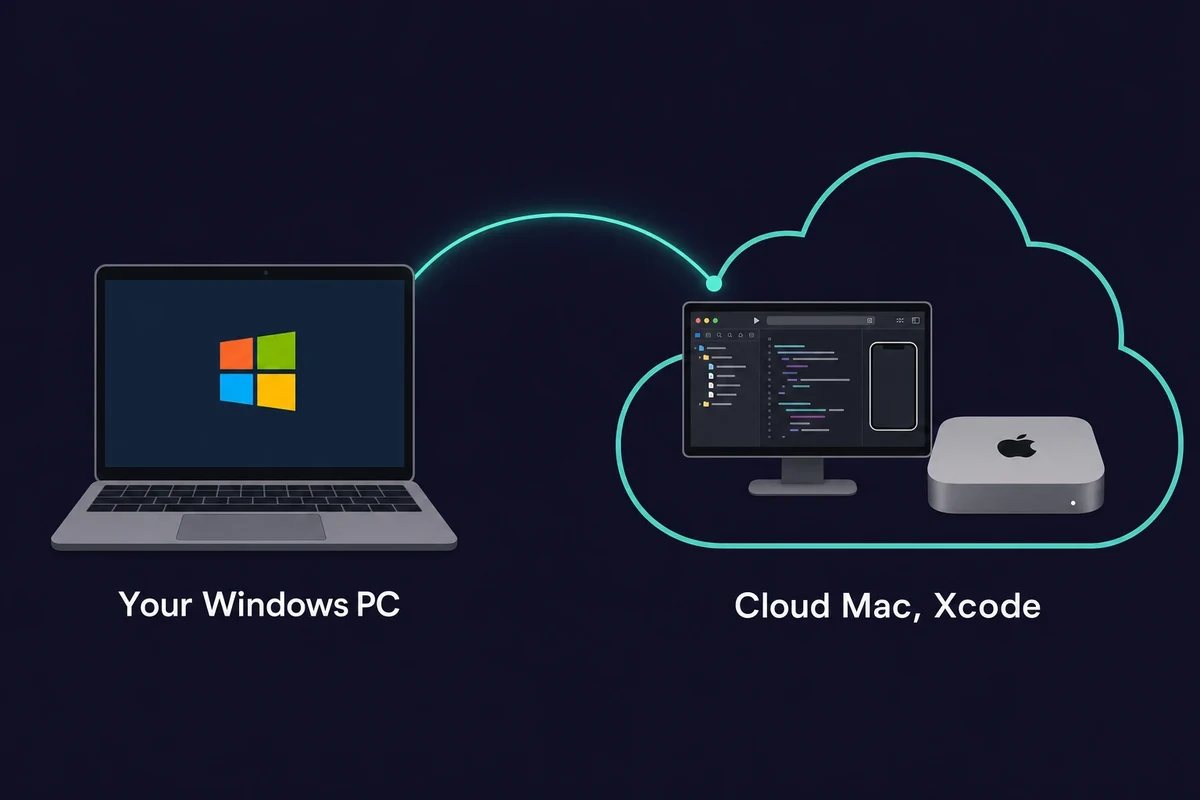
الخيار الأول والأفضل هو استئجار جهاز Mac في السحابة. بهذه الطريقة، يمكنك الوصول إلى بيئة Mac دون شراء أي أجهزة.
Remote services match real Macs in performance and are fit for tasks of any complexity. They are great for a DevOps application development project, where you have to quickly fix things online and debug running apps.
إذا كان عليك تطوير تطبيقات ذكاء اصطناعي معقدة، فإن الحصول على جهاز Mac في السحابة هو الخيار الأفضل من بين كل ما هو موصوف في هذه المقالة.
تتيح لك أجهزة الماك السحابية تشغيل نماذج LLMأو العمل على كميات هائلة من البيانات، أو أداء مهام أخرى تتطلب حوسبة عالية، كما لو كنت تعمل على جهاز Mac حقيقي.
That is why rented cloud Macs have taken off: you get a full iOS environment in a few clicks, on a monthly plan rather than the price of a new Mac. Rentamac.io rents a dedicated Mac Mini M4 (16GB RAM, macOS Tahoe) with full admin access, so any iOS build tool runs as it would on a Mac on your desk.
استخدم أدوات متعددة المنصات مثل Flutter وCordova
تسمح لنا أدوات تطوير الأجهزة المحمولة عبر المنصات بما يلي برمجة التطبيقات على منصة واحدة وتصديرها إلى منصة أخرى. بمعنى آخر، يمكنك تطوير تطبيق iOS على ويندوز أو لينكس أو العكس.
The most popular tools are Flutter and Cordova. Their real benefit is one codebase: Flutter uses a single Dart project and Cordova wraps a web app, and both ship that one project to iOS and Android, which cuts the separate-platform build work.
يتيح لك Flutter من Google إنشاء تطبيقات جميلة المظهر لكل من iOS و Android باستخدام مجموعة واحدة من التعليمات البرمجية باستخدام Dart. تساعدك Cordova من خلال وضع تطبيقات الويب في حزمة أصلية، مما يسهل الحصول عليها على الأجهزة المحمولة.
Yet, to deploy and test an app, you’ll need an Apple device or iOS emulators. While you’ll still need a Mac or emulator to test the final app, it’s possible to محاكاة نظام التشغيل iOS على ويندوز للمعاينات المبكرة وتصحيح أخطاء الواجهة.
إنشاء جهاز افتراضي
هناك طريقة أخرى لتطوير تطبيقات iOS على نظام ويندوز وهي إنشاؤها على جهاز افتراضي.
يسمح لك الجهاز الافتراضي بما يلي إنشاء نظام تشغيل داخل نظام تشغيل موجود.
In other words, you can use a Windows computer to build a virtual copy of MacOS or Linux. With tools like VMware or VirtualBox, you can easily access one OS. A macOS virtual machine for Xcode usually wants 4 to 8 GB of RAM, an Intel i5 or i7 class CPU, and at least 10 GB of free disk space.
نظرًا لأن هذه الطريقة تبسّط عملية التبديل بين أنظمة التشغيل، فغالبًا ما يتم استخدامها لبناء واختبار التطبيقات الهجينة.
ومع ذلك، أثناء استخدام هذه الطريقة، يجب أن تضع في اعتبارك عدة أمور. أولاً، هذه الطريقة غير مستقرة، لذا قد تفقد البيانات أثناء تحديثات نظام التشغيل.
الجهاز الافتراضي أبطأ بكثير من جهاز ماك الحقيقي، وستواجه مشاكل، خاصةً إذا كنت تستخدم محاكي نظام التشغيل. سيكون من الصعب اكتشاف المشكلات أو إصلاحها في تطبيق قيد التشغيل. الأمر نفسه ينطبق على مراوغات Xcode: قد يتأخر المحاكي كثيرًا.
Since this method is legally grey, as it circumvents Apple’s legal constraints, the Apple App Store may flag some of your submissions. A Hackintosh, running macOS on non-Apple hardware, sits in the same grey area and is best avoided.
العمل في بيئة React-native
React Native هي طريقة أخرى لتطوير تطبيقات أصلية أو هجينة لنظامي iOS و Android. وهي أداة مفتوحة المصدر مع مجتمع دعم قوي.
رد الفعل تتيح لك استخدام الكود نفسه لمنصات مختلفة, which is great for cross-platform mobile development and greatly simplifies the work. However, to properly اختبار تطبيقات iOS على ويندوزفإنك ستحتاج إلى محاكي أو بيئة Mac قائمة على السحابة.
أفضل طريقة لتطوير تطبيقات iOS على ويندوز
Since Xcode is still the best tool for developing iOS apps, every other path to iOS app development on Windows comes with trade-offs, like:
- مشكلات التوافق:: أدوات تطوير تطبيقات iOS غير متوافقة مع نظام التشغيل ويندوز، لذلك قد تكون عملية تطوير التطبيق أكثر تكلفة وليست بالسلاسة التي تكون عليها في البيئة الأصلية
- مشكلات الاستقرار: مع بدائل نظام التشغيل MacOS المختلفة، يمكن أن تكون هناك بعض المشكلات في استقرار أداء التطبيق
- قيود سلسلة الأدوات:: يعتمد تطوير تطبيقات iOS على الأدوات والمكتبات التي تم إنشاؤها خصيصًا لنظام MacOS. وهي ضرورية لتصحيح الأخطاء وتحسين أداء التطبيق، وهي متاحة بالكامل على نظام MacOS فقط.
قد لا تكون هذه القيود شديدة، لكنها تعيق إنشاء تطبيقات عالية الأداء مع مجموعة كاملة من الميزات.
One rule applies no matter which method you pick. The final iOS build, the code signing, and the App Store submission all require macOS and Xcode. Apple now requires every App Store Connect upload to be built with the iOS 26 SDK (Xcode 26 or later), a rule it enforces as of April 28, 2026.
A free cloud build runner is no real shortcut: a GitHub Actions free plan gives only about 20 minutes of macOS build time a month. A rented cloud Mac is the steady way to meet that gate.
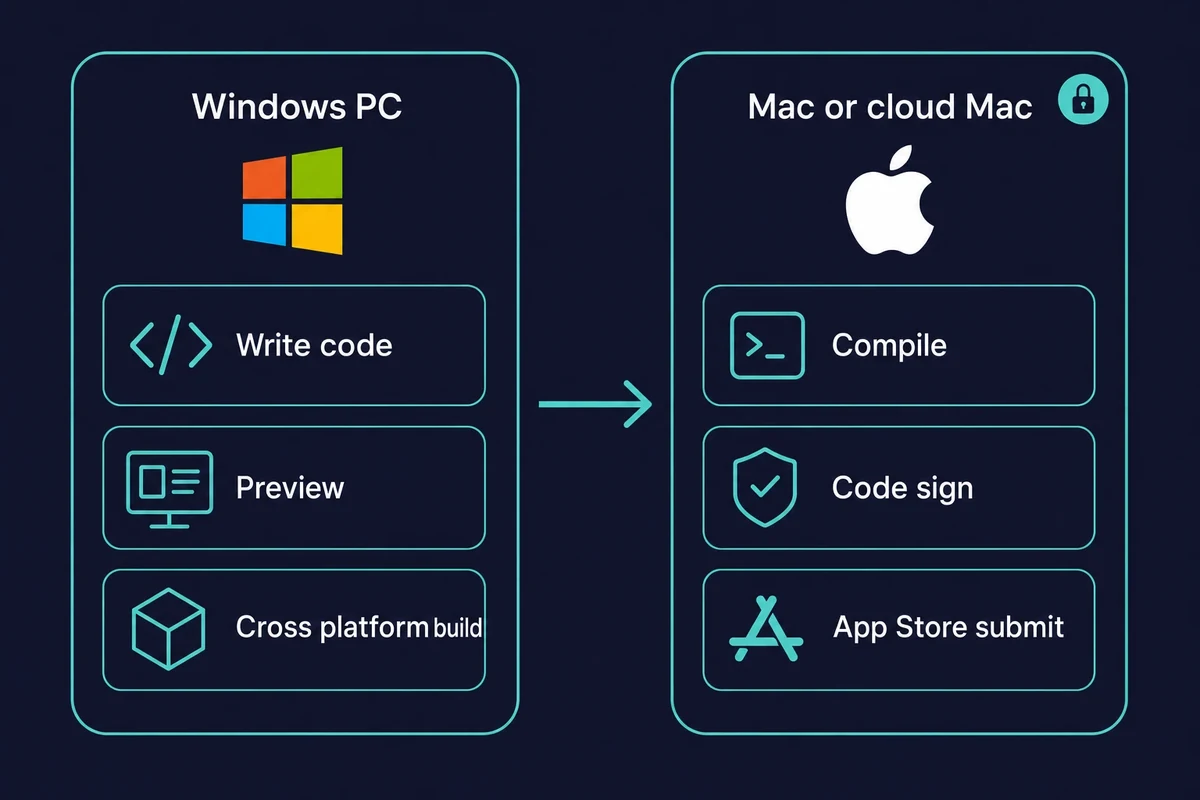
Yet, you can still develop an iOS app on Windows without limitations if you rent a Mac in the cloud. Honestly, this is the route I’d pick first. You will always have access to the latest Mac device and can use it only when needed. You also have other benefits at hand.
فوائد استئجار جهاز Mac
Rented cloud Mac services are a perfect option if you need to develop an iOS app on Windows for a range of reasons:
- ترقيات مرنة: When you need the latest version of the device, you can transition effortlessly, often at no extra charge. That beats buying a Mac, which you can’t swap out instantly
- تكاليف منخفضة: For a monthly plan you get a dedicated Mac with full administrative rights, the quality of a real Mac at a fraction of the cost of buying one
- قابلية التوسع: إذا كبر فريقك واحتجت إلى المزيد من أجهزة Mac، يمكنك الحصول عليها بعدة نقرات
- لا توجد صيانة: With online renting services, you don’t handle device repairs when something goes wrong. You get timely support or a substitution.
So, when you rent a Mac, you get high-quality Mac hardware on your own computer, without being tied to upfront costs or outdated machines. Cloud Mac rental services exist for exactly this, and Rentamac.io is one of them.
Therefore, renting a Mac online is your best option for building an iOS app on Windows.
Common questions about developing iOS apps on Windows
Can you develop iOS apps on Windows?
Yes, you can develop iOS apps on Windows, but you cannot finish the job there. You write and test on Windows using cross-platform frameworks, then the final build, code signing, and App Store submission happen on a Mac running Xcode. A rented cloud Mac handles that last step.
Do you need a Mac to develop iPhone apps?
You can write and preview iPhone apps on Windows, but a Mac is required for the final build and App Store submission. An iPhone app and an iOS app are built the same way, so the answer to can you develop iPhone apps on Windows is yes for the code, with a Mac at the end.
Can you publish an iOS app to the App Store without a Mac?
No. App Store Connect uploads must be built with Xcode 26 (the iOS 26 SDK) or later on macOS, a requirement Apple enforces as of April 28, 2026. There is no supported way around it, so a rented cloud Mac is the simplest fix.
Can I build an iOS app on Windows using React Native or Flutter?
Yes for the code. React Native and Flutter let you write one codebase on Windows, so you can build iOS apps on Windows up to the final compile. That last step, the compile, signing, and submission, still needs a Mac.
Will Xcode ever come to Windows?
There is no native Windows version of Xcode. Some workarounds run it inside a macOS virtual machine, with real trade-offs in speed and stability, and others use Xcode on Windows through a remote Mac. The practical route is a remote or rented Mac.