Last updated: July 2026
On this page
TL;DR: You can’t run full MiMo-V2.5 on a normal Mac. The 310B model needs a 128GB Apple Silicon machine even at the smallest GGUF quant, roughly 106GB, and MiMo-V2.5-Pro wants around 675GB of VRAM, which is datacenter territory. On a 16GB or 32GB Mac, run the lighter MiMo-V2-Flash instead.
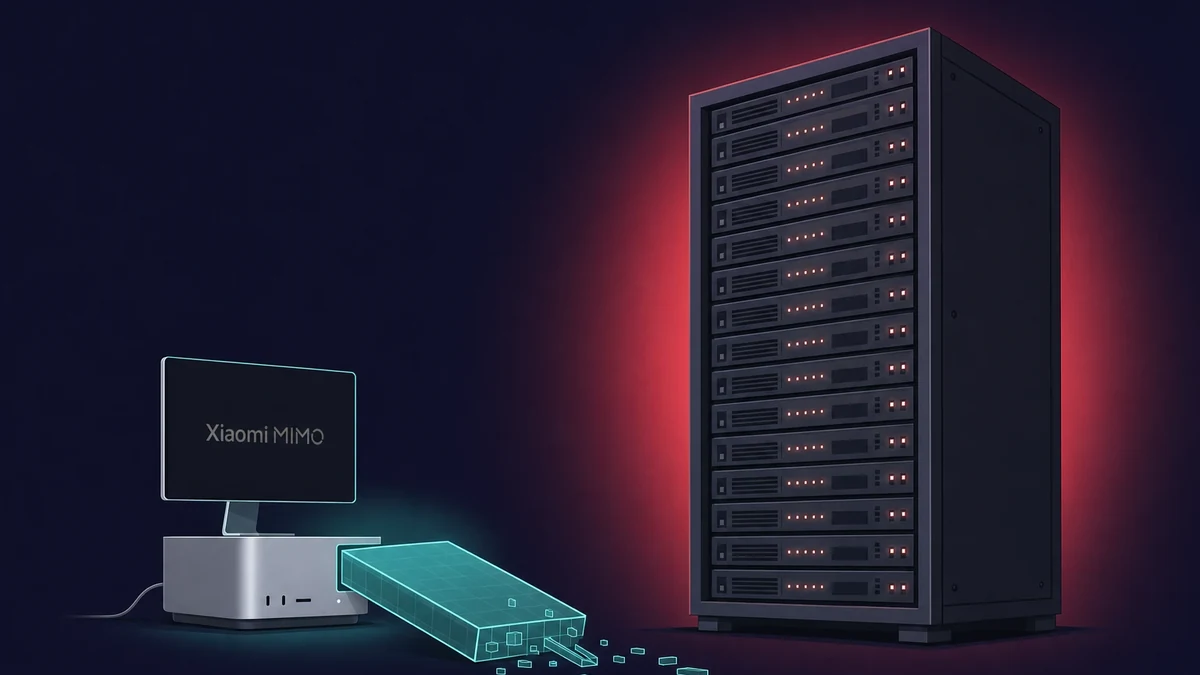
Here is the honest map before you download anything. MiMo-V2.5 is a 310B mixture-of-experts model with 15B active parameters, and MiMo-V2.5-Pro is the 1.02T flagship with 42B active. Both were built for multi-GPU servers. The official target for the standard model is four H200 GPUs, and the Pro wants a cluster of eight or more H100-class cards.
There is a text-only GGUF build aimed at Apple Silicon, but even its smallest quant is about 106GB, and it only loads on a 128GB Mac like a Mac Studio or a 128GB MacBook Pro. Early community builds still spit out garbled text on some setups, and Ollama does not support MiMo-V2.5 natively yet.
So on a mainstream Mac with 16GB or 32GB, the model you actually run is MiMo-V2-Flash, the lighter member of the family, through llama.cpp or a patched Ollama at a Q4_K_M quant. Below I map each path to a Mac tier, give the real RAM floors, and say when the hosted API is the saner call.
I went in expecting a one-command install, the way running a Llama model on a Mac tends to go. MiMo-V2.5 is not that yet. The first wall I hit was the file size: the “small” quant is bigger than most Macs’ entire storage, let alone their memory.
Can you run MiMo-V2.5 on a Mac? The short answer
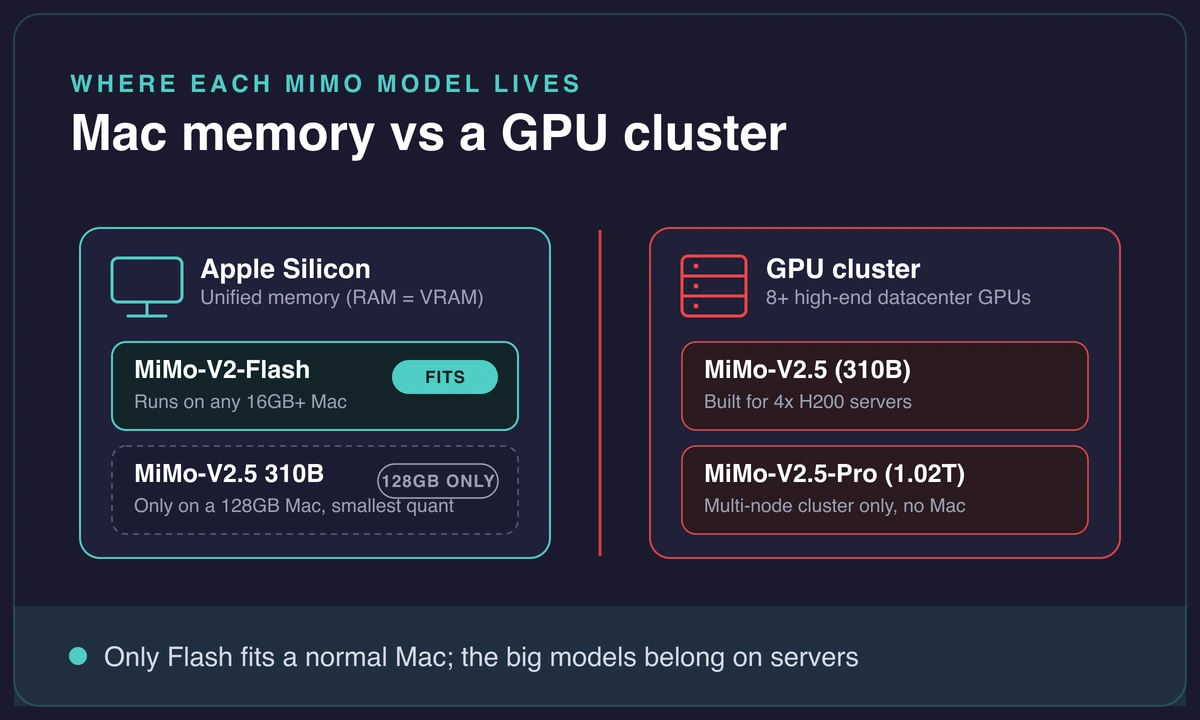
No, not the full model on a normal Mac. Standard MiMo-V2.5 is a 310B mixture-of-experts model (15B active), and MiMo-V2.5-Pro is 1.02T (42B active). These are multi-GPU server models: the official deployment target is four H200 GPUs for the standard build and a cluster of eight or more H100-class cards for the Pro. Neither fits in a laptop.
There is exactly one Mac path for the 310B model, and it comes with a big asterisk. A text-only GGUF build exists for Apple Silicon, but even its smallest quant is around 106GB, so it needs a 128GB Mac before it will load at all. That rules out every 16GB and 32GB machine on the market.
If your Mac is a normal one, here is where you are headed: MiMo-V2-Flash. It is the lighter family member with a sane floor, 16GB of unified memory minimum. Name it now so you know which section is yours. Most readers land on Flash, not the 310B model.
One honesty note, and it matters. As of mid-2026, local MiMo-V2.5 builds are early. People trying the GGUF on serious hardware have reported the model running for hundreds of thousands of tokens and then producing garbage. This is not a clean one-command install like Llama or Mistral on a Mac yet, so set your expectations before you spend the bandwidth.
Full MiMo-V2.5 is not a one-command Ollama install yet.
Standard Ollama has no native support for MiMo-V2.5. The only community build needs a patched binary, and early GGUF runs have produced garbled output on capable hardware. On a mainstream Mac, run MiMo-V2-Flash instead of fighting the 310B model, and treat the big-model paths as early and unstable.
Which Mac can run MiMo-V2.5 (and which can’t)
On Apple Silicon, unified memory is the whole constraint. The model has to fit in RAM, because there is no separate VRAM pool to spill into. So it comes down to one question: does the build you want fit in the memory you have? For MiMo-V2.5, the answer is usually no.
Walk the GGUF quant ladder for the 310B model and the memory each one asks for. The smallest, IQ3_S, is about 106GB and needs a 128GB Mac with headroom to spare, since context eats into that budget fast.
From there it climbs quickly. IQ4_XS is 137.75GB. Q4_K_M jumps to 177.68GB, Q5_K_M to 213.39GB, and Q8_0 to 306.66GB. Only the very smallest quant sits inside any single Mac Apple currently ships, and even then only the 128GB configurations.
The Pro model is not a close call. MiMo-V2.5-Pro at a Q4_K_M quant needs roughly 675GB of VRAM (about 614GB on disk), and full precision balloons past 2,200GB. No single Mac runs that, and honestly no tracked consumer machine does either. It is a cluster job, eight or more high-end GPUs, full stop.
Here is the practical verdict, mapped to where you probably are. A 16GB or 32GB Mac runs MiMo-V2-Flash and nothing heavier. A 128GB Mac Studio or 128GB MacBook Pro can technically load the 310B GGUF at its smallest quant, though it will be slow and the build is still maturing. The Pro model does not run on any Mac at all.
| MiMo build + quant | Memory needed | Which Mac (if any) | Verdict |
|---|---|---|---|
| MiMo-V2-Flash, Q4_K_M | 16GB min, 32GB comfortable | Any M-series Mac, 16GB or more | Runs. This is your path on a normal Mac. |
| MiMo-V2.5 310B, IQ3_S GGUF | ~106GB | 128GB Mac Studio / 128GB MacBook Pro | Loads slowly, still maturing |
| MiMo-V2.5 310B, Q4_K_M GGUF | ~178GB | None, past any single Mac | Won’t fit |
| MiMo-V2.5 310B, Q8_0 GGUF | ~307GB | None | Won’t fit |
| MiMo-V2.5-Pro, Q4_K_M | ~675GB VRAM | None, needs a GPU cluster | Not on any Mac |
If you are shopping for the machine rather than the model, the 128GB unified memory question is the one that decides everything here, exactly as it does for other giant open models.
Run MiMo-V2.5 (310B) with GGUF on a 128GB Mac
If you do have a 128GB-class Mac, there is a real path for the 310B model, and it runs through llama.cpp with Metal. The source is the Apple Silicon-oriented text-only GGUF build, and the whole game is picking a quant that actually fits your memory.
Pick the quant that fits your memory
IQ3_S at about 106GB is the one that loads on a 128GB machine, and even that leaves little room once you add context. Anything larger than IQ3_S is off the table on a single Mac, because the next rung up already asks for more memory than any Apple machine has.
The tool is llama.cpp. The download-and-serve shape looks like llama serve -hf AesSedai/MiMo-V2.5-GGUF:IQ3_S, which pulls the quant and starts a local server you can point a client at. Set a realistic context ceiling too. The Apple Silicon build targets roughly a 100K-token profile on Metal, not the model’s full 1M window, so do not expect to feed it a whole codebase at once.
Watch for garbled output
Now the caveat I would want someone to tell me first. This path is early, and it can fail in a way that wastes your afternoon. People running the MiMo-V2.5 GGUF on serious rigs have run into two failure modes:
- Severely degraded output: the model generates for a long stretch, deletes its own work, and delivers nothing usable.
- Loads only after local patches, then produces numeric and comma garbage on simple prompts.
I burned most of a Saturday assuming my own config was broken. Then I read the open issue threads and realized the build itself was the problem, not me.
So treat the 310B-on-Mac route as a “because you can and you want it local” project, not a daily driver. Verify output quality on a few known prompts before you rely on it for anything. And a 310B MoE at these sizes is not fast on a Mac to begin with, even when it behaves.
Even on a 128GB Mac, the 310B GGUF is not a daily driver.
It loads only at the smallest quant, around 106GB, which leaves little room for a long context and runs slowly. If you need speed or the Pro model’s coding strength, the hosted API is the saner call. Reach for the local 310B build when running it yourself is the point, not when you need throughput.
The path that fits a normal Mac: MiMo-V2-Flash
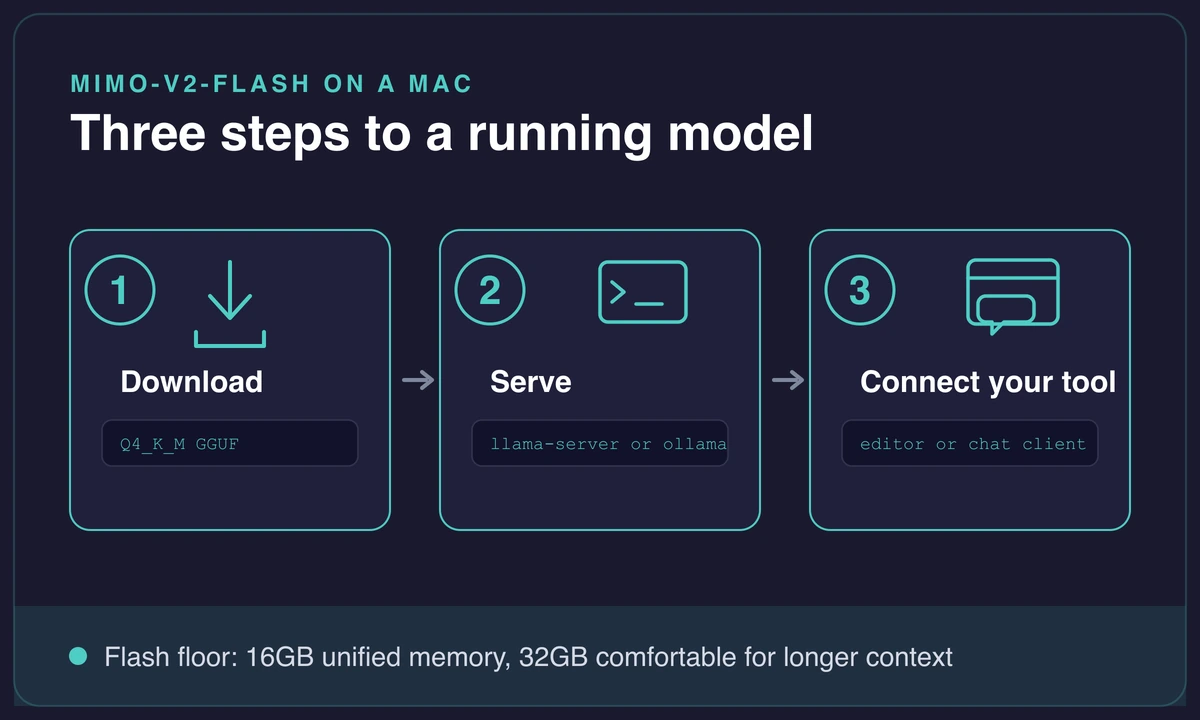
For everyone on a 16GB or 32GB Mac, MiMo-V2-Flash is the member you can actually run. It is the lighter build in the family, and its floor is 16GB of unified memory, with 32GB recommended once you want a comfortable context. That is the whole reason Flash exists on Mac while the 310B and Pro models do not: it fits.
Run Flash with Ollama
When I want the fastest way to try Flash, I reach for Ollama, once it points at a build that works. The shape is the familiar one:
- Install Ollama and open Terminal on your Mac.
- Pull the Flash build with
ollama pullagainst the MiMo-V2-Flash tag you are using. - Start a chat session with
ollama run, then point your editor at the local endpoint.
If you have already run something like DeepSeek on a Mac through Ollama, this will feel like second nature. From there it is worth picking a local model that fits your RAM rather than defaulting to MiMo, since Flash is one option among several at this tier.
The one wrinkle with MiMo specifically is that naming across community tags is messy right now. Read the tag’s card before you pull so you know exactly which build you are getting.
Run Flash with llama.cpp
The llama.cpp route gives you more control and is the one I keep going back to. Grab the Q4_K_M GGUF of Flash, start llama-server pointed at it, and set a sane context, 16,384 tokens is a realistic example that leaves memory for the model itself. Then connect any client that speaks the local server’s API.
What should you expect on real Macs? On the lighter build, throughput lands around 15 tokens per second on a 16GB MacBook Air, closer to 25 on a 36GB MacBook Pro, and about 30 on a 48GB Mac mini tier.
Those are usable speeds for chat and short coding turns, and they scale with memory, so a bigger Mac reads faster. If you want a sense of how tokens per second on a Mac feels for a comparable open model, it is the same ballpark.
Flash is not MiMo-V2.5-Pro. If you specifically need the Pro’s agentic, long-horizon coding strength, no local Mac gives you that, and pretending otherwise just wastes your time.
My current local AI setup: – 2x DGX Spark linked (256gb) > GLM 5.2 @ 2bit, reasoning + agent loops – Mac Studio M3 Ultra 96gb > Wan 2.2, image generation – Mac mini M5 Pro 64gb > Qwen3.6-35B, code + content drafts – MB Air M5 24gb > Qwen3 30B-A3B, bulk processing – iPhone >
Ollama and MiMo-V2.5: the “not yet native” reality
MiMo V2.5 Ollama support is not native yet. Run ollama pull mimo-v2.5 expecting it to just work and it won’t, because the model is not in the library. There is an open request to add it, but until that lands, a plain pull has nothing to fetch. Worth knowing before you copy a command that fails.
The only working Ollama route today is a community tag, and it is not a small one. The frob/mimo-v2.5 build is around 190GB and needs a patched version of Ollama to run at all. That 190GB figure alone tells you the story: it is still the full 309B-scale model, so it is nowhere near a 16GB Mac no matter how you dress it up.
This is where the confusion lives, so draw the line cleanly. Ollama is genuinely the easy path only for MiMo-V2-Flash, the lighter build from the previous section. For the full 310B MiMo-V2.5, Ollama is not the answer on a Mac today. GGUF plus llama.cpp is the real route, and even that is early.
If you want native Ollama support for the full model, the practical move is to watch the model-support request and wait. I would not hold my breath on a timeline. Until it lands, the GGUF path on a 128GB Mac is the only 310B-on-Mac option, and Flash is the one that fits everyone else.
When your Mac isn’t enough
Be direct with yourself first. If you have a 16GB Mac and you specifically need full MiMo-V2.5 or the Pro model, no local trick changes the memory math. You can run Flash and accept a smaller model, reach for the hosted API for the full one, or move to a bigger machine. For the Pro model, that third door is the only one that leads anywhere real.
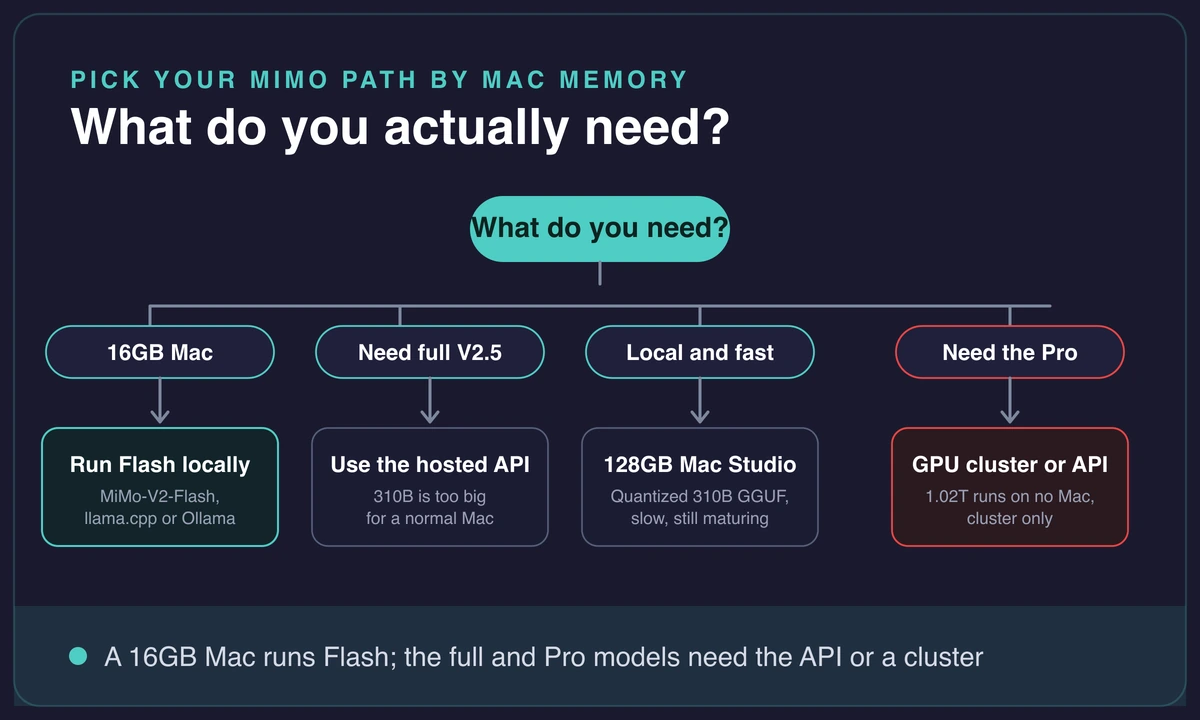
A bigger Mac helps in one specific place and not in others. Step up to a 128GB Mac Studio and the 310B GGUF becomes loadable, slowly, at its smallest quant. But nothing Apple ships runs the 1.02T Pro, so more Mac does not solve the Pro problem, only the 310B one. It is the same story on the 256GB Studio that fits GLM 5.2 but nothing larger.
If you are renting rather than buying, Rentamac.io gives you a dedicated Mac mini M4, which is a 16GB machine, so it fits the Flash and smaller-model tier, the same as any other 16GB Mac. It is a clean, always-on Mac for that tier. It is not a 128GB box, though, so I would not point you at it for the 310B GGUF.
For the Pro model’s real strengths, the agentic long-horizon coding it was built for, the hosted API is the sane call, and I will leave it there.
There is no clever local router that makes a 16GB Mac run a trillion-parameter model, and the free “no hardware needed” hacks you will see floating around do not hold up. When the model genuinely needs a cluster, it needs a cluster.
If a huge model on modest hardware is your recurring problem, big models won’t fit a Mac mini walks through the same reality with a different model.
Frequently asked questions
Can you run MiMo-V2.5 Pro locally on consumer hardware?
No. MiMo-V2.5-Pro is a 1.02T-parameter model and needs roughly 675GB of VRAM even at a Q4_K_M quant, so no single Mac or tracked consumer machine runs it. It takes a multi-node cluster of eight or more H100-class GPUs. For local use on a Mac, the realistic option is MiMo-V2-Flash, not the Pro model.
How much RAM do you need to run MiMo-V2.5 on a Mac?
For the standard 310B model through the Apple Silicon GGUF, you need a 128GB Mac even at the smallest quant, which is about 106GB, and mid-size quants exceed any single Mac. For MiMo-V2-Flash, the floor is 16GB of unified memory, with 32GB recommended if you want comfortable context.
So a normal 16GB Mac runs Flash, and only a 128GB Mac gets near the full model. If you are weighing what a Mac can handle for AI work in general, what Apple Silicon can actually do for machine learning sets the wider baseline.
Does Ollama support MiMo-V2.5?
Not natively yet. A standard ollama pull will not fetch MiMo-V2.5, and the model-support request is still open. The only working Ollama route today is a community tag that needs a patched build and weighs around 190GB, well beyond a mainstream Mac. Ollama is the easy path for MiMo-V2-Flash, not for the full V2.5.
What’s the difference between MiMo-V2.5, Pro, and Flash?
MiMo-V2.5 is the 310B mixture-of-experts model with 15B active parameters. MiMo-V2.5-Pro is the 1.02T flagship (42B active) aimed at agentic, long-horizon coding. MiMo-V2-Flash is the lighter member with a Mac-friendly 16GB floor. Only Flash is realistically local on a normal Mac, with the quantized 310B reachable on a 128GB Mac, while the Pro model is API or cluster only.