On this page
TL;DR: I tried to run MiniMax-M2 on my Mac mini and it won’t fit. It’s a 230B mixture-of-experts model that wants roughly 121GB of memory even at the smallest usable build, far past the 16, 24, or 32GB a Mac mini M4 ships with. To run it locally you need a 128GB+ Mac Studio. My mini runs 7B/8B models fine.
The numbers killed it fast. So here are the ones I checked. The smallest MiniMax-M2 GGUF build asks for about 121GB of memory.
The Apple-native MLX path is worse: the official deploy guide spells out the hardware as an Apple Silicon Mac with at least 256GB of unified memory, an M3 Ultra-class machine, and even the community 4-bit MLX repo weighs 129GB before you load it.
My 16GB Mac mini M4 realistically gives a model around 9 to 10GB of working room, so nothing in the MiniMax-M2 family was ever going to load. The fix wasn’t a clever flag or a quantization trick. It was more memory, full stop.
What my mini actually did run, and ran well: Qwen2.5 7B and Llama 3.1 8B at 4-bit, around 18 to 22 tokens per second. Useful, fast, quiet. Below I’ll walk through the per-quant memory table I pulled, the unified-memory math that explains the wall, what your mini handles instead, and the real upgrade path if you genuinely need the big model.
Can a Mac mini run MiniMax? My short answer
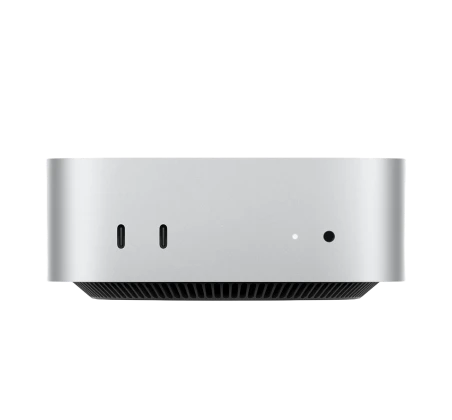
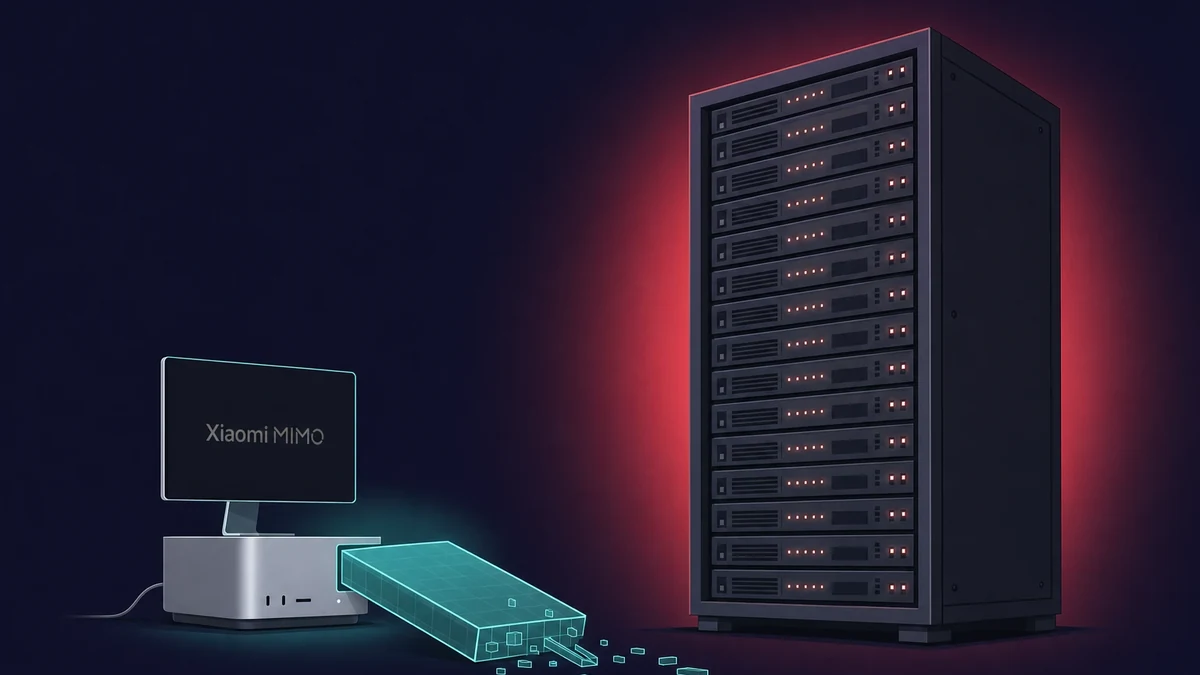
No. I tried it, and a standard Mac mini (16, 24, or 32GB) cannot run MiniMax-M2 locally. The smallest usable build I found still wants about 121GB of memory, and the model is a 230B-parameter mixture-of-experts. Even though only around 10B of those parameters fire per token, the whole 230B weight set has to sit resident in memory. There’s no version of that math where 16GB wins.
~121GB
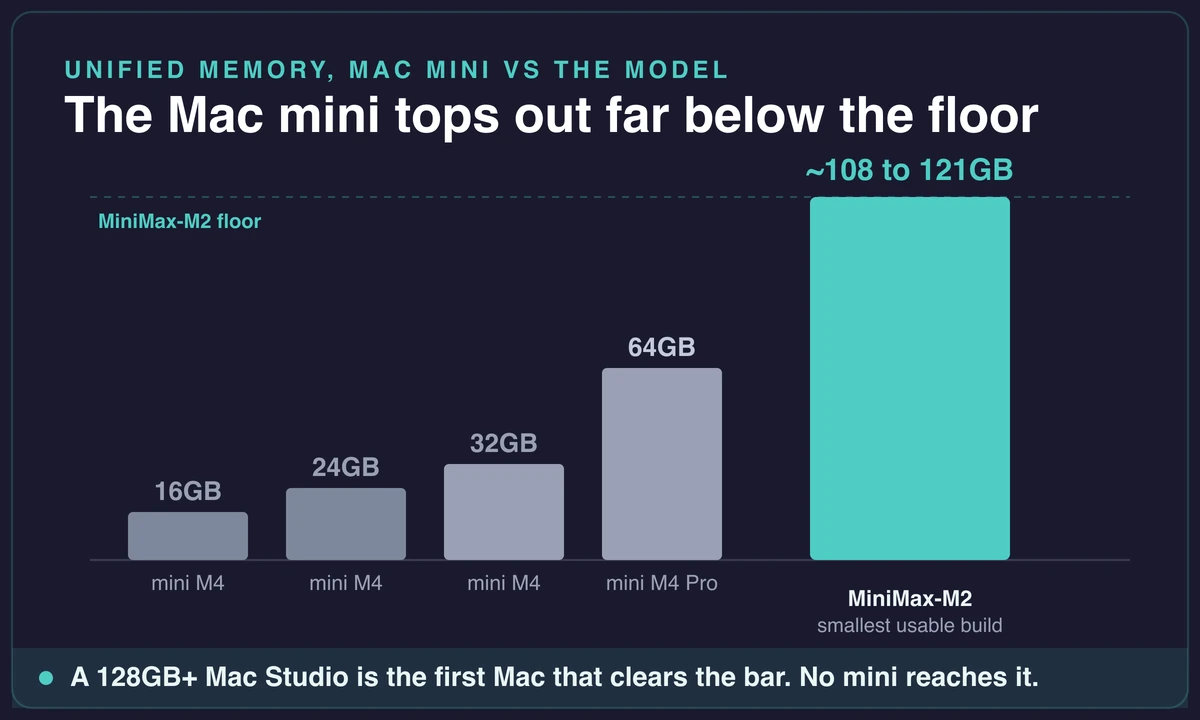
Memory the smallest MiniMax-M2 build needs, against 16 to 64GB on a Mac mini. Source: LM Studio MiniMax-M2 model page.
When I traced where the model genuinely runs on Apple hardware, it pointed to one machine class: a 128GB+ Mac Studio, the M3 Ultra tier the official guide names. That’s a different price bracket and a different box entirely. I’ll map the per-quant numbers in the next section so you can see exactly where the floor sits for your own RAM tier.
Your mini isn’t useless, though. Here’s the reassuring part, because I don’t want you to close the tab thinking otherwise.
My 16GB mini chewed through 7B and 8B models without complaint, and that covers a lot of real local-AI work, which is the half of this story I get to in what my mini can run instead. The “no” is only about MiniMax-M2 specifically, not about local AI on a mini.
How much memory MiniMax actually needs
MiniMax-M2 needs roughly 100 to 130GB of memory at the smallest practical quantization, and a lot more if you want quality. The smallest GGUF build wants about 121GB. The official MLX deploy guide goes further and lists 256GB of unified memory (M3 Ultra or later) for the full bf16 deploy. No Mac mini configuration reaches the bottom of that range, let alone the top.
I pulled the per-quant ladder so you can find your own line on it. The pattern is brutal and simple: the more quality you keep, the more memory you burn.
| Build | Approx model size | Memory you need | Mac that clears it |
|---|---|---|---|
| 3-bit dynamic (GGUF) | ~101GB | ~112GB+ | 128GB Mac Studio |
| UD-IQ4_XS (4-bit) | ~108GB | 128GB | 128GB Mac Studio |
| 4-bit MLX | ~129GB | ~140GB | 192GB Mac Studio |
| Q4_K_M | ~147GB | ~160GB | 192GB+ Mac Studio |
| Q8 | ~259GB | 256GB+ | 256GB+ Mac Studio |
| BF16 (full) | ~457GB | 512GB | 512GB Mac Studio |
The floor is around 108GB. The lowest credible fit I found is the UD-IQ4_XS dynamic 4-bit build at about 108GB on disk, which slots into a 128GB unified-memory Mac and gets roughly 15 tokens per second. There are 2-bit quants that squeeze onto a 96GB device, still far above any mini, and the quality cost of going that low is real.
If quantization is a new word for you, the trade is plain: smaller files mean the model holds less precision, so the answers get rougher. Below about 3-bit, MiniMax-M2 starts making the kind of small mistakes that defeat the point of running a 230B model in the first place.
That ~108GB-to-256GB span is the whole story. The model doesn’t have a “lite” build that fits a mini. It has a floor, and the floor is a Mac Studio. The same wall shows up when running GLM 5.2 on a Mac, which needs a 256GB Studio for its 2-bit quant.
Why my base Mac mini falls short
The reason is unified memory, and the gap isn’t close. A Mac mini M4 starts at 16GB and configures up to 24GB, the M4 Pro reaches 48 or 64GB. Even maxed at 64GB, the mini sits below MiniMax-M2’s ~100GB+ floor by a wide margin. You can’t buy your way up the mini line into this model.
You never get the full RAM. Then there’s the part nobody mentions until you hit it. The OS, your apps, and a memory buffer all take a cut, so a 16GB mini realistically hands a model around 9 to 10GB of working room.
The 2-bit MiniMax-M2 build that barely fits a 96GB machine is out of reach by roughly an order of magnitude. I didn’t watch it load slowly. I watched it not load at all.
Unified memory matters more than people think. Why does the memory have to be in one pool? Because the alternatives are grim, and I checked those too.
On a setup with 88GB of GPU memory plus offload, MiniMax-M2 manages only 10 to 12 tokens per second at a 128K context. Push it onto a CPU and you’re looking at 2.8 to 3.5 tokens per second, which is unusable for anything interactive.
Apple’s one-big-pool design is the comparatively sane way to run a model this size, the same reason it handles everyday machine-learning work on a Mac so smoothly, and the catch is that you need a lot of that pool.
One more trap worth knowing. “It fits in RAM” is a half-truth at long context. As the conversation grows, the KV cache eats more memory and speed drops, so a build that loads on a 128GB machine can still bog down once you push it past a few thousand tokens.
The headline numbers you see online are almost always best-case at zero context. They get worse from there.
What my Mac mini can run instead
Here’s the useful half. My 16GB mini runs 7B and 8B models at 4-bit comfortably: roughly 18 to 22 tokens per second, and around 10 tokens per second once you step up to a 14B model. That’s genuinely good for a small box on a desk. A 32GB mini stretches further, up to about 20B parameters, which covers a coding model like Qwen3 Coder 30B through Ollama, and it is also where OpenAI’s gpt-oss 20B lands on a Mac.
| Model | Build | Approx tokens/sec on 16GB mini |
|---|---|---|
| Qwen2.5 7B | 4-bit | ~18 to 22 |
| Llama 3.1 8B | 4-bit | ~18 to 22 |
| 14B-class model | 4-bit | ~10 |
Two tools make this a one-step job. LM Studio gives you a no-code window where you get a model running in a few clicks, and it added native MiniMax tool-calling support as of version 0.3.31, handy if you ever move up to a machine that can hold the big model.
For the terminal route, Ollama runs a model with a single command. I lean on LM Studio when I want to see what’s happening and Ollama when I just want it running in the background.
If you’d rather lean on Apple’s own inference path, you can run Qwen with MLX instead, which squeezes a bit more out of the chip.
If you want the exact setup for the two picks above, I’ve written them up: set up Qwen2.5 7B and run Llama 3.1 8B each take a few minutes from a fresh install.
One thing tripped me up early, and it’ll trip you too if you’re not watching. There’s a minimax-m2 entry in Ollama, and pulling it feels like running the model locally. It isn’t.
The Ollama MiniMax entry is not running on your Mac
The minimax-m2 entry in Ollama is cloud-hosted. It connects to MiniMax’s own servers, not your machine, so pulling it does not prove your mini can run the model. True local inference means a manual GGUF download on hardware with enough unified memory to hold all 230B parameters. Don’t mistake the cloud route for a local win.
And to be blunt about the workarounds: browser tricks and “free MiniMax local” hacks aren’t a substitute for actually running the weights. If you need MiniMax-class capability on your own hardware, the answer is more memory, not a shortcut. I went looking for the shortcut. It doesn’t exist.
The upgrade path: which Mac actually runs MiniMax
If you genuinely need MiniMax-M2 running locally, the minimum that works as of 2026 is a 128GB unified-memory Mac, a Mac Studio in practice. That tier holds the 3-bit and UD-IQ4_XS builds at around 15 tokens per second. I’d push for 192GB if you can, because it buys headroom for a higher-quality quant and for longer context before the KV cache starts choking you.
Expect 15 to 26 tokens per second. On throughput, I priced out what the speed actually looks like before spending anything. A 128GB machine on the 3-bit build lands near 15 tokens per second. A 192GB+ build climbs to roughly 20 to 25 tokens per second.
One practitioner reported about 26 tokens per second on a high-memory M4 MacBook Pro. Every one of those numbers is best-case at low context, and every one degrades as the conversation grows.
Keep the model on a tight leash and it does useful work. Forget that, and it crawls. This is the same wall I hit with another model that needs 128GB, so the pattern isn’t unique to MiniMax.
Be honest with yourself about the cost. This is Mac Studio money, not Mac mini money, a real jump in both price and footprint. There’s no half-step that gets you a discount on the memory requirement.
One footnote that bit a few people I’ve read about: MiniMax-M2.x ships under a modified-MIT license that needs written authorization for commercial use. If you’re planning to build a paid product on its output, sort that out before you write a line of code, not after.
Buy a large-memory Mac, or rent a cloud Mac for the mini-class work
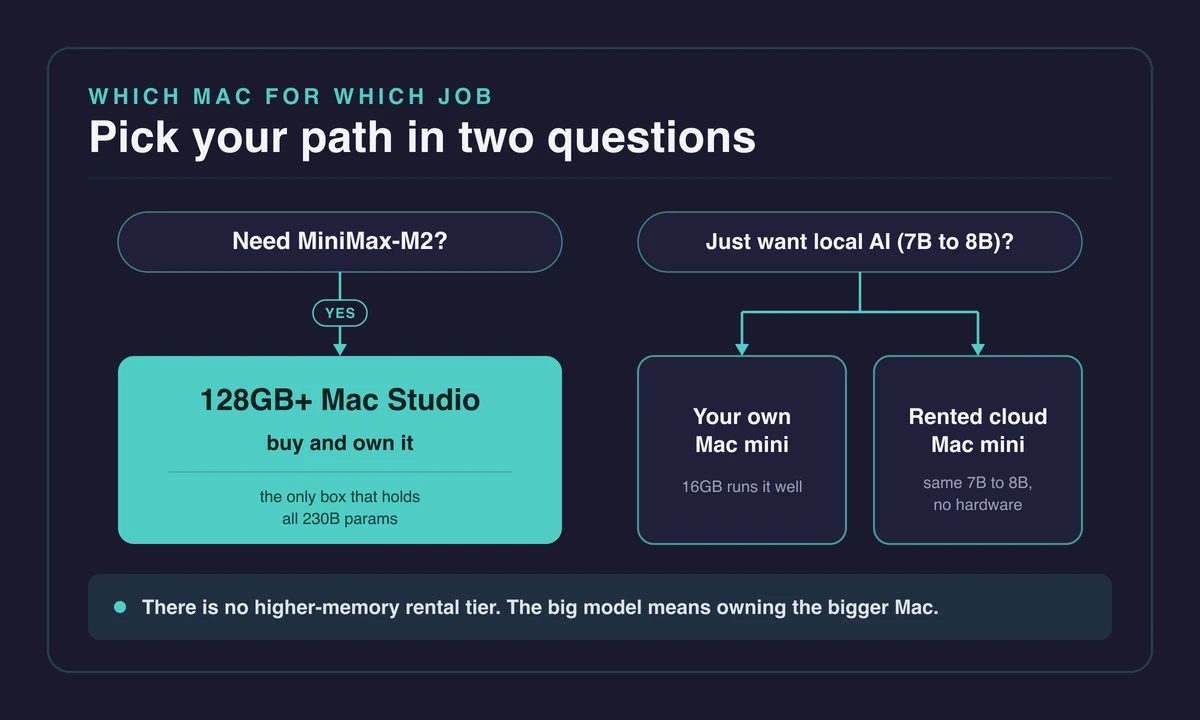
Let me be straight about the two real options, because they’re not interchangeable. The machine that runs MiniMax-M2 is a large-memory Mac you own. That means buying a Mac Studio with 128GB+ of unified memory. It was the only honest way I found to run the big model locally, and there’s no rented shortcut around it.
Renting fits the mini-class work. Renting a cloud Mac suits a different job. When I want the 7B and 8B local models, or just general macOS development without owning a Mac, or I’m driving everything from a Windows PC or a low-spec laptop, a rented mini does the job.
You get full admin, a persistent dedicated instance, and remote access from anywhere. That’s the same fast 7B and 8B workload my own mini handled, just reachable from a machine that isn’t a Mac.
Here’s the honest scope, stated plainly so nobody gets misled. Rentamac.io currently ships dedicated Mac mini M4 instances with 16GB of memory, and that tier only. It runs the 7B and 8B fallback well, the exact models my own mini ran.
It does not run MiniMax-M2, because MiniMax-M2 needs a large-memory Mac in the Mac Studio class. There is no higher-memory rental tier to point you at.
For MiniMax-class memory, the path is owning the bigger Mac. For everything the mini does well, renting one works fine.
Frequently asked questions
How much RAM do you need to run MiniMax M2 locally?
Roughly 100 to 130GB. That’s the floor at the smallest practical quantization. The smallest GGUF build asks for about 121GB, the 4-bit MLX repo weighs 129GB, and the official deploy guide targets 256GB of unified memory for the full bf16 build. No Mac mini configuration, from 16GB up to the 64GB M4 Pro, gets anywhere near that floor.
What is the minimum Mac to run MiniMax M2 with MLX?
A 128GB+ Mac Studio. That’s the M3 Ultra tier, in practice. The official MLX guide specifies at least 256GB for the full deploy, though community 3-bit and UD-IQ4_XS builds fit a 128GB machine at around 15 tokens per second. A Mac mini cannot do it at any configuration.
How many tokens per second does MiniMax M2 get on a Mac?
About 15 to 26 tokens per second. On a 128GB+ Apple Silicon machine, that’s the range at heavy quantization, and only at low context. One practitioner reported around 26 tokens per second on a high-memory M4 MacBook Pro, but those are best-case zero-context figures. Speed drops as the conversation grows and the KV cache fills.
Is the Ollama MiniMax M2 model actually local?
No, it’s cloud-hosted. The minimax-m2 entry in Ollama connects to MiniMax’s servers rather than running on your machine, so pulling it does not prove your Mac can run the model. True local inference requires a manual GGUF download on hardware with enough unified memory to hold all 230B parameters.