TR
TR  EN
EN  ES
ES  PT
PT  FR
FR  AR
AR 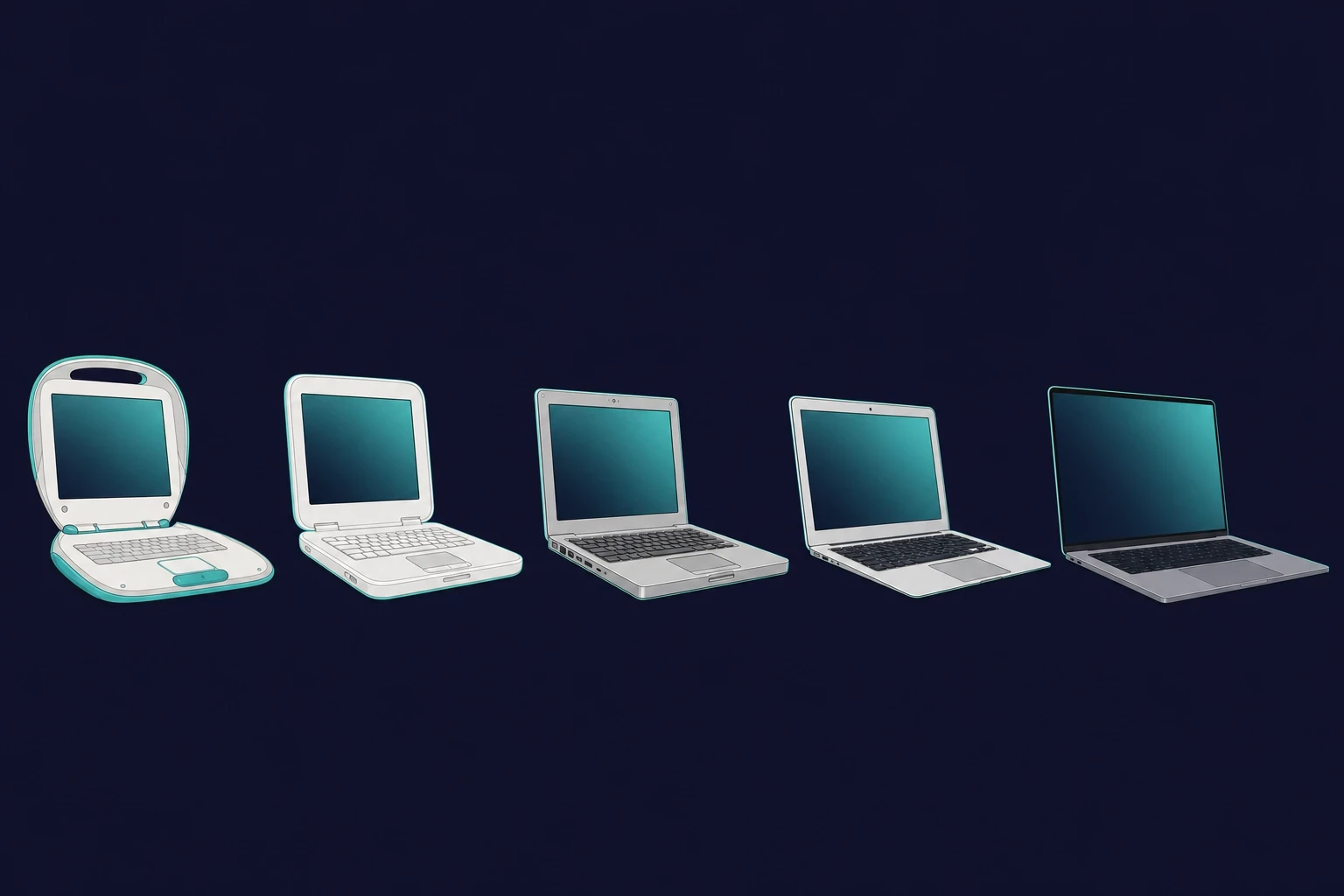
Bu sayfada
- ›PowerBook 100 (1991)
- ›Yıllara göre MacBook modelleri (tam zaman çizelgesi tablosu)
- ›PowerBook 140 ve 170 (1991)
- ›PowerBook Duo Serisi, 1992 - 1997
- ›PowerBook 500 Serisi (1994)
- ›PowerBook G3 (1997-2001)
- ›PowerBook G4 (2001-2006)
- ›iBook G3 (1999-2003)
- ›iBook G4 (2003-2006)
- ›İlk MacBook Pro
- ›MacBook 2006
- ›MacBook Air
- ›MacBook (2008)
- ›MacBook Pro (Retina Ekran)
- ›MacBook (2015-2019)
- ›MacBook Pro (2016)
- ›MacBook Pro (2017-2019)
- ›MacBook Pro 16 inç (2019)
- ›MacBook Pro M1 (2020)
- ›MacBook Air M1 (2020)
- ›MacBook Pro M1- 14, 16 inç- 2021
- ›MacBook Air M2 (2022)
- ›MacBook Pro 13 inç M2 (2022)
- ›14 ve 16 inç MacBook Pro M2 Modelleri (2023)
- ›MacBook Air 15 inç (2023)
- ›14 ve 16 inç MacBook Pro M3 (2023)
- ›Apple Silicon hız kazanıyor: M3 Air, M4 ve M5 (2024-2025)
- ›MacBook nesilleri listesi: PowerPC'den Apple Silicon'a
- ›MacOS Tarihi: Ekranların Ardındaki Yazılım
- ›MacBook tarihi hakkında sık sorulan sorular
Steve Jobs 2008'de ilk MacBook Air'i sıradan bir kahverengi zarftan çıkararak tanıttığında, bu yalnızca bir ürün lansmanı değil, aynı zamanda bir mesajdı. MacBook'un tarihi uzun bir yeniden icat serisidir; Apple tasarım ve mühendisliği birleştirerek bir bilgisayardan daha fazlası gibi hissettiren ürünler yaratmayı sürdürdü.
İlk yılların hantal PowerBook'larından bugünün ince M serisi Pro modellerine kadar her MacBook defalarca yeniden tasarlandı. Bu rehber modelleri yıl yıl ele alıyor; böylece Apple'ın tasarımlarının, özelliklerinin ve çiplerinin zaman içinde nasıl değiştiğini görebilirsiniz.
Kısaca
- İlk Apple dizüstü bilgisayarı 1991'de çıkan PowerBook 100'dü.
- Gerçekten “MacBook” adını taşıyan ilk model, Apple'ın Intel çiplere geçtiği yıl olan 2006'da çıktı.
- Üç çip dönemi var: PowerPC (1991-2005), Intel (2006-2020) ve Apple Silicon (2020'den bugüne).
- Güncel modeller M5 MacBook Pro (Ekim 2025) ve M4 MacBook Air'dir (Mart 2025).
PowerBook 100 (1991)

PowerBook 100'den önce taşınabilir bilgisayarlar hantal ve taşıması zordu. O, küçük ve hafif tasarımıyla bunu değiştirdi ve gerçek anlamda taşınabilir bilgisayar kullanımını mümkün kıldı.
- Sony ile birlikte tasarlandı, döneminin küçük ve hafif bilgisayarıydı
- Trackball'a sahip ilk Apple dizüstü bilgisayarı, bugünkü trackpad'in atası
- Günlük işleri yürüten bir Motorola 68000 işlemci
PowerBook 100, Apple dizüstü bilgisayarları için bir dönüm noktasıydı. Şirketin taşınabilir bilgisayarlara attığı ilk adımdı.
Yıllara göre MacBook modelleri (tam zaman çizelgesi tablosu)
İşte 1991 PowerBook 100'den 2025 M5 MacBook Pro'ya tam MacBook zaman çizelgesi. Tablo her model serisini yılı ve belirleyici çipiyle eşleştiriyor; böylece ilgilendiğiniz nesle doğrudan geçebilirsiniz.
| Model | Yıl | Çip dönemi | Öne çıkan ilk |
|---|---|---|---|
| PowerBook 100 | 1991 | Motorola 68000 | İlk taşınabilir Apple |
| PowerBook G3 “Wall Street” | 1997 | PowerPC G3 | Mac OS X çalıştıran ilk model |
| İlk MacBook Pro | 2006 | Intel Core | İlk Intel MacBook (Şubat 2006) |
| MacBook (polikarbonat) | 2006 | Intel Core Duo | “MacBook” adını taşıyan ilk model (Mayıs 2006) |
| MacBook Air | 2008 | Intel | Döneminin en ince dizüstü bilgisayarı |
| MacBook Pro (Retina) | 2012 | Intel | İlk Retina ekran |
| MacBook (12 inç) | 2015 | Intel Core M | Kelebek klavye, yalnızca USB-C |
| MacBook Pro M1 | 2020 | Apple M1 | Apple Silicon'a geçiş |
| MacBook Pro M1 Pro/Max | 2021 | Apple M1 Pro/Max | Mini-LED XDR, portlar geri dönüyor |
| MacBook Pro M3 | 2023 | Apple M3 | Uzay siyahı renk |
| MacBook Air M4 | 2025 | Apple M4 | $999'dan başlayan fiyat, Gökyüzü Mavisi |
| MacBook Pro M5 | 2025 | Apple M5 | Güncel amiral gemisi ($1,599) |
PowerBook 140 ve 170 (1991)

140 ve 170, daha fazla performans isteyen profesyonellere yönelik olarak PowerBook 100 ile birlikte piyasaya çıktı. 170, aktif matris ekrana sahip ilk Apple dizüstü bilgisayarıydı ve bu da ekranı daha net yapıyordu.
- İş kullanıcılarına yönelik daha hızlı işlemciler
- Konfor için avuç içi desteğine sahip ilk Apple dizüstü bilgisayarları
- PowerBook 100'den daha ağır, ama döneminin gerçek iş atları
PowerBook Duo Serisi, 1992 - 1997

Bu 2'si 1 arada model, bir yerleştirme istasyonu sayesinde ultra ince bir dizüstünü masaüstü bilgisayara dönüştürüyordu; zamanının çok ötesinde bir fikirdi.
- Apple'ın en hafif PowerBook'u, sık seyahat edenler için ideal
- Portu yoktu; tam kullanım için istasyona takılması gerekiyordu
- MacBook Air'in habercisi olan minimalist bir tasarım
- Yerleştirme istasyonu hiç tutmadı, ama Apple'ın gideceği yönü gösterdi
PowerBook 500 Serisi (1994)

PowerBook 500 serisi, dizüstü bilgisayar tarihinin en büyük değişikliklerinden birini getirdi: trackpad.
- Ağır trackball'u ortadan kaldıran trackpad'li ilk dizüstü bilgisayar
- O dönem dizüstü bilgisayarlarda nadir görülen dahili stereo hoparlörler
- Anında devam etmek için pil uyku modu
- Modern MacBook trackpad'lerinin temeli
PowerBook G3 (1997-2001)

PowerBook G3'e “Wall Street” deniyordu; döneminin birçok masaüstü bilgisayarını geride bırakabilen bir güç merkeziydi.
- Şık siyah bir kasa içinde, döneminin en hızlı dizüstü çipi olan PowerPC G3 işlemci
- Mac OS X'i tam olarak destekleyen ilk Apple dizüstü bilgisayarı
- Yüksek performanslı MacBook'ların kapısını açtı
PowerBook G4 (2001-2006)

PowerBook G4, bugün hâlâ MacBook'ları şekillendiren alüminyum görünümü getirdi.
- Dayanıklı ve şık alüminyum ve titanyum gövdeler
- Geniş formatlı yüksek çözünürlüklü ekranlar, yaratıcı işler için harika
- Apple Intel Mac'lere geçmeden önceki son PowerBook
- MacBook Pro'nun doğrudan selefi
iBook G3 (1999-2003)

iBook G3 öğrencilere ve sıradan kullanıcılara yönelikti ve kullanması eğlenceliydi.
- Mandalina, Yabanmersini, Üzüm ve daha birçok parlak kapaklı şekil
- Kablosuz dahili Wi-Fi özelliğine sahip ilk cihaz
- Düşmelere çoğu dizüstü bilgisayardan daha iyi dayanacak kadar sağlam
- İlk dizüstü bilgisayarını alan öğrenciler için Apple'ı havalı yapan Mac
iBook G4 (2003-2006)

iBook G4, G3'ü daha şık ve daha olgun bir modele dönüştürdü.
- Plastik kabuk beyazdı ve gelecekteki MacBook'un önizlemesini yapıyordu
- Eski modellerden çok daha hızlı yeni bir PowerPC G4 işlemci
- Yazılımın donanımda sorunsuz çalışması için Mac OS X'e göre ayarlanmıştı
- Mac dizüstü bilgisayarları daha erişilebilir kılan, PowerBook'un daha uygun fiyatlı bir versiyonu
İlk MacBook Pro

Apple ilk MacBook Pro'yu Şubat 2006'da piyasaya sürdü; alüminyuma sarılmış büyük bir sıçramaydı. Yaklaşık 2,5 kg ağırlığı ve 2,5 cm kalınlığıyla arkadan aydınlatmalı klavye ve biri kabloya takıldığında güvenle çıkan MagSafe bağlantısı gibi yenilikler getirdi.
- Piyasaya çıktığında en hızlı dizüstü bilgisayardı; Intel çipleri PowerBook G4'ten dört kat daha hızlıydı
- Parlak bir ekran, geniş bir trackpad ve düşme sırasında sabit diski park eden bir hareket sensörü
- Daha fazla piksel isteyen ileri düzey kullanıcılar için kısa süre sonra 17 inçlik bir sürüm geldi
MacBook 2006

2006'nın ilerleyen aylarında Apple, tüketici serisini iBook ve 12 inç PowerBook'un yerini alan polikarbonat MacBook ile yeniledi. Bu bir güncellemeden çok yeni bir başlangıçtı.
- Parlak 13 inç ekrana sahip daha ince tasarım
- Intel Core Duo çipler, iBook'tan 5 kat daha hızlı
- Görüntülü aramalar için dahili iSight kamera
- MacBook Pro'dan ödünç alınan düşmeye karşı koruma ve MagSafe
- Kült statüsü kazanan beyaz ve siyah renkleri mevcuttur
- Apple ona “dünyanın en gelişmiş tüketici dizüstü bilgisayarı” dedi ve birçok kişi için gerçekten kişisel hissettiren ilk Mac oldu
MacBook Air

Steve Jobs 2008'de MacBook Air'i bir zarftan çıkararak tanıttı. O dönem dünyanın en ince dizüstü bilgisayarıydı. Apple optik SuperDrive'ı kaldırdı ve hareket destekli çoklu dokunmatik bir trackpad ekledi.
İnce ve hafif tasarımı, Air'i geliştiricilerin, özellikle de şunu yapmanın yollarını arayanların favorisi yaptı: Mac olmadan iOS uygulamaları geliştirme (bulutta barındırılan kurulumlarla).
- Tam boyutlu, arkadan aydınlatmalı klavyeye sahip 13 inç LED ekran
- Görüntülü aramalar için dahili iSight kamera
- Netbook ve ultrabook'larla savaşmak için 11,6 inçlik bir model piyasaya sürüldü
MacBook (2008)

Apple, polikarbonat MacBook'u sağlam bir alüminyum unibody kasaya dönüştürdü. Steve Jobs onu Apple'ın ürettiği en çevreci bilgisayar olarak nitelendirdi; Energy Star 4.0, EPEAT Gold ve RoHS gibi en üst çevre standartlarını karşılıyordu.
- Tümü zehirli kimyasallar içermez (PVC içermeyen kablolar, cıva içermeyen LED ekranlar ve arsenik içermeyen camlar gibi)
- Giriş seviyesi bir pakette profesyonel performanslı dizüstü bilgisayar grafikleri
MacBook Pro (Retina Ekran)

Apple, Retina ekranı MacBook Pro'ya getirdi; bu, döneminin en yüksek çözünürlüklü dizüstü ekranıydı. 5 milyondan fazla piksel barındırıyordu, bir HD televizyondan bile fazla.
- Daha hafif ve neredeyse bir MacBook Air kadar ince
- Optik SuperDrive'a sahip değildir, bunun yerine katı hal flash depolama kullanır
- Minimalist tasarım
- HDMI bağlantı noktasına sahip ilk (ve son) MacBook Pro
- İnceltilmiş MagSafe 2 güç bağlantı noktası ve geliştirilmiş hoparlörler
MacBook (2015-2019)

Apple, MacBook'u sadece 2 pound ve 13,1 mm kalınlığıyla en ince ve en hafif dizüstü bilgisayarı olarak yeniden canlandırdı.
- Sadece 2 pound ağırlığında ve 13,1 mm kalınlığında, MacBook Air'i geride bıraktı
- Force Touch trackpad'e sahip 12 inç Retina ekran ve kelebek klavye ile hafif ve kompakt
- Tüm bağlantı noktaları tasfiye edildi; MagSafe ve USB-A'nın yerini yalnızca USB-C/Thunderbolt 3 aldı
- Kendi kendini soğutur ve sessiz çalışır
- Apple'ın MacBook serisini düzene sokmak için Temmuz 2019'da üretimden kaldırıldı
Bu aynı zamanda daha az hoş hatırlanan kelebek klavyenin dönemidir. Yalnızca yaklaşık 0,7 mm tuş hareketiyle, bir tuşun altına toz veya kırıntı girdiğinde kolayca takılıyordu ve bu modellerin en belirgin zayıf noktası oldu. Apple sonunda arızaları karşılamak için genişletilmiş bir onarım programı başlattı.
MacBook Pro (2016)

Apple, 2016 MacBook Pro'yu aralık ayında, öncekinden daha ince ve hafif olarak tanıttı. Touch Bar'sız sürüm, Air'in yerini bile aldı. 13 ve 15 inçlik Touch Bar'lı modeller ise fonksiyon tuşlarının yerine küçük bir dokunmatik şerit koydu.
- Daha iyi ve daha güvenli girişler için Touch ID sensörü
- Thunderbolt 3/USB-C bağlantı noktaları ile daha fazla bağlantı
- Daha büyük trackpad ve geliştirilmiş kelebek klavye
- iPhone 7 gibi daha parlak, geniş ekran
- Geliştirilmiş SSD hızı ve ses kalitesi
- MacBook Pro koleksiyonuna uzay grisi rengi eklendi
- Apple tarafından bildirilen yeni bir satış rekoru kırdı
MacBook Pro (2017-2019)

Daha hızlı çipler ve daha iyi klavyeler yeni MacBook Pro'yu geliştirdi.
- İsteğe bağlı 8 çekirdekli işlemciler ve Intel Coffee Lake yongaları (15 inç)
- Üst düzey modeller için 32GB'a kadar RAM
- Güvenilirliği en üst düzeye çıkarmak için kelebek klavye yeniden tasarlandı
- 13 inç Touch Bar radar altı temel model
MacBook Pro 16 inç (2019)

16 inç MacBook Pro, Apple'ın bir MacBook'a koyduğu en büyük Retina ekrana sahipti.
- 3072 x 1920 çözünürlük ve 226 ppi piksel yoğunluğu
- Yeni klavye kelebek tipinin yerini aldı
- 64GB'a kadar RAM ve 8TB SSD depolama alanı
- Daha iyi ısı yönetimine sahip 9. nesil Intel işlemciler
- Geliştirilmiş mikrofon dizisiyle 6 hoparlörlü ses sistemi
MacBook Pro M1 (2020)

M1 çip, MacBook Pro'ya o güne kadarki en iyi performansını ve en uzun pil ömrünü kazandırdı.
Apple Silicon'a geçişle birlikte birçok geliştirici, M1 Mac'lere tamamen geçmeden önce şunu iOS uygulamalarını Windows'ta test etme uzaktan yapmanın yeni yollarını aradı.
- Hızlı işlem için 8 çekirdekli CPU
- Bağlantı için iki Thunderbolt bağlantı noktası
- Yeni tasarımıyla Sihirli Klavye
- Taşınabilirlik için 3 lbs hafifliğinde
MacBook Air M1 (2020)

MacBook Air M1 öncekinden daha hızlıydı ve en güzeli, fansız sessiz bir tasarıma sahipti.
- 7 veya 8 çekirdekli GPU'ya sahip 8 çekirdekli M1 çip
- Grafikler 3,5 kat daha hızlı işlemle beş kat daha iyi hale getirildi
- Önceki modellere göre iki kat daha hızlı olan süper hızlı SSD
- Yaklaşık 18 saat pil ömrü
- Magic Keyboard ve üç renk: Gümüş, Uzay Grisi ve Altın
MacBook Pro M1- 14, 16 inç- 2021

Apple'ın yeni MacBook Pro'ları, büyük bir performans artışı için en yeni M1 Pro ve M1 Max çiplerle çalışıyor.
- Önemli bir hız artışı için 3 kat bellek bant genişliğine sahip 70% daha hızlı CPU
- 4 kat daha hızlı grafik performansı sunan 32 çekirdekli GPU
- Fonksiyon tuşlu Mini-LED XDR ekran
- Çok yönlü bağlantı için üç Thunderbolt 4 bağlantı noktası, bir SDXC yuvası ve HDMI
- Altı hoparlörlü sistemle entegre 1080p HD kamera
MacBook Air M2 (2022)

MacBook Air M2 yepyeni bir tasarım ve Apple'ın daha yeni M2 çipini getirdi.
- Gelişmiş performans için yeni M2 işlemciye sahiptir
- Daha büyük 13,6 inç Liquid Retina ekran
- Ultra ince (11,3 mm) ve ultra hafif (2,7 lbs)
- Gümüş, Uzay Grisi, Gece Yarısı ve Yıldız Işığı renklerinde mevcuttur
- 1080p HD kamera, dört hoparlör ve fiziksel işlev tuşları
- 67W USB-C adaptör ile hızlı şarjı destekler
MacBook Pro 13 inç M2 (2022)

13 inç MacBook Pro klasik tasarımını korudu, ancak M2 çip ile ciddi bir güç kazandı.
- 8 çekirdekli CPU ve 10 çekirdekli GPU'ya sahip M2 çip
- 24 GB'a kadar birleşik bellek ve 2 TB depolama alanını destekler
- Touch Bar'ı koruyor, bunu yapan tek MacBook
- 720p kamera, stereo hoparlörler ve 3 pound ağırlık
- Gümüş ve uzay grisi renkleri mevcuttur
14 ve 16 inç MacBook Pro M2 Modelleri (2023)

M2 Pro ve M2 Max çipler, 2023 MacBook Pro modellerine büyük bir güç artışı getirdi.
- Yaklaşık 22 saat pil ömrü
- Wi-Fi 6E bağlantı hızlarını iyileştirir
- 8K çıkış için güncellenmiş HDMI
- M2 Max ile 96 GB'a kadar birleşik bellek sunar
- Liquid Retina XDR ekran, 1080p FaceTime HD kamera
- Stüdyo kalitesinde altı hoparlör mikrofonu
M2 Max'in gücü, onu yapay zeka modeli dağıtımı gibi iş yükleri için ideal hale getiriyor - birçok profesyonel artık Mac üzerinde büyük dil modellerini çalıştırma Harici GPU'lara ihtiyaç duymadan.
MacBook Air 15 inç (2023)

Apple'ın 15,3 inçlik MacBook Air'i, 13 inçlik boyuta kıyasla 25% daha büyük.
- 11,5 mm kalınlığında, 3,3 lbs ağırlığında
- 8 çekirdekli CPU, 10 çekirdekli GPU ve 16 çekirdekli Neural Engine'e sahip M2 çip
- Sıvı Retina ekran 500 nit parlaklık
- 24 GB'a kadar birleşik RAM'i destekler ve 18 saat pil ömrü sunar
- Sessiz çalışma için sekiz hoparlörlü uzamsal ses sistemine sahip sanatsal tasarım
- 1080p FaceTime HD kamera (yalnızca ABD) ve MagSafe şarj
14 ve 16 inç MacBook Pro M3 (2023)

Apple, 2023'ün sonlarında MacBook Pro'yu daha fazla hız ve verimlilik için M3, M3 Pro ve M3 Max çiplerle güncelledi.
- M3 çip, 8 çekirdekli CPU, 10 çekirdekli GPU ve 16 çekirdekli Neural Engine içeren 14 inç model
- M3 Pro veya M3 Max, 128 GB'a kadar RAM ve 8 TB SSD içeren 16 inç modeller
- Sürekli 1000 nit parlaklığa sahip Liquid Retina XDR ekran
- Parmak izine dayanıklı yeni uzay siyahı renk
Apple Silicon hız kazanıyor: M3 Air, M4 ve M5 (2024-2025)
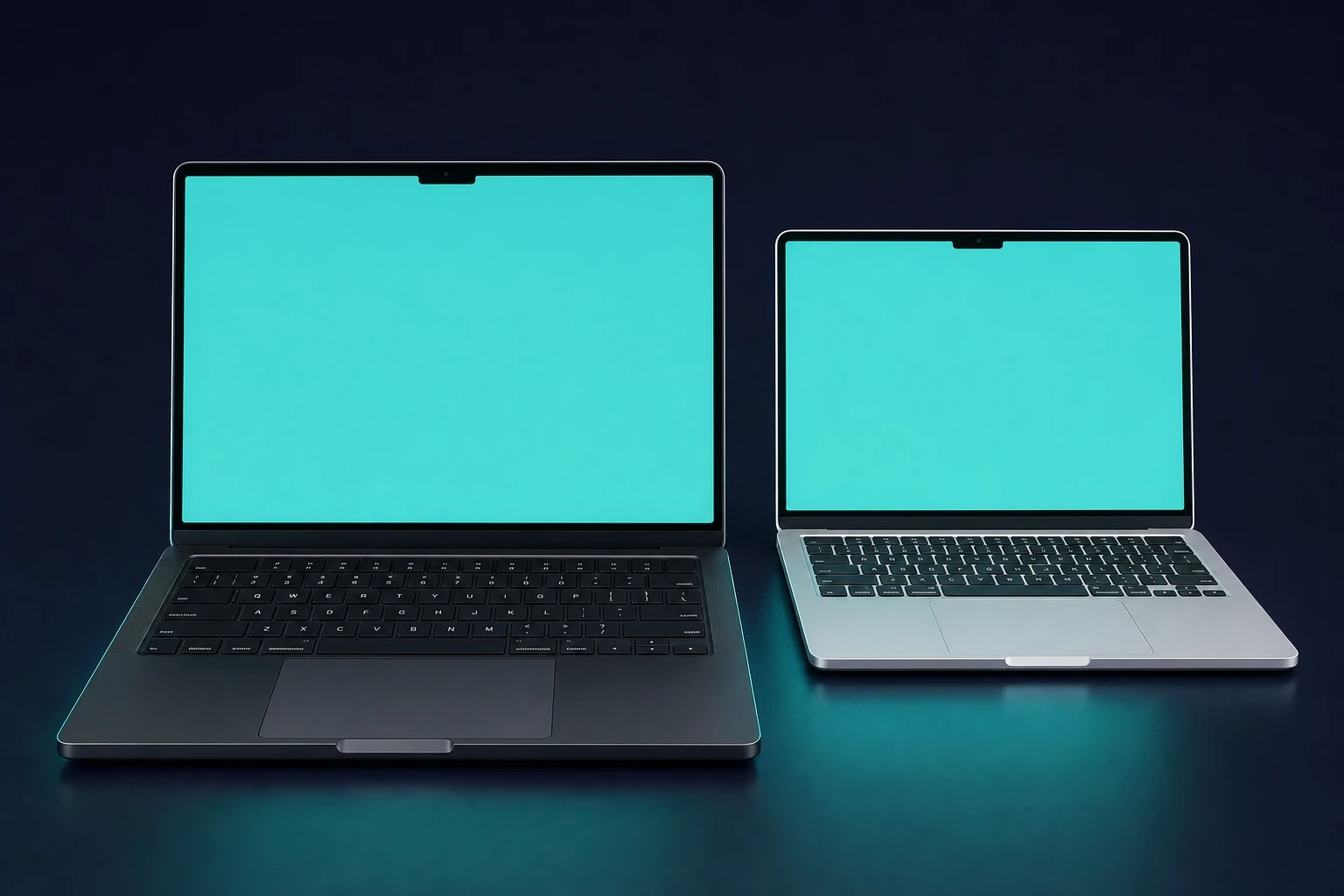
MacBook evriminin en yeni dönemi hızlı ilerliyor. 2023 sonundaki M3'ün ardından Apple ritmi sürdürdü: Mart 2024'te M3 MacBook Air, Ekim 2024'te M4 MacBook Pro, Mart 2025'te M4 MacBook Air ve Ekim 2025'te M5 MacBook Pro. İşte her birinin değiştirdikleri.
M3 MacBook Air, 4 Mart 2024'te 13 ve 15 inç boyutlarıyla geldi. M3 çipi daha hafif Air serisine taşıdı ve 2022 M2 Air ile M4 dönemi arasındaki boşluğu doldurdu.
Ardından 30 Ekim 2024'te M4 MacBook Pro, 14 ve 16 inç boyutlarında ve M4, M4 Pro ya da M4 Max seçenekleriyle geldi. Temel 14 inç model artık 16GB RAM ile başlıyor; bu da şunu değerlendiriyorsanız önemlidir: bir MacBook'un buna değip değmediğini (daha ağır işler için).
M4 MacBook Air (12 Mart 2025) $999'dan başlıyor, 12 MP Center Stage kamera ve yeni Gökyüzü Mavisi rengi ekliyor ve bellek bant genişliğini M3'ün 100 GB/s değerinden 120 GB/s'ye çıkarıyor. Şöyle bir iş yükü için: veri bilimi için MacBook, bu ek bant genişliği gerçek testlerde fark yaratır.
Güncel amiral gemisi MacBook Pro M5'dur; 22 Ekim 2025'te, bir hafta önce başlayan ön siparişlerle piyasaya çıktı. 14 inç model 10 çekirdekli CPU, 10 çekirdekli GPU ve 16 çekirdekli Neural Engine ile $1,599'dan başlıyor. Lansmanda 16 inç model doğrudan M5'e geçmek yerine M4 Pro ve M4 Max'te kaldı.
MacBook nesilleri listesi: PowerPC'den Apple Silicon'a
Tüm seriyi yan yana koyduğumuzda net bir örüntü görüyoruz: her çip dönemi MacBook'u daha hızlı yaptı, Apple ise daha ince ve daha hafif tasarımların peşinden gitmeyi sürdürdü.
- PowerPC Dönemi (1991-2005): Motorola/IBM çipli PowerBook'lar ve iBook'lar
- Intel Geçişi (2006-2020): Daha hızlı CPU'lar, ancak termal ödün
- Apple Silicon (2020'den bugüne): artık M1'den M5'e uzanan M serisi, ilk şüphecileri susturdu ve insanların pil gücüyle çalışan bir dizüstü bilgisayardan beklentilerini yeniden tanımladı
MacOS Tarihi: Ekranların Ardındaki Yazılım
Her MacBook işletim sistemiyle ayakta durur. Mac OS 9'u (1999) hatırlıyor musunuz? Dosya aramak için Sherlock'u içeriyordu. Ardından Spotlight ve Dashboard widget'larıyla OS X Tiger (2005) geldi. macOS Sonoma (2023) web sitelerini uygulamaya dönüştürmenin yolunu açtı ve daha akıcı oyun için bir oyun modu ekledi.
Apple o zamandan beri iki sürüm daha yayınladı. macOS Sequoia 16 Eylül 2024'te geldi, macOS Tahoe ise 15 Eylül 2025'te onu izledi. Tahoe, Intel desteğini tamamen bırakan ilk macOS ve Liquid Glass arayüzünü getiren sürüm oldu. En yeni sürüm, 11 Mayıs 2026'da yayınlanan macOS Tahoe 26.5'tir.
MacBook tarihi hakkında sık sorulan sorular
MacBook tarihi hakkında en çok sorulan sorulara kısa yanıtlar.
İlk Apple dizüstü bilgisayarı ne zaman çıktı?
Apple'ın ilk taşınabilir bilgisayarı PowerBook 100, 1991'de piyasaya çıktı. Trackball ve Motorola 68000 işlemciyle taşınabilir bilgisayarı Mac serisine getirdi ve o günden beri her Apple dizüstü bilgisayarının üzerine inşa edildiği şablonu oluşturdu.
İlk MacBook ne zaman çıktı?
Gerçekten “MacBook” adını taşıyan ilk ürün Mayıs 2006'da geldi: iBook'un yerini alan polikarbonat tüketici modeli. İlk MacBook Pro ise birkaç ay önce, Şubat 2006'da, Apple'ın ilk Intel dizüstü bilgisayarı olarak çıkmıştı.
En yeni MacBook modeli hangisi?
2025 itibarıyla amiral gemisi, 22 Ekim 2025'te çıkan ve $1,599'dan başlayan M5 MacBook Pro'dur. Güncel Air ise Mart 2025 çıkışlı, $999'dan başlayan M4 MacBook Air'dir.
Kaç MacBook nesli var?
En net ayrım üç çip dönemidir: PowerPC (1991-2005), Intel (2006-2020) ve 2020'deki M1'den 2025'teki M5'e uzanan Apple Silicon. Apple Silicon dönemi içinde M1, M2, M3, M4 ve M5'in her biri bir alt nesil sayılır; bu yüzden seriyi ne kadar ayrıntılı görmek istediğinize göre iki şekilde de gruplayabilirsiniz.
En kötü MacBook klavyesi hangisiydi?
Çoğu kişi 2015-2019 dönemindeki kelebek klavyeyi gösterir. Yalnızca yaklaşık 0,7 mm tuş hareketiyle, bir tuşun altına kir girdiğinde takılıyordu ve arızalar o kadar yaygındı ki Apple genişletilmiş bir onarım programı başlattı.
En ince MacBook hangisiydi?
2015 yapımı 12 inç MacBook, 0,9 kg ağırlığı ve 13,1 mm kalınlığıyla döneminin en incesiydi. 2008 MacBook Air orijinal incelik ölçütünü belirlemişti ve Mac mini tarihi de masaüstü tarafında benzer bir çizgi izliyor.