

 FR
FR  EN
EN  ES
ES  PT
PT  TR
TR  AR
AR A dedicated Mac mini server, all yours.
A whole Mac mini, dedicated to you and no one else. Full root, 99.9% uptime, and macOS you reach from anywhere, from $3.97 a day.
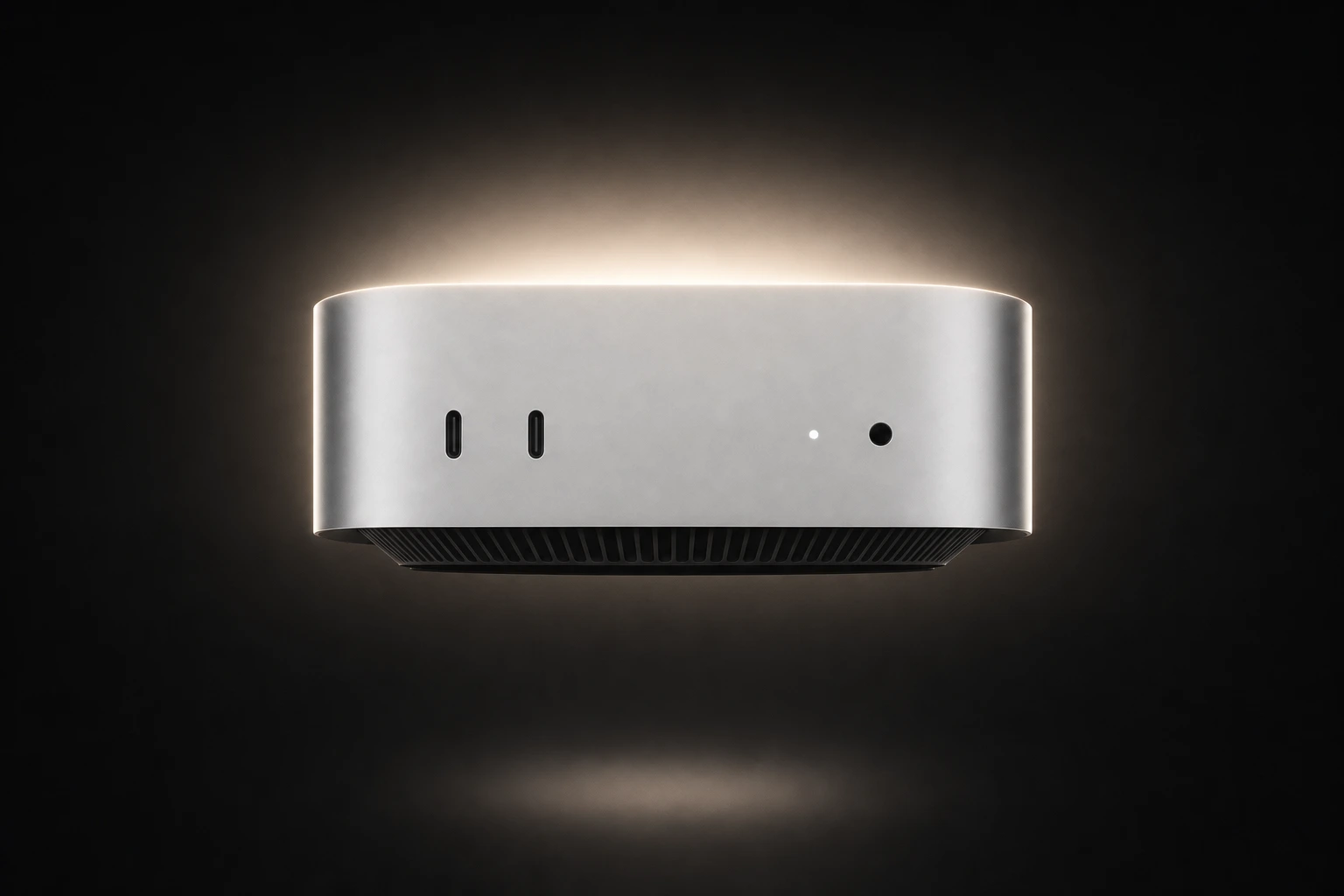
A physical Mac mini kept for you alone. No shared cores, nothing virtual.
A full gigabit line into your dedicated machine, not a shared port.
Your dedicated server runs around the clock, connected or not.
Choisissez une offre
Daily, weekly, or monthly, cancel anytime. Your dedicated Mac mini is ready within minutes of paying.
Connect over DeskIn or SSH
DeskIn remote desktop is preloaded at no cost and opens the full macOS screen from a laptop or phone. Want a terminal instead? SSH in as root. No dummy HDMI plug, no headless setup to babysit.
Start building
Install your tools, connect your build pipeline, and compile, test, and ship on real Apple Silicon. The server keeps running 24/7.
Use cases
What a dedicated Mac runs.
CI/CD and iOS builds
Build, test, archive, and sign Xcode projects on Apple Silicon that is yours alone. A private runner with no shared queue and no build minutes to buy.
Automation & cron
Run scheduled jobs and background scripts around the clock, without leaving your own laptop powered on.
Dev, test & staging
One always-available macOS environment the whole team logs into.
Apps, sites & databases
Keep Node, Nginx, Postgres, or WordPress running and private behind Tailscale.
App Store Connect
Push your finished builds up to TestFlight and out to the App Store.
Any stack
Run any server stack you want.
Administrator rights from the first login. No sandbox, no list of approved apps, nothing locked down.
 Xcode
Xcode Docker
 Bricolage
 VS Code
 Git
Git Node.js
 Flutter
 Curseur
Access & specs
You have full control.
Full admin rights from the first login, with nothing sandboxed or pre-approved. Install anything, change any setting, run any service. This dedicated machine is yours to configure.
The machine
- Hardware
- Mac mini M4 or M6 · 16GB memory · 256GB SSD
- macOS
- 27.0 or newer
- Network
- 1 Gbps to your dedicated Mac
- Uptime
- 99.9% uptime SLA
Access & billing
- Security
- Two-layer physical · GDPR compliant
- Access
- Full root · single tenant
- Connect
- DeskIn or SSH
- Billing
- Daily, weekly, or monthly · auto-renews until you cancel
Tarification
Plans and pricing.
One flat price for the whole period. No usage metering, no egress fees, no surprises at checkout.
“The easiest onboarding I’ve had across many platforms. Professional and proactive team.”
“Great pricing, easy setup, outstanding communication. Fast support.”
“Excellent service. Outstanding response time. Support follows up until resolved.”
“Performance is awesome. Affordable to code on Mac from my Windows PC.”
“Transparent and friendly. Mac instances run stably. Fair prices.”
“Super easy to get a Mac. Fast delivery and the machine was in great condition.”
Live demo
See the dedicated Mac live.
This is an actual dedicated Mac mini, streamed live. Pick an action and watch it run.
Now run something on it
These buttons send real commands to the Mac above.
Questions
Dedicated Mac FAQ.
Yes. Your dedicated machine stays online as long as the subscription is active, so it works as a full always-on server. Just do not power it off from inside macOS, or you will lose remote access until the team brings it back.
It is a real, dedicated Mac mini, not a virtual machine. The whole unit is yours, with 16GB of memory and no other tenants on the cores.
Yes. With full root you can install a self-hosted runner for GitHub Actions, Jenkins, GitLab CI, or Buildkite and run Xcode builds, tests, and code signing on real Apple Silicon.
Yes, full administrator access from the first login, with no restrictions. Install anything, change any setting, run any service on the machine.
Because Xcode, the iOS and macOS toolchains, code signing, and notarization only run on macOS on Apple hardware. A Linux server cannot do those jobs at any price. Anything that touches Apple platforms needs a real Mac.
It sits in a datacenter with two-layer physical security and a 99.9% uptime SLA, and it stays online as long as your subscription is active.
Every dedicated Mac runs macOS 27.0 or newer. Downgrading to an older version of macOS is not supported.
Yes. SSH is supported, and DeskIn remote desktop ships pre-installed and free. Use the terminal for headless work, or DeskIn when you want the full desktop.
Yes. Volume pricing starts at five machines (5% off) and fifteen or more (10% off), and Thunderbolt clustering is available on orders of fifteen or more.
Plans start at $3.97 a day on the monthly term, with daily and weekly options too. Everything auto-renews until you cancel, which you can do anytime from the dashboard. There is no hourly billing and no free trial.
Your dedicated Mac, reachable from anywhere.
A dedicated Mac server, online the minute you pay. From $3.97 a day, cancel anytime.